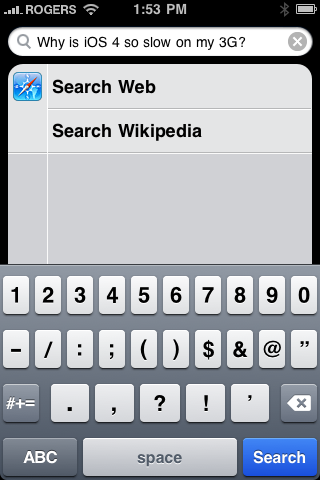

I’ve read report after report of things you can do to improve iOS 4 performance on the iPhone 3G. The most common suggestion is to turn all of your spotlight search features completely OFF. This stops the OS from indexing and running background processes while you go about your daily business. As I hardly (if ever) use spotlight on my 3G, I decided to give it a try… and if you have a 3G, you should to.
For me, this worked like a charm. Immediately after performing the little tweak, I noticed a boost in performance. Not a HUGE jump, but a sizable jump for sure. Apps opened quicker, actions were recognized faster… Overall, things got a much needed kick in the pants. One app in particular that I’d been having major troubles with (it would crash 4 out of 5 times when trying to open it!) now opens each and every time.
That said, I should let you know that I recently did a complete wipe of my iPhone 3G. It was getting bogged-down with pictures, apps I never used anymore. I only have 2 pages of apps at the moment, and there’s still lots of free space available. This could be a key factor regarding the effectiveness of this little ‘trick’. If your 3G is loaded to the hilt with all sorts of email, photos and apps, I have a sneaking suspicion you will not garner the same results. But then again, maybe you will… give it a try for yourself!
Here’s what you need to do to get started:
- Go to Settings > General > Home Button > Spotlight Search
- Once there, make sure all of the options available are unchecked
- Resume your daily business and take note of any improvements in performance and responsiveness
If you have a 3G in-hand, and are plagued with a case of the ‘iOS 4 Blues’, please give this a try. The worst that can happen is it doesn’t work, and you can turn the spotlight options back ON at your convenience.
I’m very curious to hear from iPhone 3G owners out there… if you try this, be sure to let me know your results… and perhaps most importantly, if you haven’t installed iOS 4 on your iPhone 3G yet… DON’T! Keep running your current version and trust me, you’ll be better off for it… and remember, Apple is looking into this issue. Hopefully an official fix is on the way.
Note: It’s also worth mentioning that I’ve encountered the same issue on the 3GS. Over the weekend a few friends had told me there were running into similar issues on their 3GS’s after installing iOS 4. Turning off spotlight search did seem to help a little, but the jury is still out. If you’re on a 3GS, turning off your Spotlight search options is worth a shot as well.