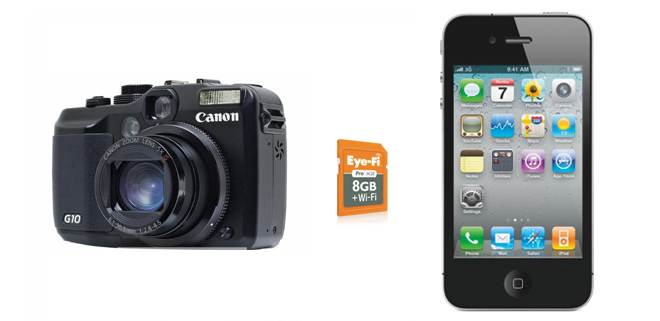

Every time I’m walking around with my Canon G10 (and iPhone 4 in my pocket, of course) I think to myself, “I wish I could upload this photo right now.” Of course I could take the same picture again with my iPhone 4 (or Sony Ericsson Xperia X10 depending on the day) and immediately upload it to Flickr or Tumblr, but I would lose all the detail captured by the better camera. Well, thanks to Eye-Fi and my iPhone 4, I can upload all my high-quality photos from my camera directly to the web. And, for the sake of sharing my newfound freedom from cumbersome photo transfers, I thought I’d share with you all how to capture and upload gorgeous pictures from wherever you might find yourself!
For years my routine was consistent:
- Take pictures
- Connect CF/SD card to computer
- Edit
- Upload
Last year I was introduced to Eye-Fi, a combination SD and WiFi card, which eliminated steps 2 and 3 from above. Uploading is automatic once I’m in range of a compatible WiFi network, and editing is performed using Picnik inside Flickr.
My goal is an ambitious one. I want to reduce the process to 1 step: take pictures. To do that, you not only need a way to get your photos wirelessly tranferred off the camera (Eye-Fi), you’ll also need a way to upload those pics to the web. Here’s what you need:
- Camera (SD compatible)
- Eye-Fi card ($49-$149)
- Jailbroken iPhone (http://jailbreakme.com if you haven’t upgraded to iOS 4.0.2 or above)
- MyWi ($20)
MyWi is the software your iPhone needs to create an ad-hoc WiFi network using its 3G internet connection. It basically turns your iPhone into a WiFi Hotspot. This is different from “tethering” which allows you to connect your laptop to your phone via USB or Bluetooth to access the Internet using your phone. Also, here’s a tip: don’t bother with cracking MyWi or any other workarounds. They aren’t worth your time and they probably won’t work. Just pay the $20. You’ll probably want to setup MyWi to broadcast a secure WiFi network that only you and your Eye-Fi card can access. You can customize the SSID for your WiFi network, as well as the WiFi channel and security type you’d like to use. We suggest you do this before you do anything else, or risk having your portable WiFi hotspot hijacked by passersby and coffee shop warriors.
Once the application is properly set up and running, open the Eye-Fi Center application and configure the Eye-Fi card to automatically connect to the WiFi network that MyWi is powering. MyWi runs nicely in the background so don’t worry about your iPhone going to sleep. Put the Eye-Fi card into your camera and start taking pictures. The pictures are uploaded to the services configured in your Eye-Fi account using your phone’s Internet connection.

You are absolutely not required to experiment with this using an iPhone. If you have a rooted Android phone try installing Android Wifi Tether and configuring your Eye-Fi card to communicate with the WiFi network created by your Android phone. Also keep in mind that this is an experiment, and it will only work well if you are in an area with good 3G (preferably 4G) upload speeds.
Of course we all know this is just a temporary workaround for a larger problem with sharing complexity. Eye-Fi will gain more coverage with more WiFi partnerships for users who must continue using overpowered dSLR cameras, and, for us regular people who aren’t concerned with ISO and shutter speed, cell phones will become our primary cameras. New background processing apps will instantly upload our photos making sharing an automated part of picture taking. Maybe the Microsoft Kin got something right.