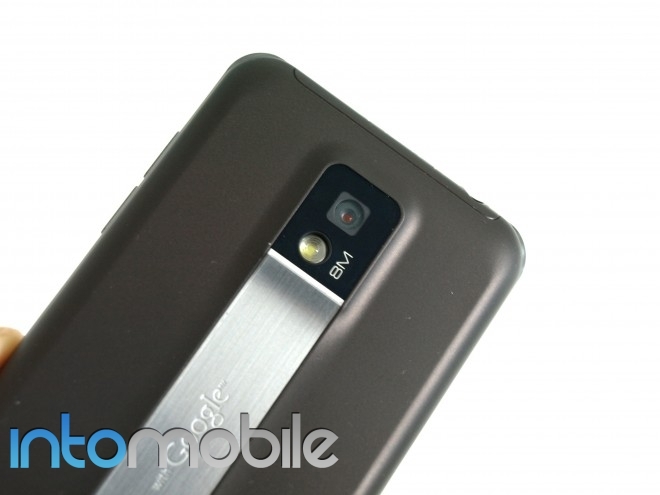

The T-Mobile G2X’s camera is definitely one of the highlights of the phone, alongside it’s dual-core processor. However, the initial test shots we put up in the review weren’t singing the quality we had hoped for. Luckily, the weather in San Francisco cleared up a bit, and I decided to give the camera another try, and came away much more impressed than my first shot at it.
While the camera on this beast of the phone performs rather well, some photos just don’t pop like others. All photos below are taken with the default settings, with no tweaks involved, so this is the sort of quality you’ll see out of the box.

The camera managed to grab the text on the bus rather well, even though it was passing quickly

- This shot came out beautifully, colors pop and are saturated evenly

In one word. Stunning. Even with the wind blowing, this shot came out great.
Image stabilization is turned on by default, and the following photos were all taken while walking. We’re pretty impressed to see the camera squeeze out a decent photo while trotting along down the street.

It can be awkward when taking a picture when crossing the street. Almost ran into someone.

The contrast between the cherry blossoms and the sky almost make it seem as if the colors are bleeding.

The image stabilization for the G2X’s camera is top-notch from our tests. However, like most cameras on smartphones today, it suffers in low light settings. Actually, the G2X suffers quite badly in low light, even when tweaking the settings. Changing the ISO didn’t help at all in the following pictures.You can find more in the gallery below.

low light, default settings, with flash

low light, default settings, no flash

low light, no flash, ISO 800
-

- low light, default settings, no flash

-

- low light, no flash, ISO 800


-

- low light, default settings, flash on

-

- low light, default settings, with flash


-

- low light, no flash, ISO 800


-

- low light, no flash, ISO 800


