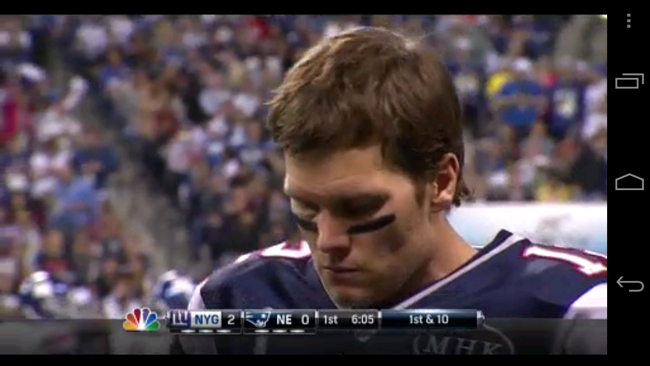
Last night, I took the opportunity to check out Verizon’s NFL Mobile app and watched the entire Super Bowl game on my Galaxy Nexus. I’m a cord cutter and don’t have cable so watching it on the small screen was my only option.
After watching the game on 4G, 3G and WiFi, I’m happy to say the stream was a resounding success. I’d give it an 8 out of 10, with a few points subtracted for missing content blacked out on the mobile that cable viewers got to see.
What I liked best about the NFL Mobile app
The NFL Mobile app did an excellent job streaming the game to my phone. I didn’t drop the stream and the quality over WiFi and 4G was superb. There was noticeable degradation when I switched to 3G, which made it marginally watchable and detracted from what was an otherwise pleasant experience. The Super Bowl stream was front and center in the app, which let me jump immediately to the game and not hunt through older content to find the show. Once the stream launched, it played with minimal interaction. The app kept the screen on, so I never missed a critical play because I had to unlock the phone. I also like the mobility provided by a cell phone. I watched the game while I cooked dinner, sat at my computer and lounged on the couch.
What I didn’t like about the NFL Mobile app
Over all, the experience with the NFL Mobile app was a pleasant one, but it wasn’t perfect. The biggest drawback was the missing content. There was no halftime show, only a blank screen with an NFL logo for those using the mobile app. I wasn’t that interested in watching the half-time extravaganza, but it was hard to read a Twitter stream filled with comments about Madonna and not be able to take part. The app also blacked out a few commercials, which was mildly annoying. I’m not sure which commercials I missed, but, at least, I got to see the ones that I wanted like the Best Buy and Samsung Galaxy Note ad. Besides the missing content, I’d also like to see the stream made available to other carriers besides Verizon.
I had two other minor complaints about the experience that were tied to Verizon and the phone, not the content. First, the app kept asking me whether I was still watching. I assume Verizon wanted to disconnect people who are not actively engaged, but it was annoying to have the game stop in mid-play every 20 minutes and ask me if I was still there. Once I tapped continue, it jumped ahead to the live play.
The app also consumes data, which could be a problem for customers on a limited data plan. That being said, Verizon did a pretty good job at compressing the video and, according to my logs, the NFL Mobile app only consumed about 10 MB of data. Lastly, the video stream killed my battery in record time. I started out with a full battery and was out of juice before the end of the game. If I was truly mobile and not at home, I would have missed the last eight minutes of the game, which were the most exciting in my humble opinion.
Conclusion
I enjoyed the NFL Mobile app and would undoubtedly watch a live game again, given the opportunity. I would even pay a dollar or two in the future to watch a high-profile show like the Super Bowl, especially if it came with all the content of the cable version. Verizon has to address the data consumption problem, especially if wants people to pay for the video stream. It shouldn’t encourage people to watch lots of video and then give them only a 2 GB monthly allotment. Battery life is also an issue as you don’t want to watch a long video and discover you have no power left to make a phone call. As mobile video increases and hardware is streamlined, I’m hopeful these few limitations will be removed. I look forward to a future where I can watch all my TV on my phone or tablet without the need to subscribe to cable or satellite.