Camera
The 3.2 megapixel camera may not be officially CyberShot-branded kit, but it certainly fails to disappoint. That’s are way of saying that the XPERIA X1’s autofocusing camera is impressive. A lot of smartphones these days lack a dedicated shutter button, so it’s good to see the X1 sporting a two-step shutter button.
Press the button down half-way and the 3.2 megapixel camera will focus with a slight “whir” that tells you it’s working its auto-focus magic. It’s actually a pleasing sound, knowing that your camera phone is focusing on just the right point. A full press of the shutter-button actuates the shutter with almost no shutter lag (which is more than we can say for other high-end smartphones claiming to have high-quality cameras).

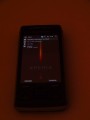
Notice the off-set focus-bracket
But, if you just have to see some shutter lag, a full-press of the shutter button will delay the shutter from opening (virtually, there’s no real shutter here) until the camera finds a good focal point.
More impressive than the autofocus or flash feature is the touch-focus feature. The X1’s camera will focus its lens on any point in the picture. Simply frame the shot and tap your finger on the area that you’d like to focus on (say the person in the lower-left of the frame, rather than the tree in the background), and the camera will oblige. It’s definitely one of the coolest camera phone features available on market, and a good addition to the XPERIA X1’s feature-set.
Panel UI
So, just how good is this new-fangled Sony Ericsson Panel UI?
In a few words, it’s pretty good, but could be better.
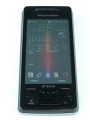
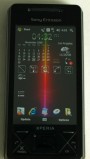
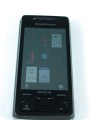
In a few more words, the Panel UI is Sony Ericsson’s vision for task-specific smartphone computing. Rather than serving up the entire gamut of mobile data that smartphones of this caliber are soo good at organizing, the Panel UI allows the user to select from a variety of user-customizable homescreen “Panels” that can be customized to display only the information relevant to a particular task. Selecting a different panel is as simple as hitting the “Panel” button and picking a new homescreen configuration.
It’s a great idea, but we have to admit that the business-oriented panels got the most playtime during our time with the XPERIA X1. We like to be bombarded by information, so the default Panel (displaying time, weather, calendar, call history, recent programs, tasks, and a communications manager (WiFi,  Bluetooth, Airplane mode, etc.)) was a good fit. The Media Panel and the FM radio panel were good for gym-duty. We’re not the type to sit and listen to music on our handhelds, but for those that like to listen to music on their handsets will likely appreciate the media-oriented panels.
Panels can be customized to show all kinds of data – email, weather, calendar, sports scores, stock info, news, etc. And, much of that data can be pushed to the XPERIA X1, thanks to a bit of API-magic from the developers at Sony Ericsson. Push data is the future of data aggregation, and the Sony Ericsson XPERIA X1 takes that notion to heart.
A downside of having completely re-configurable homescreens is that it can take a second or two for the homescreen to become fully functional. Switching between Panels requires the XPERIA X1 to activate some services and pull down Panel-specific data, which takes time.
Aside from the slight lag in starting up a new homescreen, Sony Ericsson’s Panel UI is a unique and innovative way to display information on a smartphone.
Overall – 4.5/5 stars


Overall, the Sony Ericsson XPERIA X1 is a beast of a smartphone. There are a few niggling downsides, but that’s to be expected with all smartphones.
We can live with the slightly cramped keyboard, squishy touchscreen, and “unique” design aesthetic. Windows Mobile awkwardness is pretty much a given for any handset powered by the WinMo platform, and we’ve come to accept it for all its imperfections.
At the end of the day, the squishy touchscreen, “cut-up” design, Windows Mobile baubles, and slightly loose slide-mechanism are enough to ding a half-star from the XPERIA X1’s almost-perfect score. It takes a lot for a smartphone to score a perfect rating, and the XPERIA X1 almost makes the cut. The X1 would have earned a four-star rating were it not for the slide-mechanism and superb camera.