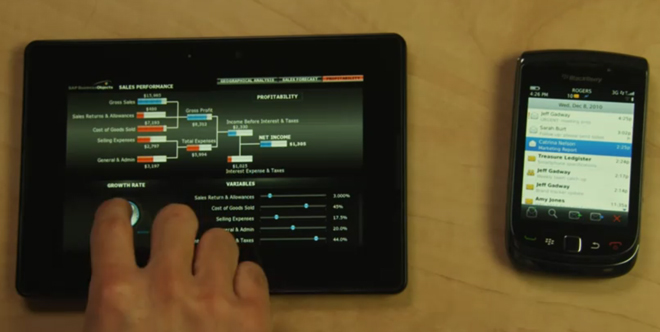

In RIM’s ongoing video series leading up to the launch of their BlackBerry PlayBook tablet in March, they’re showing off some of the business capabilities of the device. There’s nothing particularly new to be seen; it’s explained again that enterprise e-mail is wiped from the PlayBook as soon as you un-pair a BlackBerry smartphone. App switching is simple using swipes along the touch-sensitive bezel, plus SAP has a businesss intelligence product for checking serious-looking charts and graphs.
For those unfamiliar, the PlayBook is RIM’s first tablet, running a brand new operating system that excels at multitasking, stability, and multimedia. It’s got a dual-core 1 GHz processor, 1 GB of RAM, a 7-inch 1024 x 600 touchscreen, 5 megapixel and 3 megapixel camera (both HD capable), HDMI-out, and Wi-Fi with 3G connectivity through a Bluetooth-tethered BlackBerry.
I’ve already said my bit about Bridge, and though using it essentially makes the PlayBook business-capable, there still seems to be a distinct lack of admin control over the tablet in terms of rolling out business apps, but I’m sure that won’t last long. Eventually the PlayBook will be able to support PIM apps like memopad, e-mail, calendar, and contacts on its own, at which point it will be a viable product for anyone without a BlackBerry handset. From the business perspective, companies that don’t use BlackBerrys are still few and far between, and those that do are probably busy testing iPad roll-outs if they’re considering tablets at all. The real challenge will be how quickly RIM can provide a standalone tablet solution for businesses that’s better than the Android devices that are coming out.
Anyway, here’s the video. Be sure to take a look at our own hands-on with the PlayBook to see how she runs.
[via Inside BlackBerry]