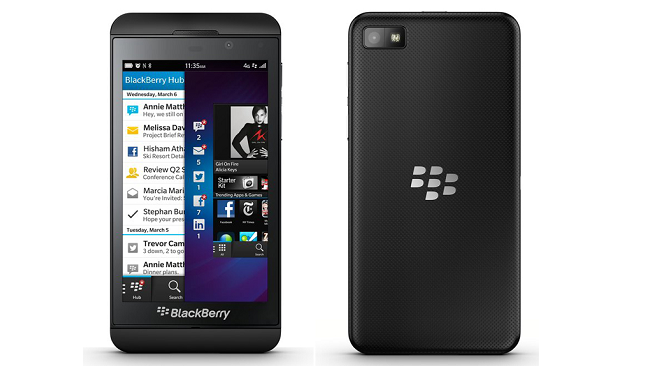
At the BlackBerry Live event today the troubled company announced many new features and products. One of those new products included the entry level BlackBerry Q5, which is a cheaper version of the Q10 with different colors. The company also announced that it would be finally rolling out the latest version operating system 10.1 to the Z10.
OS 10.1 comes with some much-needed improvements, including HDR camera, improved apps, Instant Action, battery improvements and much more.
Here’s the full description of features and improvements provided by BlackBerry.
Highlights of BlackBerry 10.1
BlackBerry Hub manages all of your conversations
BlackBerry Hub helps you stay organized, in control and on top of all of your conversations, and with BlackBerry 10.1, it just keeps getting better. You can now view emails that are attached to another email, get contact suggestions when you start addressing a message, and send PIN to PIN messages for direct communication between BlackBerry smartphones.
Personalize your Notifications
BlackBerry 10.1 allows you to set up personalized notifications for your contacts and accounts. Customize ringtones, vibrations and the LED light for calls or message from each of your friends, family or colleagues. You can also set up a different notification for different accounts (such as for different email accounts, Facebook, Twitter, etc.)
Click to call
You can now click on a phone number in an email or BBM message to call the number or copy and paste it right onto the dialer screen in the phone app.
Better cursor control
BlackBerry 10.1 offers better cursor control making it easier to accurately place the cursor and select text. Just tap once to bring up the cursor control, grab the blue circle and drag it around to the insertion point that you want. Improved visual feedback lets you know where you’re pointing. You can also tap either side of the circle to move forward or backward one character at a time.
Improved picture capturing
BlackBerry 10.1 adds an HDR (high dynamic range) shooting mode for taking beautiful images in tricky lighting conditions. High Dynamic Range (HDR) mode takes multiple pictures at different exposure levels and layers them automatically to produce a single photo that combines the best of the dark and light areas. It also includes improved red eye and golden eye reduction in the picture editor.
More to discover with BlackBerry 10.1
You’ll find a number of new enhancements across the BlackBerry 10 OS like landscape support for the calendar, easier international dialing and so much more. The first step to discovering these new features on your BlackBerry Z10 smartphone is to update your BlackBerry 10 software.
Updating is easy
Updating to BlackBerry 10.1 is free and easy to do. To update your BlackBerry Z10 smartphone to BlackBerry 10.1 look for the alert in the notifications section of the BlackBerry Hub. You can also check for software updates through the software updates section in the Settings menu or through the BlackBerry Link desktop software. The download will happen in the background and the update will be applied without needing to back up your smartphone. All of your information remains safe. For more information on how to update your BlackBerry Z10 smartphone, visit www.BlackBerry.com/update.