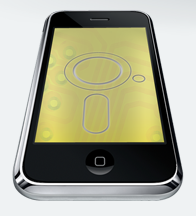
 The world needs more file sharing/transfer apps, so Phone Disk is here to the rescue. If Air Sharing, Dropbox, Evernote, MobileMe and others just aren’t cutting it, grab Phone Disk for free right now and store and transfer files to your heart’s content. It seems simple enough to use: you stick your iPhone into your computer via USB and the smartphone acts as a drive where you can transfer, store and receive your content.
Fret not if you don’t have an iPhone because it also supports the iPod touch and iPad. Macroplant says the following in terms of support:
iPad, iTouch or iPhone Disk Mode is made easy with Phone Disk. Using your standard USB cable, this tiny program runs in the menu bar or system tray of your Mac or PC. When it finds an iPod Touch or iPhone it seamlessly mounts it to your file system so you can directly access its files using Windows Explorer, Finder and every other program.
Phone Disk works with all iPhones, iPod Touches, and even iPads! For Mac, it requires Mac OSX 10.5 or later with Intel processor. For PC, it requires Windows XP, Vista or 7.
Anymore questions? Go check it out and let us know how you like it.
[Via: Macroplant]