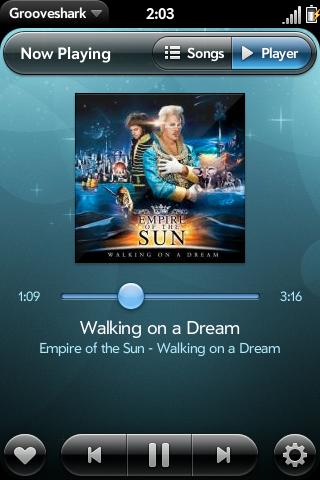

Hot on the heels of their Android update, the most excellent web and mobile music service, Grooveshark, has recently updated their webOS app. Palm Pre and Pixi owners can now shuffle their music, control music through a new dashboard player that hangs out in the notification area, and a few other things. Here are the highlights.
- Shuffle – You can now shuffle your Now Playing songs. You can also enable shuffling automatically anytime you add a playlist to your queue.
- Dashboard Player – Whenever you start playing something, a dashboard player will open up. You can find it through the notifications section, and have quick access back to the player when you want it.
- Low Bitrate Playback – If your connection is slow, or you’re in an area with bad reception, you can still use Grooveshark. We’ll just play slightly lower quality versions of the songs, so the required bandwidth is lower.
- Search Filtration – Once you search for music, you can now filter through the results.
- Added “Load more results” to search
- Improved scrolling on large lists of songs, playlists, etc.
- Added option to play songs/playlists next in the playing queue
- Added several style fixes for Pixi
- Shows all playlists instead of merely the last 20
- Shows correct Favorite status in playing queue
- Changed text for several buttons to improve usability (eg. “Play All” instead of “Options”, “Settings” instead of “Preferences & Settings”, etc.)
- Loading the Now Playing list will scroll the list to current song
- Added caching of Favorites list when app starts, meaning the Favorites list should load much faster
- Added confirmation dialogs for Logout and Clear Songs
- Implemented the updated webOS Media API
- Updated many old Grooveshark API methods
For those who have never been to listen.grooveshark.com, it’s just about the most magical free online music that you could possibly ask for. Just type in a name of a song or artist, and it starts playing. You can create a profile that saves your playlists and enables you to share them with others, there’s a suggestion engine to help you discover music based on your ratings, too.
I’m always worried that there are some legal implications with something this good, and that the RIAA’s on-call SWAT team is going to come rappelling down my roof and into my window any second when using Grooveshark, but at least until that fateful day when I’m peppered with red laser dots, I can enjoy some freakin’ sweet music. My only real gripe is that they don’t support the BlackBerry Storm screen size, so I can’t get anything remotely functional from their app on my Torch. Daaang. I’d love to see Grooveshark plug in to Universal Search, just so I could type a song name and have it streaming immediately on demand.
The free web-based version is ad-supported, but to go mobile you need premium service for $30/year or $3/month. Head over to Grooveshark’s Palm landing page for details, or hit up the download links below to get started.
 Download for webOS ($3/month) [Catalog Link]
 Download for Android ($3/month) [Market Link]
[via Grooveshark]