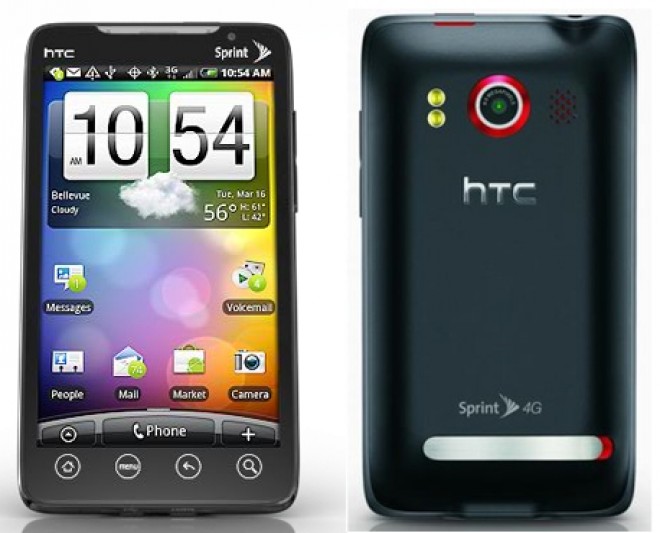

One of the many great features on the HTC EVO 4G is that is has an HDMI port on it. While it may be a feature that you won’t use daily, the EVO was one of the first Android devices to ever sport such a feature. That said, the handset could only display your Gallery application and YouTube videos when hooking it up to a TV – until now. FullHDMI now allows your EVO to mirror the Sense UI right on your TV, with support of multiple resolutions.
Previous solutions have required a custom kernel for the device, but this app keeps it simple by alleviating most of the hackery. One catch is that you’ll need to have a rooted EVO, but it’s so easy at this point that it should be the last thing that stands in your way. You’ll also need the mini HDMI to HDMI cable, which doesn’t come with the phone, but you can find one for cheap on Amazon.
Since the EVO’s version of Sense UI doesn’t allow landscape viewing of the homescreen, you may want to consider downloading a home replacement app – Launcher Pro being the closest to Sense. After finishing all the ins and outs that you need to do to get the EVO looking nice on the big screen, you can start playing some of your favorite games right on your TV. Those of you running a custom ROM that’s not Sense-based should be warned that audio output will only come from the phone itself.
The app is $2.99 on the Android Market, and while it may not be the most seamless experience, we’re mostly hearing good things. And while we’re glad that a solution has been cooked up, hopefully HTC will make this kind of HDMI mirroring official one day.
So if you have a rooted EVO, the HDMI cable and three bucks to spare, why not download this app now?
[Via: AndroidPolice]