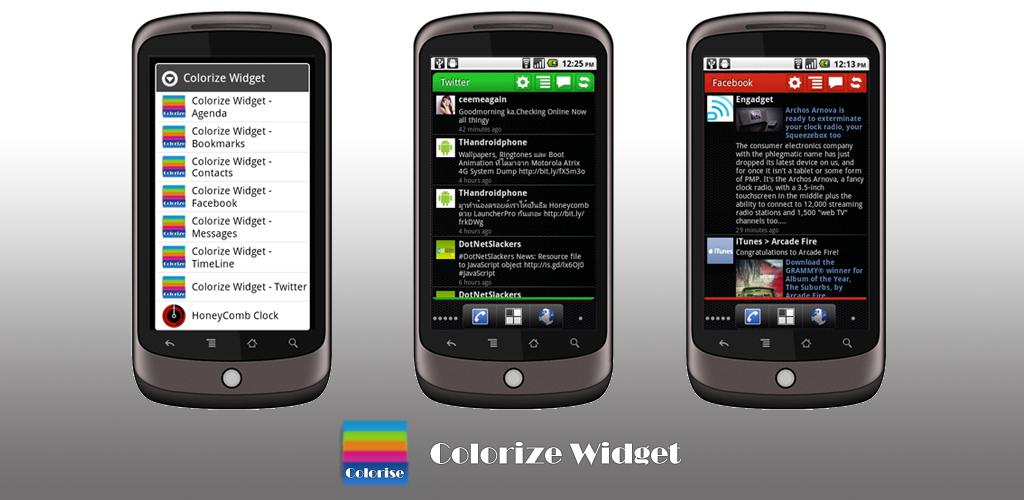

Love the scrollable widgets on Launcher Pro, but don’t want change your Android home app? If you said “yes”, then Colorize Widget may be for you. Simply put, Colorize Widgets offers up a set of scrollable, and customizable widgets for messages, bookmarks, etc.
This may sound terribly simple, but that’s because it is. Colorize Widget offers up scrollable widgets for the following:
- Agenda
- Bookmarks
- Calendar
- Contacts
- Messages
- TimeLine
- Honeycomb Clock widget
Some of the widgets are only for the pro version, which you’ll have to buy through PayPal, as paid applications are not yet available for the developer’s country. That said, most widgets work on the free version, so you may not even feel the need to purchase the Pro version. Still, if the extra widgets and theming options are worth it to you, the Pro version is always an option.
While you can’t use this on the stock Android home, or Sense-based software (not like you’d need to), if you use ADW Launcher (EX), Zeam Launcher, LiveHome or GO Launcher, then you’re good to go. Keep in mind that some homescreen replacements require you to enable scrollable widgets within the settings, so make sure you do that first before you claim that Colorize Widget doesn’t work and give it a bad rating. If you’d like a taste of what Sense UI widgets are like, but prefer stock Android aesthetics, this is the app for you.
Colorize Widget is one of my first must-download applications after a fresh install of CyanogenMod. Hopefully Google will one day support scrollable widgets within the stock Android software (although Android 3.0 Honeycomb does bring this function to the table), as support for this has been around since version 1.5 when HTC introduced Sense for the OS.
You can download Colorize Widget for free from the Android Market Webstore here. Enjoy!