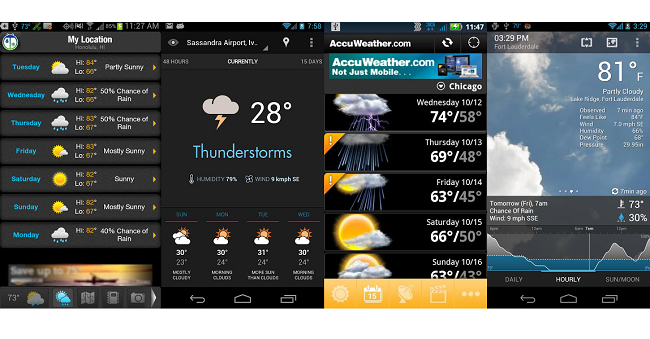
Nowadays, talking about your smartphone has become like talking about the weather to people, but with all of the weather applications out there, there’s no reason you can’t do both.
We’re sure that there are many people out there who simply want a weather application that works well for them and never look into another weather app again, but there are some great options available to users today. Here are five of our top picks!
WeatherBug Elite

WeatherBug Elite currently sits at the number one spot for paid weather applications, and for good reason. This full-featured weather app for Android is simple to use and easy on the eyes. It’s also the app I tend to come back to after trying other weather apps out. WeatherBug Elite is intuitive to use and you won’t find yourself lost in it at all, thanks to the sliding navigation bar that’s allows you to jump into any section, no matter where you are in the app.
The extended forecast is designed very well, and it allows you to hone in on the specific weather conditions you’re looking for just by swiping. The extended forecast starts off with a quick look at the week’s weather ahead, where another swipe will give you a more detailed view for the entire week. Swipe one more time across the day you want the weather for, and you’ll get an hour-by-hour weather forecast for that particular day. It might not be the most inventive way of navigating through the week, but it works much better than many implementations we’ve seen.
Download from Google Play : Free Version – Paid Version($1.99)
One Weather

One Weather may simply be the most beautiful of all weather apps for Android, all while offering a robust set of features in the process. One Weather is brains and beauty, so it’s something you’re definitely going to want to check out for yourself.
The entire app is navigated mostly through swipes, with many small animations like clouds dripping with rain and the sun constantly rotating. You’re given the standard set of options you’d see in most other weather applications, but goes just a bit further with animated chance of precipitation of buckets filling with water, sun and moon phases, and a twitter section that shows tweets of people talking about the weather in your particular location.
With so many cute animations sprinkled throughout the application, it doesn’t come as a surprise that it can have a bit of lag here and there. It likely won’t prove to be a problem for most phones, and we’d imagine that an update to the app could iron out this lag. One Weather isn’t to be passed up, so make sure you give it a try!
Download from Google Play : Free Version
Eye in the Sky

Eye in the Sky’s main goal is simplicity, and it achieves just that with an elegant style. However, because of its simplicity, Eye in the Sky lacks many features you’ll find in most weather apps. It’s not necessarily a bad thing, as not every one cares to look at weather radar in an app. What Eye in the Sky lacks in features, it makes up in style, but that still might not be enough for everyone. It’s best for someone who wants a quick look at the current weather and a short look ahead, so don’t expect tons of features. Still, we suggest you give it a try anyway!
Eye in the Sky also offers up 4 widgets for you to throw on your homescreen that are equally as simple as the rest of the app. None of the widgets successfully loaded on a Nexus 4 with Android 4.2, but given that less than a percent of users are running Android 4.2, it likely won’t affect you.
Download from Google Play : Free Version – Paid Version Key ($1.91)
AccuWeather

Sometimes the obvious choice is the best choice, and you’ll find that there are many people using AccuWeather for that reason. The app is fairly straightforward and simple, and offers up a standard set of features you’d want to see from a full-featured weather app.
AccuWeather lays out the current weather front and center, and a 15-day weather forecast, radar, videos, lifestyle forecast, and more are just a tap away. You’ll also be able to change the theme of the app, which really just equates to the color of the navigation bar of the app, but it’s welcomed.
Download from Google Play : Free Version – Paid Version ($0.99)
BeWeather & Widgets

If you’re not looking to dig into weather reports and just want a decent estimate of the weather with some rather stunning visuals, then look no further than BeWeather & Widgets. There’s more power to the app than meets the eye, as most functions are tucked away to show off realistic animations in the background. Upon installation, you’ll need to download an additional 50MB of data for the animations, and you’re off.
Three small icons line the top right of the app. The first will bring a small pane up from the bottom of the screen to access the extended and hourly forecast, the second will bring you to a radar map that you can customize with different options, and the third tucks away your settings and other features.
There’s definitely more than meets the eye with BeWeather, but you might just want to keep installed for the eye-candy.
Download from Google Play : Free version – Paid Version ($1.99)
So there are our top five weather widgets for Android. All of the apps prove to stand on their own legs, and we bet that you’ll find one that you like in the list.
If we missed your favorite weather app, be sure to tell us about it in the comments below!