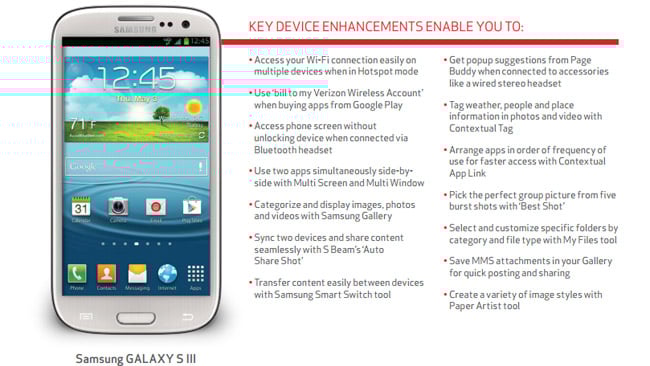
Verizon and Samsung will soon start rolling out an update for the Galaxy S III. We already know what will be included in the firmware update (from this page at Verizon’s website) but are not sure when exactly the rollout will begin. Hopefully, it won’t be a long wait. In the meantime, here’s what you can expect:
KEY DEVICE ENHANCEMENTS ENABLE YOU TO:
- Access your Wi-Fi connection easily on multiple devices when in Hotspot mode
- Use ‘bill to my Verizon Wireless Account’ when buying apps from Google Play
- Access phone screen without unlocking device when connected via Bluetooth headset
- Use two apps simultaneously side-byside with Multi Screen and Multi Window
- Categorize and display images, photos and videos with Samsung Gallery
- Sync two devices and share content seamlessly with S Beam’s ‘Auto Share Shot’
- Transfer content easily between devices with Samsung Smart Switch tool
- Get popup suggestions from Page Buddy when connected to accessories like a wired stereo headset
- Tag weather, people and place information in photos and video with Contextual Tag
- Arrange apps in order of frequency of use for faster access with Contextual App Link
- Pick the perfect group picture from five burst shots with ‘Best Shot’
- Select and customize specific folders by category and file type with My Files tool
- Save MMS attachments in your Gallery for quick posting and sharing
- Create a variety of image styles with Paper Artist tool
ADDITIONAL UPDATES INCLUDE:
- Removed pop-up messages ‘Refreshing SIM Data’, ‘No SIM’ and ‘SD Card Inserted’
- New message notification tone is no longer clipped
- Devices remain in 4G mode without dropping to 3G when Hotspot is on
- The Burst Shot setting is no longer the default setting in the Camera application
- Consistent functionality of the Screen Time Out feature
- Applications running prior to sleep mode will remain open when home key is pressed
- Backspace button will no longer clear an entire sentence – only the intended word
- Support for VMware Horizon Mobile Switch Application has been added to provide a secure, separate environment for your business applications on the same device.
- Fixed an issue where web browsing would sometimes cause the device to reset
- Lock screen function improved when screen is idle
- NFC is now easier to turn on
- Device is now recognized by the computer when connected via USB cable
- Audio distortion fixed when connected to some Car Kits is resolved
- All devices can now receive over-the-air software updates
- Voice recognition performance is improved with the updated S Voice Application
- ‘Remove All’ is now ‘Close All’ in the Task Manager menu
- Google Security Patch has been added
ADDED THE FOLLOWING PRELOADED APPLICATIONS:
- Catch up on news easily with the Flipboard
- Recognize contacts quickly with Caller Name ID application version 1.14.16