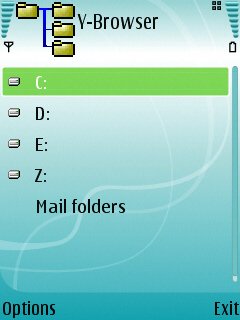
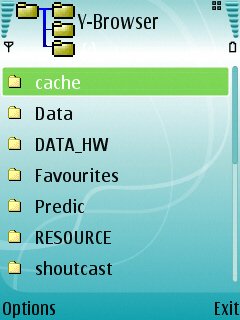
But, for the likes of you and I, gentle AllAboutSymbian reader, there’s still an overwhelming desire to see what’s really happening under the hood – or at least see as much as possible, since with all Symbian OS 9-powered smartphones the super-critical c:\sys folder is hidden from just about anything and managed with an iron fist by the OS. Enter a handful of third-party free file manager utilities, among which Y-Browser is possibly the most useful, with recent updates (0.75 and 0.77) adding a wealth of functionality. If you like to fiddle, if you’re having a few problems with applications not seeing their document files, if you’re curious or if you’re simply stocking up on a utility that may get you out of trouble tomorrow, read on…
The great thing about such a general utility as a file manager is that you find extra uses for it as time goes on. For example, I use it to navigate to and play my archive of AllAboutSymbian video podcasts, tucked away in \System on my expansion card – I can’t keep them in a regular folder because PC Suite would keep (not very helpfully) ‘archiving’ them off back onto my hard disk. But they’re safe in \System and selecting them in Y-Browser kicks off RealPlayer and I’m off and running. Very useful.
Source: All About Symbian
I leave all my poking around and hacking to my linux partion. The reason I got a Nokia phone was because I needed a phone, period; however I admire people who do like utilities like this. Someone needs to port NetStumbler on Series 60. Anyone? Personal favor of mine.