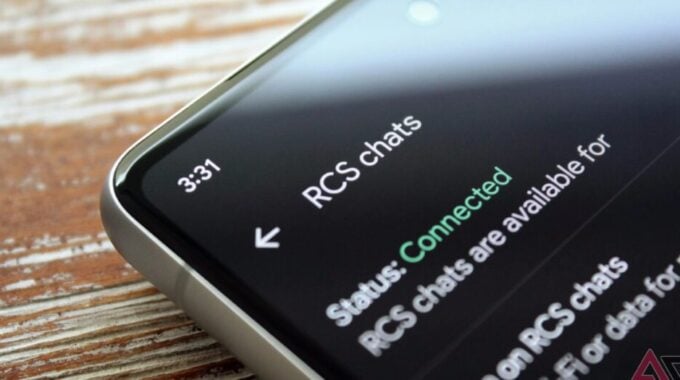
If you just picked up a shiny new Samsung phone and your RCS stopped working, you’re not alone. And honestly, this is the kind of bug that shouldn’t exist in 2026.
According to Android Police, some Samsung users are reporting that RCS simply fails to connect after switching to a new device. The complaints have been popping up on Reddit, and while we don’t know exactly how many people are affected, the pattern is clear enough to take seriously. One example involves a user upgrading from a Galaxy Z Fold 6 to a Z Fold 8. Same ecosystem, same app, totally broken experience.
The suspected culprit is Samsung’s Smart Switch. It’s a convenient tool for moving your data across devices, but it looks like it may be transferring corrupted cache files along with everything else. Google’s own support team confirmed this in the Reddit thread, recommending users update Google Messages, toggle RCS off, clear data for Carrier Services, restart the phone, then toggle RCS back on. Clean and simple on paper. But the user who tried it still couldn’t get things working. So take that advice with a grain of salt.
The more reliable fix, at least based on what users are reporting, is to skip Smart Switch entirely. Wipe the new phone, set it up fresh, and transfer your data manually. Yes, it takes longer. But RCS should actually work when you’re done. Some users also suggest turning off RCS on your old phone before powering it down, then enabling it on the new device once setup is complete.
This whole situation echoes the old iMessage problem people had when leaving iPhone for Android. If you didn’t deactivate iMessage first, your texts would disappear into a void. Same energy here, different platform.
So why does this matter beyond one annoying bug? Google has spent years pushing RCS as the future of Android messaging, and it has genuinely made things better for most people. But moments like this expose how fragile that experience still is. When a standard phone upgrade breaks your messaging, that’s a trust problem. And with the Pixel 11 now available for preorder, the timing couldn’t be worse. The last thing you want on day one with a new phone is a messaging app that won’t cooperate.
Bottom line: before switching to any new Android device right now, turn off RCS first. It’s a small step that could save you a serious headache.