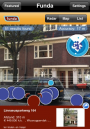
Layar grabbed headlines a few months back as one of the first augmented reality browsers/apps to go live. Today, they’re making waves with the launch of their new Layar Reality Browser iPhone app [iTunes link]! If you check the AppStore, you’ll find that Layar is now ready for iPhone 3GS users (you have to have a digital compass for Layar to work correctly) to take full advantage of the app’s various different augmented reality “layers” to find interesting places around them.
“AR” stands for “augmented reality.” Think of augmented reality as your web-enhanced view of the world. When you normally look through your smartphone’s camera viewfinder, you see the world as it looks through your eyes. When you look through an augmented reality view of the world, you’ll see your normal view of the world with all kinds of data points overlaid on top. In Layar’s case, it finds nearby restaurants, businesses, Twitter users and even Wikipedia entries (just to name a few) and pin-points those locations on top of your real-world view. And therein lies Layar’s advantage.
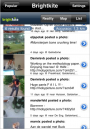
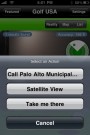
There are other AR offerings for the iPhone, but they all draw data from limited information sources. Layar has the advantage because it draws from an almost limitless number of information sources – “layers” for Layar, if you will. Each Layar layer can be customized to display different information – burger joints, Wikipedia, bars, places to golf, parks in Vancouver… you get the idea. The layers are organized into “Featured” and “Popular” tabs for easy navigation. And, since just about anyone can create and submit layers to Layar, you can find an augmented reality view of just about everything out there.
Give Layar a try for yourself. You’ll want an iPhone 3GS to take full advantage of Layar’s “augmented reality view.” iPhone and iPhone 3G users can still use Layar, but will be limited to the “map view” and “list view.”
Layar Reality Browser [iTunes link]