
It seems a plethora of music-creation Apps have crashed on to the iPhone of late – and I’ve had the opportunity to play with quite a few of them! My stand-out favourite to-date has been Groovemaker, which I think is a genius bit of coding.
So it was with great interest that I received an emailing suggesting I try out Tunemaker, from Makayama. I’ve already posted up some info on its release, so it is nice to get a hands-on and see how the App performs!
Read more after the jump…..
What is it?
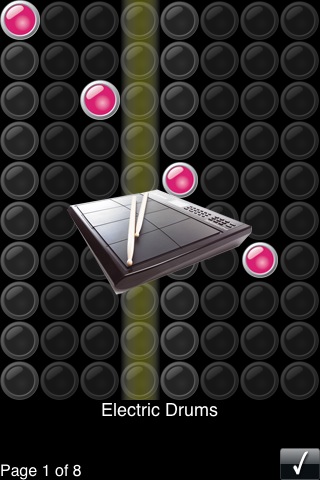
Like with a lot of these music apps, they have a specific way of allowing you to create music; and then tied in with that is how easy the thing is to pick up and use – fortunately on both counts I think the Tunemaker software comes out very well. The sequencer interface is a bit like guitar hero, where you have coloured dots at the points where you want instruments to play – and you choose the instruments from categories and lists.
Assemble enough instruments and sequences, and you can get a pretty impressive groove coming on!
Sound/instrumentation
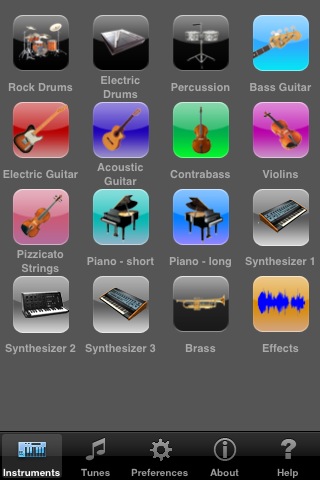
It wouldn’t be a good App if it didn’t sound good, right? Well I think overall the App does quite well here – the instruments have been sampled pretty well, although perhaps the selection to choose from is a touch on the light side – I’m used to seeing 00’s of easily-selectable, but great sounding instruments/loops these days!
Cleverly, rather than using a 8-note scale (for those of you musically –inclined), the App uses ‘groups of 5’ – this simply means that its very very difficult indeed to put together chords/notes that don’t sound good together – pretty much anything you add gets slotted in to a correctly-timed sequence. That’s a major relief, but it also means you can build ‘grooves’ at speed – it took me only a couple of minutes to add something that sounded reasonable!
More on the UI
The UI in the App is basic, but clear – and that’s pretty much what you want when you are trying to lay down a stack of beats – I can’t help but think the styling could have had a quick polish though – when you see the likes of the aforementioned Groovemaker, it really does shine – but Makayama have got plenty of time to improve this in future versions of the application.
As I said before, the main sequencer interface is a bit like a reverse guitar-hero – rather than needing to press buttons in time to the music however, in this case you lay down the ‘buttons’ where you want them, to form the tune you want. It’s very simple, and layering up the tune takes no time at all.
Summary
I enjoyed the time I spent using Tunemaker – it does what it claims to I think, and you can come up with something productive in a time period that you might have otherwise spent on casual gaming. But there are a lot of contenders out there wanting to steal the crown of Tunemaker, and Makayama is going to have to push forward if it wants to continue its positive start.
You can get Makayama Tunemaker by searching for Tunemaker in the Apple iTunes / App Store.