Holiday Gift Guide »

SPB Shell 3D for Android updated with Stereoscopic 3D and tablet mode support

Categories: Android, Applications
By: , IntoMobile
Thursday, July 28th, 2011 at 4:07 AM

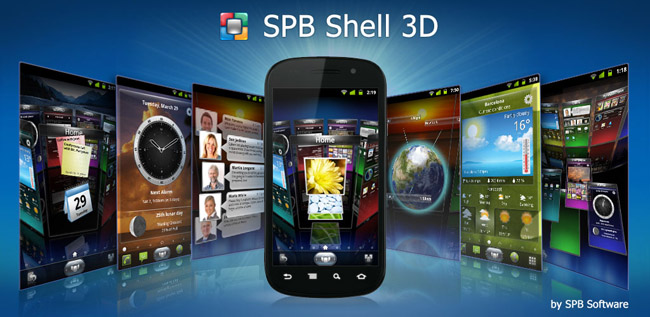
SPB Software has updated its SPB Shell 3D app for Android, making it look even better and easier to use. Officially this sound like: “the most requested features are implemented in SPB Shell 3D to improve its usability and to make it more visually appealing.”

The new version of SPB Shell 3D for Android adds landscape support, bookmarks folder and 3D edit more. Moreover, there are improvements in the overall design of the app, settings menu, calendar panel and contacts widgets management. Finally, two features — stereoscopic 3D and the ability to switch between smartphone and tablet modes — are available for those who want to experiment.

SPB Shell 3D works on devices running Android 2.1 and higher, and have an OpenGL ES 2.0 compatible graphic controller. It costs $14.95 and you can get it from a link below.

And before you go “15 bucks for an app – that’s insane” let me tell you that when it comes to SPB Shell 3D, users apparently don’t mind paying a premium to have a better UI. As a matter of fact, the application earned $750,000 within 3 weeks after its initial release!

SPB Shell 3D ($14.95) [Android Market link]

About The Author

Dusan Belic

Dusan has been using smartphones since their introduction and is now following the latest trends in the industry. The "convergence" is what he's most excited about, and writing about it is the next logical thing to do. He thinks that using a smartphone is what everyone who cares about their time should do. In addition to his interests in mobile phones, Dusan also loves to experiment with the latest web and mobile 2.0 services. The idea of accessing and managing your information from any device no matter where you are simply amazes him. Whether it's an online to-do list, note taking service or a video sharing social network, he's there to try it out. He admits though, he's still searching for the ultimate web-based organizational tool, which "sings" perfectly with the mobile PIM application. Dusan used to run SymbianWatch.com which later became part of IntoMobile. He lives in Serbia, South-East Europe, from where he edits the site on a daily basis.

  • Tracey

    Is it true on this app you can glide your finger above the screen and the 3D pops out or does it do it automatically?