Holiday Gift Guide »

How to download Android apps

Categories: Android, Applications, How-To
By: , IntoMobile
Friday, December 16th, 2011 at 2:50 AM

This is one of those questions I get a lot from the new smartphone users. They see me running apps they don’t have installed on their Android devices and wonder how can they get them too.

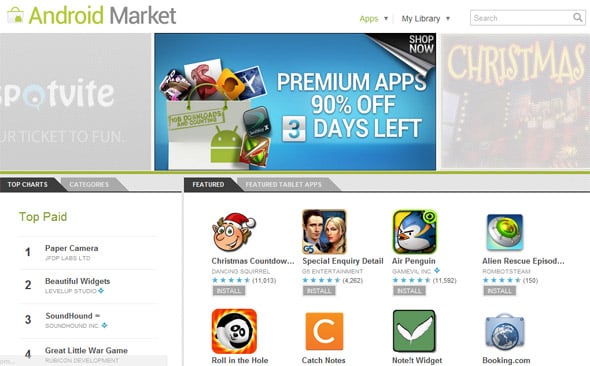
The answer — as most of our readers know — is tap the “Market” icon and browse all the apps and games from there. Find something you like, tap “Install” or “Buy” (if it isn’t free) and voila – the selected title is installed on your Android smartphone or tablet. It’s that simple.

But that’s not all… You can also use web-based interface on your computer by visiting android.com/market and get games and apps from there.

Alternatively, there are third-party app stores like GetJar and Amazon Appstore, which organize applications differently. Amazon users may want to check the online retailer’s offering as they may end-up getting better deals on some apps. GetJar on its end is known to carry free apps, some of which are free only when downloaded from their website.

Most of us, however, prefer the “classic” Android Market, though if we/I hear some popular app/game is exclusively (at least at launch) available from a specific app store, we’ll check it out. That was the case with Cut the Rope launch on GetJar, and Angry Birds Rio at Amazon AppStore

About The Author

Dusan Belic

Dusan has been using smartphones since their introduction and is now following the latest trends in the industry. The "convergence" is what he's most excited about, and writing about it is the next logical thing to do. He thinks that using a smartphone is what everyone who cares about their time should do. In addition to his interests in mobile phones, Dusan also loves to experiment with the latest web and mobile 2.0 services. The idea of accessing and managing your information from any device no matter where you are simply amazes him. Whether it's an online to-do list, note taking service or a video sharing social network, he's there to try it out. He admits though, he's still searching for the ultimate web-based organizational tool, which "sings" perfectly with the mobile PIM application. Dusan used to run SymbianWatch.com which later became part of IntoMobile. He lives in Serbia, South-East Europe, from where he edits the site on a daily basis.

  • Krampus

    Using alternate Apps Markets is not good advice (especially for new/unexperienced smartphone users) because they bear the risk of providing malicious apps. While the official android market (and I guess the Amazon App Store as well) are checked and cleaned out regularily other markets are less “under control”.

  • http://www.intomobile.com Dusan Belic

    Agreed… except when we’re talking about GetJar and Amazon Appstore – which are credible.

  • virt hdd

    I am glad Google is booting out the fraudulent apps. If people use what is popular and get from the Appstore and Amazon they should be safe. Google should do a better job of keeping up with these bad apps.

    Access your home PC from your Android device by using the 2X client App from http://www.2x.comalso has client for iOS. Voted 20th overall best Android App!

  • http://www.apkcrack.com/ android Apps free crack

    we should also take measures and go for only checked apps.