Evernote for Android got another update to improve sharing options. For one thing, the sharing screen has been completely redesigned. Now, when you share a single note, the URL appears at the top of the sharing screen. If at any point you decide to stop sharing, tap on the “Disable URL” option and the link will stop working for everyone that you shared with.
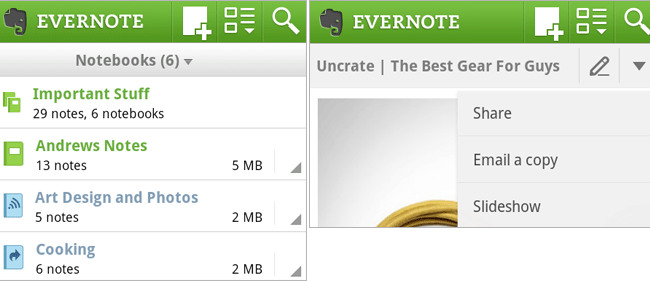
Moreover, there are now several ways to access the sharing menu – from the note list (tap and hold the note) and when viewing a note (tap the Menu button or the down arrow in the note title bar).
In addition, there are some UI tweaks with new icons introduced. When you’re in the notebook list, you’ll see a new icon indicating whether a notebook has been shared with an individual, the world, or not at all. Furthermore, a new pencil icon is introduced in the title bar when you’re viewing a note, tapping on which will allow you to edit the note.
In related news, Evernote is organizing a small contest, giving away 4 HTC Sensation XL units. In order to participate users can either tweet “I use @Evernote every day to [blank] #evernotehtc” (fill-in the blank) or leave a comment on this post explaining how they plan to use the HTC Sensation XL if they win (be sure to include your real name). Good luck!
Evernote (FREE) [Android Market link]