Evernote for Android keeps getting better. Newly released version 3.5 comes with a number of improvements, including smart titles for notes, the ability to save as you edit, better layout and styling of image attachments, and more.
- Auto titles come in handy when you don’t set a title to your note. Now, Evernote will create a title based on the content of the note and time that the note was created, making it much easier to find afterwards.
- Image layout has also been revamped, with added padding around images. So if a note contains several images, they show up nicely spaced and easier to view.
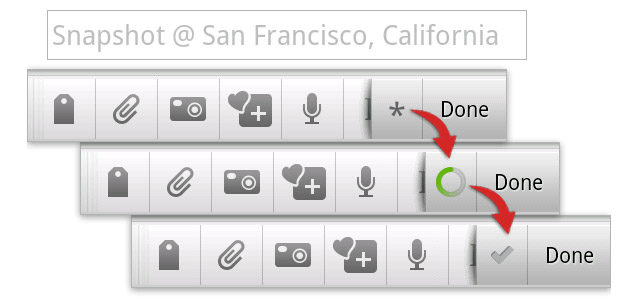
- The new Save feature first saves the note to your device’s memory, only to sync it later when you press “Done.”
- This update is also full of bug fixes and reliability improvements, and you’ll probably notice that notes now save much more quickly.
Finally, before I let you go, it’s worth adding that Evernote’s Windows PC clients has also been updated with PDF-related improvements. If you store PDFs in Evernote, you’ll be happy to know that search results are now highlighted inside of PDFs. Moreover, you can easily drag PDFs out of Evernote and even copy text from PDF. Also, when you mouse over the PDF, you’ll notice a new toolbar…
Evernote (FREE) [Android Market link]