IntoMobile

Breaking news, information, and analysis on the latest mobile phones and mobile technology

Open NavigationOpen Search
  • Home
  • Platforms
    • iOS / iPhone OS
    • Android
    • Windows Phone
    • BlackBerry OS
  • Hardware
    • New Hardware
    • Tablets
    • Reviews
    • Rumors
  • Carriers
    • AT&T
    • Sprint
    • T-Mobile
    • Verizon
  • Manufacturers
    • Apple
    • Samsung
    • HTC
    • LG
    • Motorola
  • Best VPNs
  • Best AI Tools

Verizon Samsung Galaxy S III Update Rolls Out Today, Brings Multi-Shot, Bugfixes

May 29, 2013 by Ian Kersey - Leave a Comment

Share on Twitter Share on Facebook ( 0 shares )

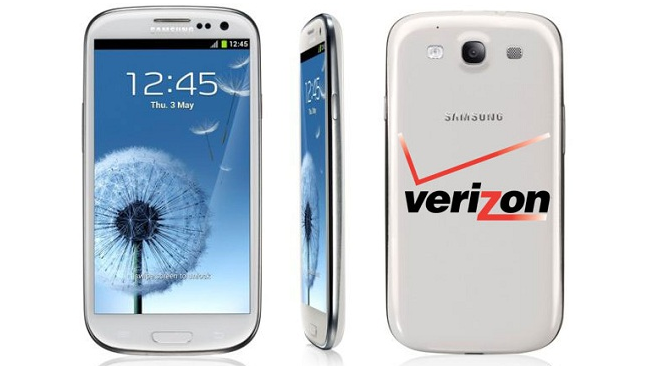
A new update for the Verizon Samsung Galaxy S III is beginning its rollout today, bringing with it some new features and bugfixes. The update is a bit on the large size, 129.1 MB to be exact, and is billed as software version JZO54K.I535VRBMD3.

The new update breathes new life into the Galaxy S III, bringing a camera feature called Best Shot, and the ability to use two apps side by side with Multi Screen and Multi Window. Owners can also use S Beam’s Auto Share Shot to share content between devices. Users can now purchase apps from the Google Play Store and have them billed to their Verizon Wireless Account, and use the Paper Artist tool to modify photos with a variety of styles.

Additional updates will improve services behind the scenes, fixing a variety of issues. Devices will no longer drop to 3G from 4G when the mobile Hotspot is enabled, and fixing a bug that caused devices to reset while web browsing. NFC is now easier to activate, and devices will be automatically recognized by a computer when connected via USB.

As with all updates, it may take a while for the update to hit your device. So keep your eyes out Verizon Galaxy S III owners, the sizeable update will be coming to you soon. If you can’t wait and would like to manually check for your update, navigate to Home > Applications > Settings > About Phone > System updates to see if the update is ready to roll.

[Via: Android Community]

Share on Twitter Share on Facebook ( 0 shares )

Back to top ▴

Back to top ▴

Follow IntoMobile

38k
36k
4k
13k
12k

Most Recent Posts

  • iPhone No Sound: Tips on How to Fix this Common Issue
  • The newest iOS – things you surely did not know
  • Transferring money through mobile: Why digital wallets are the future of commerce?
  • Review: Shine laser light Bluetooth headphones
  • Neptune Suite smart watch with phone and tablet screens killing it at Indiegogo

Get Updates Via E-Mail

  • This field is for validation purposes and should be left unchanged.

About IntoMobile

  • About IntoMobile
  • Contact IntoMobile
  • Send us News Tips
  • Privacy Policy

Social Links

  • IntoMobile on Facebook
  • IntoMobile on Twitter
  • IntoMobile on Google+
  • IntoMobile on YouTube

Copyright © 2006-2021 IntoMobile. All rights reserved.