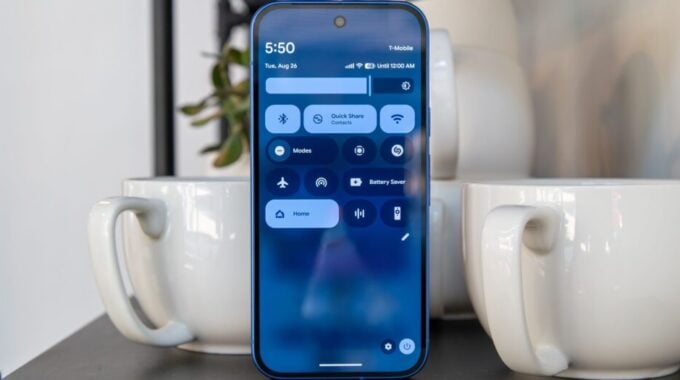
Samsung has begun rolling out the stable One UI 8.5 update to older Galaxy smartphones, expanding access to features that were previously limited to newer flagship devices. The update addresses compatibility issues and brings enhanced functionality to phones that were initially excluded from the latest interface improvements.
The move signals Samsung’s commitment to supporting its older device ecosystem, though the company has faced criticism in recent months for inconsistent update schedules across its product lineup. This extended rollout helps bridge the gap between premium and mid-range Galaxy devices in terms of software experience.
The One UI 8.5 update includes several notable improvements that make it particularly valuable for users of older Galaxy phones. The interface refresh focuses on smoother animations and better resource management, which is crucial for devices with less powerful processors. Samsung has also included new customization options that allow users to personalize their home screens and notification panels more extensively than before.
Battery optimization represents another key area of improvement in this update. The new power management system can extend daily usage time by intelligently managing background processes and app behavior. This is especially important for older devices where battery degradation may already be affecting performance.
Samsung announced that the rollout will continue in phases over the coming weeks, with availability varying by region and carrier partnerships. Users can check for the update manually through their device settings, though Samsung recommends waiting for the automatic notification to ensure proper installation.
The update’s arrival on older devices reflects broader industry trends toward extending software support lifecycles. Apple has maintained similar practices with iOS updates, while Google has committed to longer support windows for Pixel devices. Samsung’s approach helps maintain user satisfaction and reduces pressure on consumers to upgrade to newer models primarily for software features.
Some users may experience temporary performance impacts immediately after installation as the system optimizes apps and settings for the new interface. Samsung recommends allowing 24-48 hours for the device to fully adapt to the changes before evaluating performance improvements.
The expanded rollout also includes enhanced security patches and privacy controls that were part of the original One UI 8.5 release. These updates are particularly important for older devices that may be running outdated security protocols, helping to protect user data and maintain device integrity over time.