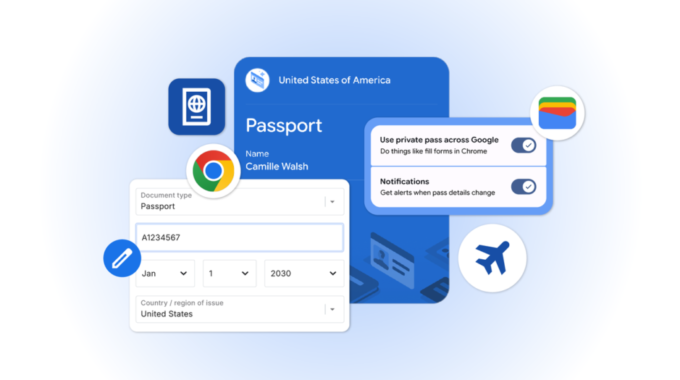
Filling out online forms on your phone just got a lot less painful. Google has announced that Chrome on iOS and Android now supports advanced autofill for more complex data types, including flight details, vehicle information like license plates and VINs, and travel documents like passports and Known Traveler Numbers.
The update also deepens Chrome’s connection with Google Wallet. The browser can now pull data stored in your Wallet directly into web forms, so you’re not typing out your passport number every time you check in for a flight or fill out a government form. If that information isn’t already in your Wallet, Chrome will offer to save it when you type it in for the first time.
This matters because mobile form-filling has long been one of the more frustrating parts of using the web on a phone. Small screens and complex fields, think vehicle identification numbers or travel document codes, create friction that often leads people to abandon forms entirely. Google has been quietly expanding autofill beyond names and credit cards for some time, and bringing that to mobile closes a gap that desktop users have had access to for longer.
The practical uses are easy to picture. When checking in for a flight, booking parking, or registering a vehicle, Chrome can now handle fields that previously required digging through your bag for a physical document or opening a separate app. The Known Traveler Number support is a good example, that’s a detail frequent flyers use constantly but rarely have memorized.
On the privacy side, Google says Chrome will only save or fill your information with your explicit permission, and sensitive data is encrypted. You can manage everything in two places:
- Your Google Wallet settings
- The “Autofill and passwords” page in Chrome settings
Private passes like IDs have their own separate controls, which gives users a bit more granular oversight over the most sensitive documents.
The broader context here is that Google Wallet has been expanding well beyond payment cards. Over the past couple of years, Google has added support for digital IDs, transit passes, loyalty cards, and now travel documents with deeper browser integration. Tying Chrome autofill into that ecosystem makes the Wallet more useful outside of tap-to-pay situations, which is clearly part of the strategy. The more data lives in Wallet, the more Chrome can do with it automatically.
The new autofill features are rolling out to Chrome users on iOS and Android starting today.