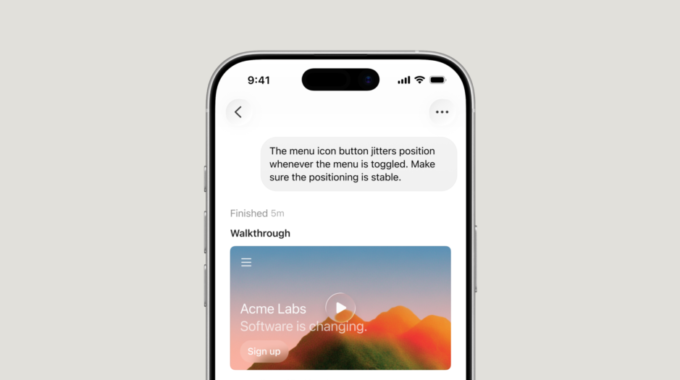
Cursor has launched a native iOS app in public beta, giving developers a way to run and manage AI coding agents from their phones. The app works with both cloud-hosted agents and agents already running on a developer’s local machine, meaning you don’t have to be at your desk to keep work moving.
Until now, Cursor was a desktop-only tool. Developers who wanted to use it had to be in front of their computers. The iOS app changes that by connecting your phone to wherever your agents are actually running, whether that’s a cloud virtual machine or your MacBook sitting at home.
The app is available now on all paid Cursor plans. Through July 5, 2026, runs on Composer 2.5 are discounted 75% when used through the mobile app.
The core idea is simple: you open the app, pick a repo, and start an agent the same way you would on the desktop. You can describe what you want using voice input, use slash commands to give direction, and choose which AI model to use. If an agent is already running on your computer, a feature called Remote Control lets you continue directing it from your phone. You can also turn on a setting that keeps your Mac awake so it stays reachable while you’re away.
The Cursor team says their own engineers have already built new habits around the app. A few examples of how they’re using it:
- Getting paged for an incident at lunch, launching an agent to investigate and propose a fix, then returning to a ready-to-review PR
- Starting an agent from a phone to reproduce a customer-reported bug when away from a desk
- Taking a screenshot of user feedback on X, annotating it, and sending it to an agent as visual context for design or UI changes
You don’t have to stay in the app once an agent starts. Cursor sends push notifications and shows Live Activities on the lock screen when an agent finishes, needs input, or has work ready to review. Cloud agents also produce demos, screenshots, and logs so you can check what they actually did before merging anything.
The app also handles handoffs between local and cloud environments. Cloud agents run in isolated virtual machines with full dev environments and can run longer without needing intervention. You can send a local plan to a cloud agent, move an active agent to the cloud mid-session, or pull a cloud session back to your machine to test changes locally before merging.
This release fits into a broader shift in how AI coding tools are being built. The competition in this space, including GitHub Copilot, Replit, and others, has mostly focused on desktop and web experiences. Bringing a capable coding agent to mobile is a different bet: that developers want to act on ideas whenever they have them, not just when they’re at a computer. Whether that changes daily workflows in a meaningful way depends on how often developers actually want to review diffs or approve PRs on a phone screen.
Cursor says it plans to add repo-less chats in a future update, making it easier to start tasks that don’t need codebase context. Teams are already using Cursor with external tools through MCPs to query Datadog logs and summarize Slack activity, and the mobile app is expected to support those workflows too.