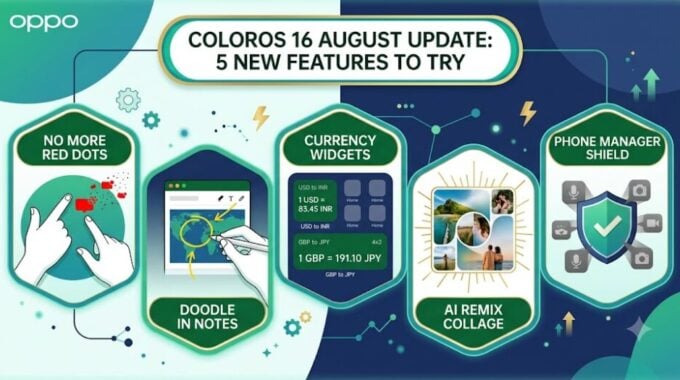
Two-finger pinch to clear every notification badge on your home screen at once. That one alone might be worth the update. OPPO just pushed its August feature drop for ColorOS 16, and while it’s not the biggest release of the year, it’s the kind of update that quietly makes your phone feel better to use. No massive overhauls, just smart additions that slot into your daily routine.
As reported by Nokia Power User, the update focuses on gestures, creativity tools, and background security. Five features stand out, and they’re worth knowing about if your device just picked up the patch.
The two-finger pinch gesture is probably the most immediately satisfying. Red badges stacking up across your home screen icons is one of those low-key annoyances that nobody talks about but everyone deals with. Now you just pinch inward on any home screen page and they’re all gone. Done. Clean grid in under a second. It’s a small thing, but OPPO clearly pays attention to friction points like this.
The Notes app gets a real upgrade too. You can now draw and annotate directly over images inside the app. Circle something on a screenshot, scribble a note over a photo, mark up a diagram. It’s the kind of feature that kills the need for a third-party app in a lot of situations. Whether it’s useful depends on how much you live in your Notes app, but for visual thinkers, this is a genuinely good addition.
For anyone who travels or works across currencies, the new home screen currency widgets are a nice touch. You get 2×2 and 4×2 size options showing live exchange rates for whatever currencies you pick. No more opening an app, no more Googling. It’s just there when you need it. Simple and practical.
- 2-finger pinch clears all home screen notification badges instantly
- Draw and annotate over photos directly inside the Notes app
- Live currency widgets in 2×2 or 4×2 sizes on your home screen
- AI Remix Collage auto-generates photo layouts from your gallery
- Phone Manager now actively blocks suspicious background app behavior
The AI Remix Collage feature is the flashiest one here. It pulls photos from your gallery and automatically builds collage layouts, using the AI to analyze lighting, color, and composition before arranging things. Results like this are always a mixed bag depending on your photo library, so treat it as a fun tool rather than a professional editing replacement. Still, for sharing photos quickly without much effort, it could be genuinely handy.
The Phone Manager update is the one most people will never notice, and that’s kind of the point. It now watches for sketchy background app behavior, things like hidden permission grabs, unexpected data spikes, or apps trying to auto-start when they shouldn’t be. It blocks them automatically. This matters more than it sounds because rogue background processes are one of the main reasons phones get slower and batteries drain faster over time. Having the system actively push back on that is a good move.
Taken together, this update reflects a broader trend in Android software right now. Manufacturers are moving away from big annual feature dumps and toward smaller, more frequent drops that address real usage patterns. It’s a smarter approach, and ColorOS 16 is doing it well. To check if it’s available for your device, go to Settings, then System and Updates, then Software Update.