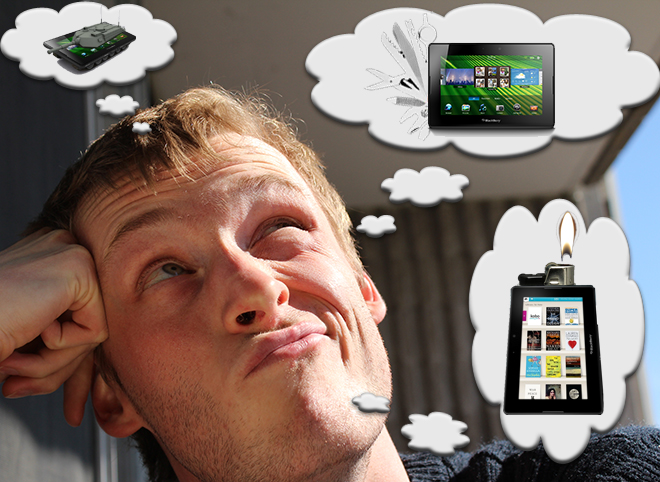
The BlackBerry PlayBook tablet launched last week in North America, and even though we’ve had six months to stew over the idea of RIM making a tablet, it still seems a little bizarre. RIM is one of the few manufacturers in the mobile sphere that has focused exclusively on creating smartphones, making the transition to tablets a bigger deal for them than much of the competition. That being said, the one question that still lingers is: “what am I supposed to use a 7-inch BlackBerry for?” That got me brainstorming, and over the last couple of months, I’ve thought of a couple PlayBook apps that would instantly justify the $499-and-up pricetag (for me, at least). Some of them are a little far-fetched, others could be implemented at the manufacturer level, and many could be cooked up by industrious third parties, but they’re all within the realm of possibility.
Just to jog your memory, the BlackBerry PlayBook has a 7-inch, 1024 x 600 display, twin HD-capable cameras (3 and 5 megapixels), a dual-core 1 GHz processor, 1 GB of RAM, Wi-Fi, GPS, and 3G when tethered via Bluetooth. The operating system is based on QNX, an industrial-grade kernel made by a company RIM acquired awhile back. Although it has proven to have some multimedia chops, the app selection still isn’t particularly great, and there are still some gaps to fill in the PlayBook’s software. Check out my review for the full low-down.
Anyway, take a look at my list after the jump, and feel free to drop a comment if you agree with anything there, ones you’d shoot down, or throw some of your own ideas into the ring.
BlackBerry Bridge for Android
RIM has announced that they will allow Android applications to run on their first tablet in a kind of emulator, but why should their aggressive poaching of Android interest stop there? There’s already been talk of BBM coming to Android devices, but the way to really sell the PlayBook to non-BlackBerry owners is to provide a Bridge application for Android. You only get access to PIM functions on the PlayBook like e-mail and the address book when it is paired up with a RIM smartphone using Bridge apps on both devices. If Bridge on the PlayBook could communicate with an Android app as well, all of a sudden the tablet becomes a wholly viable option to those owning an Android handset. In the long run, the PlayBook will be able to handle those PIM apps on its own, with Bridge sticking around as a value-added function that explodes smartphone information onto the bigger screen. That’s a luxury Android users would no doubt enjoy just as much as BlackBerry fans, especially if they see tablets as complementary to smartphones rather than just bigger versions of them.
BlackBerry Keyboard Connector
If the PlayBook is going to be so thoroughly bound to BlackBerry smartphones through Bridge anyway, we might as well make the most of it. I’d like to see the PlayBook able to recognize text input from a BlackBerry handset as if you were typing on the tablet’s on-screen keyboard. This would maximize screen real estate, and if you threw in navigation through a BlackBerry’s trackpad, then you could make full use of a PlayBook plugged into a TV through HDMI at the other end of the room. Sure, you could buy the mini Bluetooth keyboard, but why bother hauling that thing around when you’ve got a perfectly comfortable keyboard in your pocket?
Second Screen
During my time with the PlayBook, it spent most of its time at my side on the desk, blipping away whenever an e-mail came in, eliminating the need to keep Gmail open in a tab in my desktop browser. But then I considered the hassle of having to switch between virtual and real keyboards, keeping the display and Bluetooth on, and what that would do to the battery, and realized it wouldn’t work particularly well in the long run unless the PlayBook was well-integrated with my existing desktop set-up. That’s why I’d like to see an app like iDisplay for the BlackBerry PlayBook which would extend my desktop screen area onto the tablet. You could plug it in to your monitor or computer via HDMI, and through a Bluetooth or microUSB connection, keystrokes and mouse clicks could be registered. If it’s running as an app, then you would still be able to use it as a dedicated e-mail screen, too. From what I gather, iDisplay works through some kind of VPN deal, which I think would be a little too laggy for day-long use. As is, the PlayBook will already allow you to use a Bluetooth keyboard and mouse; now it’s just a question if it can share that connectivity with a desktop computer at the same time.
Bluetooth Media Gateway
RIM already has a product called the Bluetooth Stereo Gateway, which plugs into your home stereo system and wirelessly streams music from your phone to the big speakers. If you’re going to have a PlayBook dock already setup with your TV, or sending media over the local Wi-Fi network through DLNA support (which was promised as a later update), it would be nice to play media stored on your smartphone, too. I’m worried that my media collection will become fragmented being spread between my phone and a PlayBook, but with Bridge RIM could quickly make it a non-issue and allow a scattered library to have access to big, medium, and small screens. It still boggles me that though Bridge offers a file browser to view content stored on the smartphone’s microSD memory, it won’t let you play audio or video stored there. The PlayBook’s external speakers are great, and the big screen would be much better suited for watching full-length movies stored on my phone. Once the gap is filled between smartphone and tablet, I suspect RIM will start seriously considering how many other screens they can connect to.
Reverse Bridge
RIM has set up Bridge in a way that naturally places the priority on the phone, assuming it’s the thing least likely to left somewhere unattended, where there could potentially be a breach of corporate security. I don’t wholly buy that scenario, mainly because the PlayBook is just so much bigger and harder to ignore. Combined with the very real use case of having the PlayBook on and sitting next to a desktop computer all day long, it seems to me like it’s the PlayBook that should be the primary device that stores e-mail, contacts, calendar, and memos locally, while the BlackBerry smartphone, which is small, used on the move, and thus more prone to being forgotten somewhere, that should be the slave device. Even if this was just a directional option that you could toggle in either smartphone or tablet app, that would be enough. Unfortunately, I suspect RIM wouldn’t want the PlayBook seen as a primary device until they’ve added cellular connectivity and the proper BES controls to make it fully secure.
Smartphone View
Full emulation of BlackBerry smartphone apps is on the way after Android apps get supported, but there may be an easier (if less elegant) way to go about it: why not just project a live image of the BlackBerry screen on the PlayBook? Give it an emulator-style graphical wrapper for hardware controls, and you would have no reason to pull out the phone when the tablet is in hand.
The Motorola Atrix and its laptop dock accessory have the right idea in this regard; nobody wants to be distracted between multiple screens if they can help it. My biggest concern here would be the picture quality when blown up on the bigger screen. At least in landscape, you could tuck it into a pane on one side, and put something else on the other, like a file system browser. With some deeper integration, it wouldn’t be crazy to imagine calling functions being extended to the PlayBook, especially with Bridge already pulling up caller ID.
Touchless Gestures
With a camera on both ends, the PlayBook lends itself to touchless gestures that are on feature phones like the Sony Ericsson T707. I could see this as being a way of dismissing alarm, call, or calendar alerts with a simple wave of the hand. In more complex applications, the system could provide mock 3D perspective changes in the UI as we’ve seen on the iPad 2 or full body motion tracking a la Xbox Kinect when the PlayBook is docked by the TV. We’ve already seen Texas Instruments hardware being able to handle these kinds of interactions on mobile. RIM excels with always-on apps like e-mail and instant messaging, and combined with the multimedia savviness of QNX and the lee-way provided by the PlayBook’s generous battery, I think it could handle leaving the cameras on in some capacity continually. Ideally, it would be baked right into the OS, since it’s not something you would want to accidentally flick away (but maybe an option to disable).
I’ve always been a fan if Vlingo, and if RIM wanted to add an audio element along the same vein, I’d love to be able to make voice commands without touching a thing on the PlayBook. Again, the Xbox Kinect handles audio commands by always listening for an initiation word, after which one could launch other commands. Saying “PlayBook… Maps… Directions… Home” could give you everything you need on the display without having to touch a car-docked tablet.
Those are just some of the items on my wishlist, but no doubt the BlackBerry faithful have many of their own. Netflix and Hulu apps are some other things that come to mind, but what would you guys like to see?