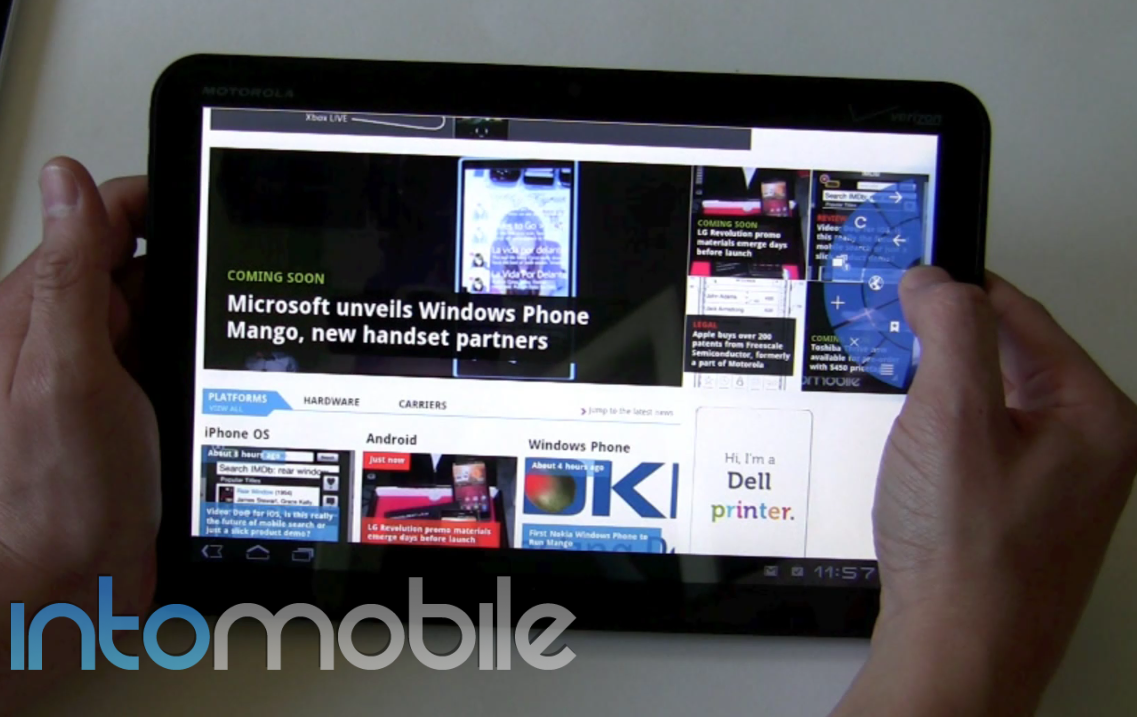
Well, we finally got some hands-on time with Android 3.1 Honeycomb on a Motorola Xoom and even though it’s just a 0.X update, it packs enough new features to breathe new life into your tablet. What’s most encouraging about this is that it shows that the Tegra 2 chip inside isn’t even close to being maxed out.
Unfortunately, one of the coolest things about this update is something I couldn’t show in the video, as I didn’t have the correct adapter to make the Motorola Xoom a USB host. I’ll get one soon and film it because this seems like an easy way to plug in a camera, keyboard or PlayStation 3 controller to the Android 3.1 tablet.
In the video below, you’ll see how much faster the Motorola Xoom with Android 3.1 is than the Samsung Galaxy Tab 10.1 with 3.0.1. Don’t get me wrong, the Samsung product is still cool but the latest software just makes the Xoom so much smoother in a lot of little categories which add up. For example, when you swipe between homescreens, Android 3.1 is just much more fluid.
NVIDIA has worked hard with Google and Adobe to ensure the Flash experience is good and this now enables you to do full 720p HD playback which delivers a desktop-like experience. Another neat in-browser experience is the ability to turn on the Quick Navigation settings – this gets rid of the URL bar for quick thumb navigation around the web. This takes some getting used to but it lets you take advantage of the tablet’s real estate.
The Android 3.1 software also enables you to rent, view and download movies from the Android Market. The experience is relatively pleasant (the selection could be better) and check out our how-to guide to see how to do it.
As I mentioned at the top, the best thing about Android 3.1 is it shows the hardware isn’t close to being maximized. While I’m looking forward to the quad-core “Kal-El” chip from NVIDIA, the Tegra 2 performs much better with 3.1 on games that I downloaded from the Tegra Zone. I’m hopeful that Ice Cream Sandwich will also continue this momentum.