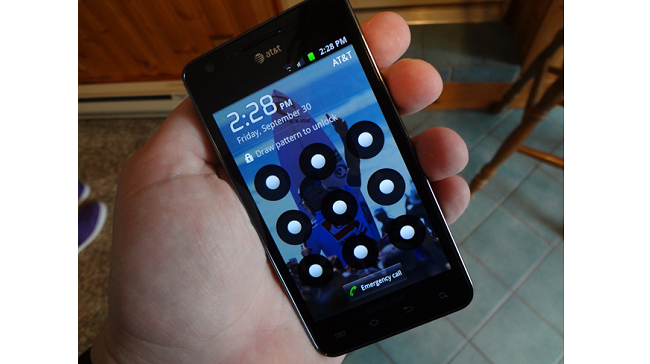
If you’re looking into the Galaxy S II for AT&T for your next phone, you may want to hold off for now. The security feature that allows a user to create a pattern to unlock their phone apparently doesn’t work all that well for the Galaxy S II. In fact, you can easily bypass it.
BGR just figured out how to bypass the security feature within the Galaxy S II and it’s as simple as pressing the lock button, letting the device got to sleep, and pressing the unlock button again. From there, the lock pattern should have been bypassed and you can go right into the phone. We’re hearing reports that it doesn’t always happen the first time but after a few attempts, we were able to replicate this security flaw. Oh, and don’t think if you switch to the PIN unlock feature that you’ll be fine, as the bug affects it, too.
This type of bug is certainly something that Samsung and AT&T are likely scrambling to get fixed and hopefully a simple silent update could fix. With the handset set to land on shelves this Sunday, this definitely isn’t the attention that AT&T and Samsung were looking for.
I never use either of these security features on my phones but I guess if I wanted to, I wouldn’t be looking to grab the Galaxy S II on Big Blue. I’ve attempted to replicate this issue with the Epic 4G Touch and never could. So it looks like if you’re in the mood for some GSII loving, you’ll need to go to Sprint to get your fix if you just can’t wait for the AT&T version to be fixed or the T-Mobile version to come out.
Well, if you were really looking forward to the AT&T Galaxy S II, we can’t blame you. The handset is definitely one of the best Android phones available today and we’re sure that if AT&T and Samsung want to move a good amount of units, the issue will be addressed ASAP. That said, since you’re already waiting, aren’t you curious to see what Google and Samsung are planning to unveil in a little over a week from now at CTIA? We thought so.
[UPDATE] Samsung has just issued a statement regarding the lockscreen bug,
“Samsung and AT&T are aware of the user interface issue on the Galaxy S II with AT&T. Currently, when using a security screen lock on the device, the default setting is for a screen timeout. If a user presses the power button on the device after the timeout period it will always require a password. If a user presses the power button on the phone before the timeout period, the device requests a password – but the password is not actually necessary to unlock it.
Samsung and AT&T are investigating a permanent solution. In the meantime, owners of the Galaxy S II can remedy the situation by re-setting their time-out screen to the “immediately” setting. This is done by going to the Settings->Location and Security->Screen unlock settings->Timeout->Immediately.”
So it looks like the security isn’t being bypassed at all, really. The default screen timeout is set to five minutes. When you are using the phone and lock it, the pattern won’t be required to be reentered until five minutes have gone by. This means that the actual flaw isn’t the security being bypassed but the security pattern screen popping up when it shouldn’t be. We have confirmed that setting the screen timeout to immediately alleviates this issue, which turns out has been way overblown.
[Via: BGR]