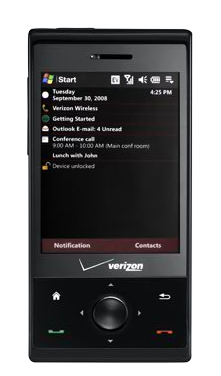
 Sure, we could just sit back and wait for Verizon Wireless to make good on their promise to unlock the GPS hardware in their high-end smartphone lineup to work outside of the carrier’s VZ Navigator premium navigation service. But, why wait for Verizon to release a software update when PPCGeeks user IIIboredIII has crafted his own GPS-unlocking software?
Integrated GPS receivers in mobile phones are fast becoming an invaluable feature for socialites and travelers alike. GPS hardware provides highly accurate location information to all manner of mobile applications, potentially changing the way you get around your world. That is, unless your wireless carrier has decided to cripple the GPS hardware.
Verizon Wireless is notorious for locking down the GPS hardware in its handsets to work solely with the VZ Navigator service. The move forces GPS-hopefuls to subscriber to the premium service, generating more revenue for Big Red. The GPS-lock prevents the GPS hardware from being used with mobile applications like Google Maps for Mobile or Windows Live Search.
Verizon HTC Touch Pro users will be happy to hear that they will no longer have to live under Verizon Wireless’s tyrannical rule. With IIIboredIII’s hack, you can free your Verizon Touch Pro’s GPS hardware from VZ Navigator. Here’s how:
- Download the lllboredlll_VZW_GPS_Fix.cab file here
- Save the .cab file to your microSD card
- Install the .cab file by double-clicking on the file – DO NOT RESET
- Use gsfinder or total commander to navigate to \windows\ppst.exe
- Execute ppst.exe with a double-click
- Follow prompts
- Reset/reboot the HTC Touch Pro
- Ensure that location-data is enabled and start using GPS with any application you choose!
[Via: PPCGeeks]