IntoMobile

Breaking news, information, and analysis on the latest mobile phones and mobile technology

Open NavigationOpen Search
  • Home
  • Platforms
    • iOS / iPhone OS
    • Android
    • Windows Phone
    • BlackBerry OS
  • Hardware
    • New Hardware
    • Tablets
    • Reviews
    • Rumors
  • Carriers
    • AT&T
    • Sprint
    • T-Mobile
    • Verizon
  • Manufacturers
    • Apple
    • Samsung
    • HTC
    • LG
    • Motorola
  • Best VPNs
  • Best AI Tools

How To Install Android on Your PC, Laptop or Netbook

April 25, 2014 by Ian Kersey - Leave a Comment

Share on Twitter Share on Facebook ( 0 shares )

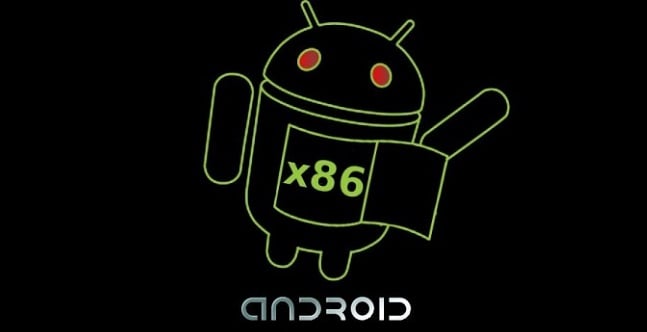
Who doesn’t have an old laptop or two lying around in the closet? Instead of letting that perfectly good piece of machinery rot into oblivion, why not install Android on them and enjoy your favorite mobile apps on a bigger screen? It’s totally doable and not too difficult. In fact, you can install Android on any x86 device. Are you ready to get going? Good! Head on over to XDA Developers, where XDA Senior Member F4uzan has published an extensive guide to help you install Android on your x86 device.

Have fun!

via: XDA Developers

Share on Twitter Share on Facebook ( 0 shares )

Back to top ▴

Back to top ▴

Follow IntoMobile

38k
36k
4k
13k
12k

Most Recent Posts

  • iPhone Fold or iPhone Ultra: What to expect from Apple’s first foldable iPhone
  • Global smartphone market crashes as memory shortage drives worst quarter in two years
  • Apple plans variable aperture camera for iPhone 18 Pro in September 2026?
  • Honor MagicPad 3 Pro 12.3 arrives with blazing 3,000-nit OLED display
  • Redmi K Pad 2 launches with high-refresh 3K display and flagship processor

Get Updates Via E-Mail

  • This field is for validation purposes and should be left unchanged.

About IntoMobile

  • About IntoMobile
  • Contact IntoMobile
  • Send us News Tips
  • Privacy Policy

Social Links

  • IntoMobile on Facebook
  • IntoMobile on Twitter
  • IntoMobile on Google+
  • IntoMobile on YouTube

Copyright © 2006-2021 IntoMobile. All rights reserved.