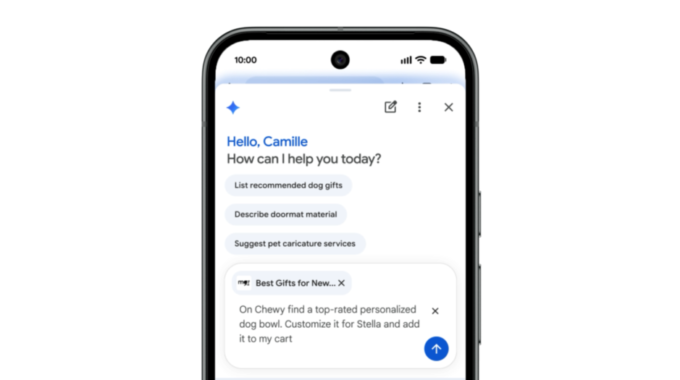
Google is letting its AI actually do things for you now, and that’s a bigger deal than it sounds. The company announced that Gemini in Chrome is now available to all Android users in the U.S., and it comes with a feature called auto browse that can handle real tasks on your behalf. Not just answer questions. Actually do stuff.
So here’s the quick version. Gemini in Chrome sits inside your browser and can summarize long articles, answer questions about whatever page you’re on, and connect directly to Google apps like Calendar and Keep. No tab switching, no copy-pasting, no fuss. You tap the Gemini icon or hit the three-dot menu at the top of Chrome on Android and it’s right there. Simple enough.
But the part worth paying attention to is auto browse. This is available to AI Pro and AI Ultra subscribers, and it’s where things get genuinely interesting. Auto browse can handle repetitive, annoying tasks for you, like booking parking for an event, updating a recurring online order, or sorting out travel plans. These are the small chores that eat up more time than they should, and having the browser just handle them while you do something else is actually useful. Not a gimmick. Useful.
This fits into a broader shift happening across the tech industry right now. AI assistants are moving away from just chatting and toward actually completing tasks. Google, Apple, and others are all racing to make their AI feel less like a search box and more like something that works for you. Gemini in Chrome on Android is Google’s push to own that space inside the browser itself, which is smart because that’s where most mobile web activity already happens.
On the security side, Google says these features are built with protection in mind. The models are trained to detect threats like prompt injection, and auto browse is designed to ask for your confirmation before completing anything sensitive. That’s the right call. Agentic AI doing things without checking in would be a hard sell for most people.
- Summarizes long articles and web pages
- Answers questions about the page you’re reading
- Connects with Google Calendar and Keep
- Auto browse handles tasks like booking parking and managing orders
- Asks for confirmation before completing sensitive actions
Auto browse is limited to paid subscribers for now, but the core Gemini features in Chrome are free for all U.S. Android users. If you haven’t tried it yet, it’s worth a tap.