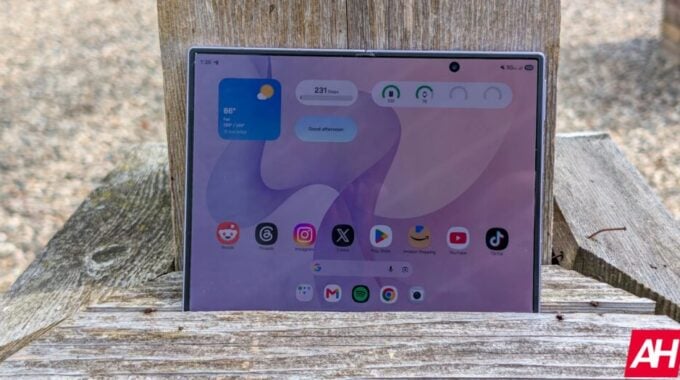
Imagine setting up your home screen exactly how you want it, and then watching it turn into a mess a couple of days later. That’s exactly what some Galaxy Z Fold 8 owners are dealing with right now, and honestly, it’s the kind of bug that makes an expensive foldable feel a lot less premium.
According to Android Headlines, users on Samsung’s community forum have been sharing screenshots showing app icons overlapping each other, drifting into areas they shouldn’t be, and even sliding into the space between the device’s two panes. That last one is particularly annoying because once an icon lands there, you can’t select it or move it back. It’s just stuck. One user put it plainly: “The app even went into a strange place and won’t move.” And locking the home layout doesn’t help either. The bug ignores it.
So why does this matter beyond the obvious frustration? The Galaxy Z Fold 8 is Samsung’s flagship foldable. It has a wider aspect ratio than its predecessors, which makes it genuinely better for multitasking and media. Samsung has been pushing hard to make foldables feel like serious, everyday devices rather than novelty products. A bug that scrambles your home screen and traps app icons undermines exactly that message. Reliability is the whole argument for spending this much money on a phone.
But here’s the good news. Samsung has already responded. A member of the Good Lock support team confirmed the bug on the community forum and pointed users toward a fix. The problem has been addressed in the Home Up module, which is part of Samsung’s Good Lock app. To sort it out, you need to:
- Open Good Lock on your Galaxy Z Fold 8
- Go to the Apps section and find Home Up
- Tap the update icon next to Home Up to install version 18.0.00.36
- After updating, go into Home Screen Edit to rearrange any icons that are still out of place
And that should be it. Still, the fact that this bug got through to users at all is a reminder that software on foldables is still catching up to the hardware. The form factor creates unique layout challenges that flat-screen phones don’t have, and bugs like this show those challenges aren’t fully solved yet. If you’ve been hitting this issue, grab that update now.