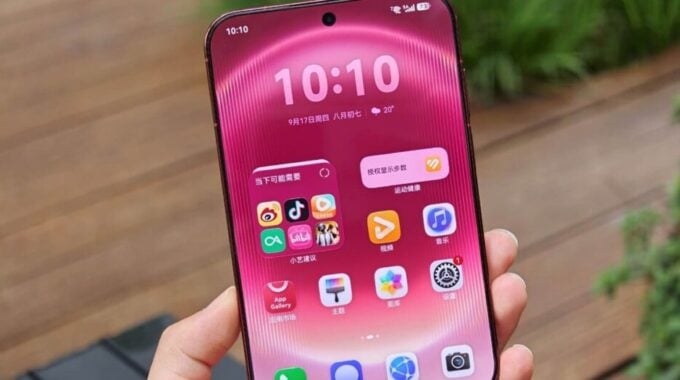
Not every software update deserves attention. But when a feature makes you rethink how you use your phone every single day, that’s worth talking about. Huawei has rolled out customizable swipe-down gestures for the Pura X View’s home screen, and honestly, it’s one of those changes that sounds small until you actually use it.
The update lets you assign specific actions to swipe-down gestures on the home screen. You can now pull down to open Celia, Huawei’s voice assistant, jump straight to the Notification Center, or pull up the Control Panel, all depending on how you set it up. That kind of control over your own home screen is something a lot of Android skins still fumble. One gesture, locked to one function, take it or leave it. Huawei is giving you the choice, and that matters.
What makes this more interesting is where the feature came from. This gesture system first appeared on the Mate XT 2, Huawei’s triple-fold phone that launched earlier this month. Trickling that feature down to the Pura X View this quickly suggests Huawei is paying attention to what works and pushing it across its lineup rather than keeping it exclusive to flagship hardware. That’s a good sign for anyone invested in the Huawei ecosystem.
The Pura X View is already a device built around interaction. Its external display is designed for quick, convenient access without fully opening the phone, so adding gesture customization to the home screen fits the whole philosophy of the device. You want to get in, get what you need, and get out. Fewer taps, less friction.
Broader context here: gesture-based navigation has been evolving fast across mobile platforms. But customizable gestures at the home-screen level, where you actually spend most of your time, still isn’t standard. Most brands treat it as an afterthought. Huawei is treating it as a feature worth promoting, and users who care about speed and convenience will feel that difference.
- Swipe down to open Celia voice assistant
- Swipe down to access the Notification Center
- Swipe down to open the Control Panel
- Gesture behavior is fully customizable per user preference
So yes, this is a software update. But it’s the kind that shows a company actually thinking about how people hold and use their phones day to day. More of this, please.