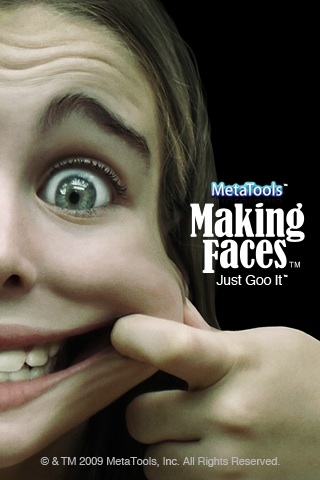
Every now and then you happen across Apps on the App Store that neatly span the divide between being fun, priced correctly, and in an odd way, also productive. At least that’s how I felt using “Making Faces”, from MetaTools Inc.!
Making Faces allows every iPhone/iPod touch owner the ability to take or import photos and literally put a smile on anyone’s face, lift their eyebrows, pinch their nose and a host of other imaginative treatments, all in real time. Users can produce new images with a few simple strokes of the GOO brushes and other tools that can, for instance, bulge, pinch or twirl the photo into funnier versions of the original. Then you click on the Movie icon and can get a real time animation of what’s been done to the image. Users can also share all their GOO’d images via popular social networking sites like Myspace and Facebook using their respective upload applications.
I have to say, using Making Faces is great fun – an intuitive UI, and those all-important real-time FX take care of that. There’s a massive range of FX you apply too, which is another plus point for the App. Once a photo is selected, it’s easy to zoom in and out, rotate the photo to the perfect angle and finally crop the desired portion of the image. Making Faces always works on a copy of an image, so the original image is saved separately.
Once the perfect angle and size is selected users can “GOO” the image with the powerful GOO brushes and 10 built-in effects. All brushes and effects can be scaled and moved around in real time and become part of your image’s history. Making Faces’ history palette also shows each effect used and allows the user to go back and edit at anytime or use saved combinations on other images.
Additionally, the headline features for the App are:
-Making Faces works in portrait or landscape mode
-Special Effects include pinch, bulge, spike, twirl, wave and ripple
-Making Faces provides full GOO effects animation
-Editable effects history
Overall, and in summary then, I think the App is keenly-priced, is easy to use, and with good FX. If you are looking for that sort of party game type of App, you could do far worse than this App!
Every now and then you happen across Apps on the App Store that neatly span the divide between being fun, priced correctly, and in an odd way, also productive. At least that’s how I felt using “Making Faces”, from MetaTools Inc.!
Making Faces allows every iPhone/iPod touch owner the ability to take or import photos and literally put a smile on anyone’s face, lift their eyebrows, pinch their nose and a host of other imaginative treatments, all in real time. Users can produce new images with a few simple strokes of the GOO brushes and other tools that can, for instance, bulge, pinch or twirl the photo into funnier versions of the original. Then you click on the Movie icon and can get a real time animation of what’s been done to the image. Users can also share all their GOO’d images via popular social networking sites like Myspace and Facebook using their respective upload applications.
I have to say, using Making Faces is great fun – an intuitive UI, and those all-important real-time FX take care of that. There’s a massive range of FX you apply too, which is another plus point for the App. Once a photo is selected, it’s easy to zoom in and out, rotate the photo to the perfect angle and finally crop the desired portion of the image. Making Faces always works on a copy of an image, so the original image is saved separately.
Once the perfect angle and size is selected you can “GOO” the image with the powerful GOO brushes and 10 built-in effects. All brushes and effects can be scaled and moved around in real time and become part of your image’s history. Making Faces’ history palette also shows each effect used and allows the user to go back and edit at anytime or use saved combinations on other images.
Additionally, the headline features for the App are:
- Making Faces works in portrait or landscape mode
- Special Effects include pinch, bulge, spike, twirl, wave and ripple
- Making Faces provides full GOO effects animation
- Editable effects history
Overall, and in summary then, I think the App is keenly-priced, is easy to use, and with good FX. If you are looking for that sort of party game type of App, you could do far worse than this App!