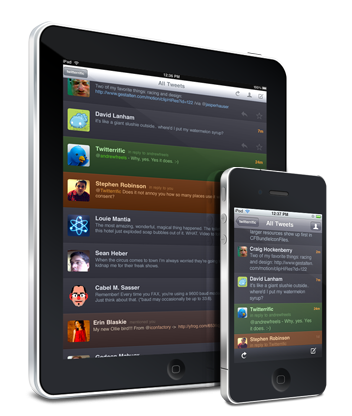

My absolute favorite iPhone Twitter client, Twitterrific, was updated recently. The update brings us up to version 3.0.1, and packs the standard batch of bug fixes, along with timeline shortcuts and enhancements for iOS 4.
Here’s the breakdown straight from the developers:
New Features
- Timeline shortcuts (all iPhones)
- Tap avatar to view profile
- Tap & hold for more actions (conversation, translate, etc.)
- Double-tap to reply (reply, DM, RT)
- Triple-tap to favorite
- Link shortcuts (all iOS 4)
- Tap & hold @usernames and #tags to perform actions
- Tap & hold web links to perform actions (including Instapaper)
- Links in timeline (iOS 4 with multitasking only)
Improvements
- “Retweet with Comments” now uses “RT @username” format
- Uses web page titles as the subject line when emailing links from the mini browser
- Tap & hold tweet detail view for copy actions (all iOS 4)
- #hashtags now open in popovers when tapped for easy browsing (iPad)
- Emoji characters supported in the timeline
- Increased timeout lengths for Twitter API connections to reduce errors
- Added feedback when tapping links (iPad)
- ‘Restore Purchase’ button to re-enable previous in-app upgrades
- Graphical tweaks to button appearance & placement throughout
- Added inline picture viewing for Mobypicture
- Reduced avatar flashing
Bug Fixes
- Fixed a navigation bug that sometimes stranded users in the main timeline
- Trends, searches & lists update properly when coming to the foreground (iOS 4)
- ‘Refresh on Launch’ auto-refreshes the timeline on launch – via Settings App
- URL schemes work properly when Twitterrific is restored to the foreground
- URL’s copied with “Copy Link” can be pasted into the body of an email (iPhone)
- Fixed problems with “in reply to” & “retweeted by” meta text
- Retweet text no longer gets cropped
- Fixed several problems with VoiceOver support
- Crash issue resolved when viewing large TweetPhoto images
- Graphical text fixes in the accounts sidebar
So far I’ve found all of the new features very handy. While I haven’t (and probably won’t) take advantage of ALL of these new features and improvements, it’s always nice to see a somewhat sizable update to an app like this. It shows me the developers are putting quality time and effort into developing the best app they possibly can. For more information or to download on your iPhone or iPad, hit up the iTunes link below.
Twitterrific for iPhone and iPad (Free) [iTunes link]
Note: As I’ve mentioned, this update is available for the iPad as well. I have the iPad app installed, and let me tell you… this is one beautiful app. I prefer using it on the iPad (due to the larger screen, and ease of navigation), but when I’m on-the-go, Twitterrific for iPhone is the only way to go.