Holiday Gift Guide »

Samsung S Pen SDK 2.0 is out

By: , IntoMobile
Wednesday, February 29th, 2012 at 7:13 AM

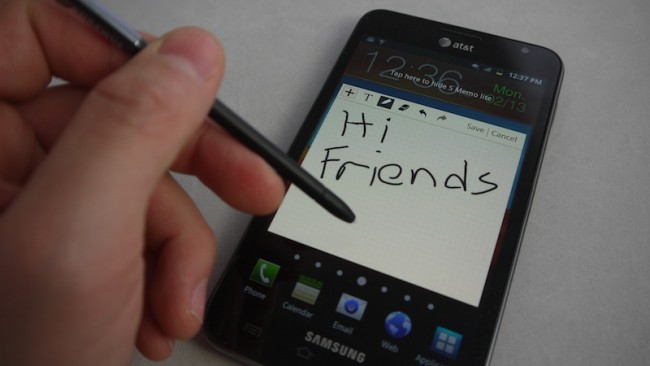
Samsung keeps updating its S Pen SDK, allowing developers to make apps that run on the Galaxy Note devices. Version 2.0 of the SDK is out, packing a number of improvements over the previous release (version 1.5), including:

  • SCanvasView Class inherited from CanvasView has been added – so that developers can animate their drawings and record/play audio files over it. Moreover, it allows for special effects such as scratch, mosaic, blur, sketch, etc.
  • Added new Library Class – SAMM (Samsung Animated Multimedia Messaging), which is used for encoding/decoding of multimedia data supporting drawing, text, stamp, icon, snapshot image, voice and data exchange between apps using the same SDK.
  • Drawing improvements – enhanced stroke and segmentation rendering, added undo function after clear, and the ability to add image and text to the CanvasView.

In addition, some defects of the SDK 1.5 have been corrected and source code for the new features added.

Interested developers can get the S Pen SDK 2.0 from here and if their app rocks, potentially win something at Sammy’s S Pen app challenge.

About The Author

Dusan Belic

Dusan has been using smartphones since their introduction and is now following the latest trends in the industry. The "convergence" is what he's most excited about, and writing about it is the next logical thing to do. He thinks that using a smartphone is what everyone who cares about their time should do. In addition to his interests in mobile phones, Dusan also loves to experiment with the latest web and mobile 2.0 services. The idea of accessing and managing your information from any device no matter where you are simply amazes him. Whether it's an online to-do list, note taking service or a video sharing social network, he's there to try it out. He admits though, he's still searching for the ultimate web-based organizational tool, which "sings" perfectly with the mobile PIM application. Dusan used to run SymbianWatch.com which later became part of IntoMobile. He lives in Serbia, South-East Europe, from where he edits the site on a daily basis.

  • Ryan Stevens

    Dusan, 

    do you know if you can chop of the “pen” drop down box so I can just have the colors option or just have the pen tip options?  I am thinking of having a tool bar with colors, tips, width, and so on.  But to do that we would need to be able to divide up the pen options box….any thoughts?Thanks!