IntoMobile

Breaking news, information, and analysis on the latest mobile phones and mobile technology

Open NavigationOpen Search
  • Home
  • Platforms
    • iOS / iPhone OS
    • Android
    • Windows Phone
    • BlackBerry OS
  • Hardware
    • New Hardware
    • Tablets
    • Reviews
    • Rumors
  • Carriers
    • AT&T
    • Sprint
    • T-Mobile
    • Verizon
  • Manufacturers
    • Apple
    • Samsung
    • HTC
    • LG
    • Motorola
  • Best VPNs
  • Best AI Tools

PicSay for Android

August 8, 2011 by Wen Muenyi - Leave a Comment

Share on Twitter Share on Facebook ( 0 shares )

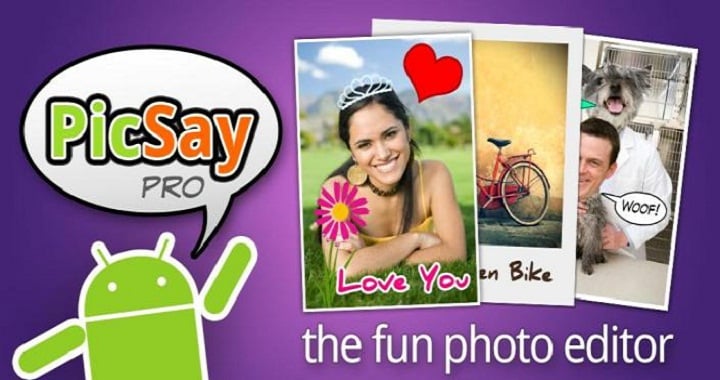
Phones like the iPhone 4 and MyTouch4G slide have great cameras that produce great images; Picsay wants to put a little more color into each shot. The popular photo-editor is available for all Android phone users and even has support for tablets, so it’s 100% android. The software is fairly cheap at $3.99, and the features that come with it is well worth the money.

Available here: Android Market

Version reviewed: 1.4.0.1

The Good
  • This isn't like any other photo-editor in the market, it has all the needed features you can get to improve your pictures and maybe add a little more color to an otherwise dull image
  • The user interface is straight forward and easy to get used to.
  • The countless filters, bubbles, and other things make putting together a great photo easy.
The Bad
  • This application does limit the output resolution all your pictures can have so say bye bye to your high resolution 8MP pictures.

Features & Functionality

This application is feature packed; effects like faux HDR, Pencil Sketch, and the ability to “make color splash out of black-and-white pictures,” there’s certainly more than enough ways to edit your photos. The application itself is very well made with a great, clean, and easy to understand UI. The preview while editing feature is great so you know exactly what you’re doing and you can tell how much of it you want done.

Starting with a picture I took on my phone, it took 2 minutes to perfect it and emailed it to myself. The fast photo processing, along with easy to navigate menus help make this the best photo-editor I’ve ever had the chance to use on my phone.

Conclusion

Photo editors aren't the must frequently used applications in the Android Market, but are needed. Our devices take pretty awesome pictures, but to be able to make the picture stand out with great effects and such, you'll need a photo editor like this in your collection.

Recommend

Do you like photo-editing on the go? Then this is the best application in the whole Android market, and it's well worth the relatively high price tag.

Share on Twitter Share on Facebook ( 0 shares )

Back to top ▴

Back to top ▴

Follow IntoMobile

38k
36k
4k
13k
12k

Most Recent Posts

  • Honor X7e Plus 5G spotted in global certification databases
  • Motorola Edge (2026) launches in US and Canada with enticing early buyer perks
  • Huawei announces HarmonyOS 7 with agentic AI and 15% performance boost
  • OnePlus Nord Buds 4 teased with dual drivers and LHDC 5.0 support for $30
  • Galaxy Z Fold 7 receives two new Galaxy AI features in surprise update

Get Updates Via E-Mail

  • This field is for validation purposes and should be left unchanged.

About IntoMobile

  • About IntoMobile
  • Contact IntoMobile
  • Send us News Tips
  • Privacy Policy

Social Links

  • IntoMobile on Facebook
  • IntoMobile on Twitter
  • IntoMobile on Google+
  • IntoMobile on YouTube

Copyright © 2006-2021 IntoMobile. All rights reserved.