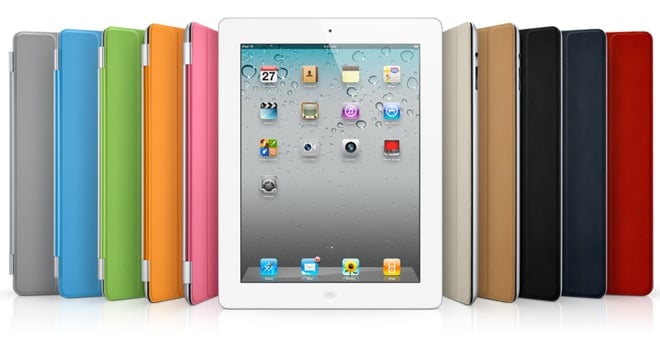
 So you’ve found yourself blown away by Apple’s new iPad 2, and March 11 doesn’t seem like it can come soon enough. If you decided to hold out until now, watching all your friends and family enjoy their now-vintage iPads, good for you. The new iteration of the Apple tablet is thinner than the iPhone 4, it has a powerful dual-core processor and manages to retain its incredible 10-hour battery life. However, it’s the apps that really make the iPad shine, and if you’re new to the device, here are 25 of our favorites that we think every newbie should download.
1. Friendly for Facebook
 Who isn’t on Facebook these days? While the Facebook app for iPhone is probably the best on any mobile device, the social network has largely ignored the iPad. Friendly for Facebook is free – if you want the ad-free version, it’s only $0.99 – and the interface is rich and easy to use. You can view status updates, send and receive messages and do just about everything you can with the web client. The only thing that can make Friendly for Facebook a little better is push notifications, but as it stands it’s probably the best Facebook app for the iPad right now.
Friendly for Facebook – iTunes Link [Free or $0.99 for ad-free version]
2. Epicurious
 Whether you’re a seasoned chef or a little green when it comes to navigating the kitchen, Epicurious really has a little bit of everything for everyone. You can search thousands of recipes and cocktails, and it can even help you when you’re doing your grocery shopping. It’s a very feature rich app, full of images and info on food and meals, and you can cook with your iPad nearby – hopefully not too close to liquids or flames or knives! – and follow directions as you go along. For those of you who are a bit health conscious, the app also has nutritional information for thousands of items, too.
Epicurious – iTunes link [Free]
3. Flipboard
 Do you check multiple social networking sites and news sites on a daily basis? Wish there was some other way to get them all into one place in an attractive and easy to navigate layout? Flipboard is what you’re looking for. It aggregates content from the sites you visit most – you get to choose what to include in your stream of content – and gives it a newspaper/magazine look. It’s a very beautiful interface and makes consuming and digesting all that news and your friends’ updates much easier.
When you open the app, you can flip through two pages full of tiles that are linked with each website or social networking service you designated. Once you click on the tile, you’re taken into a newspaper or magazine style layout that makes browsing it all more palatable. Best of all, it’s completely free.
Flipboard – iTunes link [Free]
4. Instapaper
 Instapaper helps you save web articles that you want to read later, whether you’re online or off. That’s really the beauty of Instapaper: because you can save dozens of articles for offline reading, it has made traveling and commuting a pleasure. You can also adjust font sizes for easier reading, and the way the app lays out text sometimes makes it easier to read compared to how it appears on the web. Instapaper also allows you to share articles you’ve found interesting, and if you’re running out of reading content yourself, you can browse articles and Editors’ Picks, which are based on some of the most-saved stories in the Instapaper community.
Instapaper – iTunes link [$4.99 and definitely worth every penny]
5. Netflix
 More than half of my time spent on the iPad is dedicated to watching videos, and I watch almost all of them on Netflix. If you don’t already have a Netflix account, it’s only $7.99 a month for unlimited streaming. And if you’re already a Netflix subscriber, grabbing this app is really a no-brainer. The iPad app has an easy-to-navigate interface and offers everything you’d be able to stream when you’re on your computer. Video quality is impressive and the controls are very similar to what you’d see with the YouTube app or Quicktime.
Netflix – iTunes link [Free]