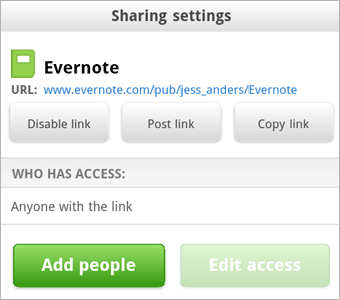
Evernote has once again updated its Android app with new features. The first thing included in version 3.3 is the full-featured notebook sharing. You can now share your notebooks right from your smartphone or tablet. To do that, go to the notebook list, then tap and hold a notebook, select “Sharing Settings” from the list and then decide who’ll get to access your notes. You can either select to share with certain individuals or with the entire world. Moreover, if you’re a Premium user, then you can allow others to edit your notes.
The other new thing is tighter integration with Skitch. The popular image annotation app has been downloaded more than 1.5 million times in less than 3 months, so we’re not surprised Evernote wants to capitalize on the benefit Skitch brings.
In order to edit an image in Evernote, simply tap it in note view or slideshow view, choose to open it in Skitch, make changes, and then save it right back to Evernote. Now you can either replace or append the image — if you choose the latter option, the new image will be added to the end of the note.
Finally, Evernote decided to release a separate Widget app for users who don’t want to install Evernote on the phone’s main memory and hence can’t use widgets. Nice!
Evernote (FREE) [Android Market link]
Evernote Widget (FREE) [Android Market link]
Skitch (FREE) [Android Market link]