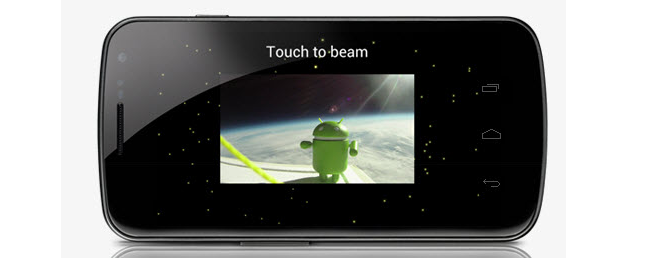
We’ve seen all sorts of videos for the Samsung Galaxy Nexus but one thing we have seen in celluloid form since the demos after the official announcement was Android Beam. This new feature allows you to share YouTube videos, Google Maps directions, contact information and more just by putting two NFC-enabled devices back to back and tapping on the screen.
I recently tested this new feature out with the lovely Jessica Dolcourt of CNET and we came away pretty impressed with Android Beam. No, don’t think it will be the new way of sharing but it is a very interesting approach and we’re glad to see Google innovate with fun features like this. From what we’ve seen, it doesn’t look like Ice Cream Sandwich is required for both phones but NFC is. As long as you have an Ice Cream Sandwich phone, Android Beam should work.
Android Beam is enabled by default but to make sure it’s been set up correctly, do the following:

1. Go into Settings
2. Tap on More…
3. Make sure NFC is check and tap on Android Beam
4. Make sure Android Beam has been enabled.
That’s it!
One thing Jessica and I found out just from playing around is that both phones and beam content at the same time. We found this out by accident and you do have to tap the screens at the same time but both phones can share content between each other, which is pretty nifty. That said, Android Beam is essentially instant so you likely won’t have too much trouble Beaming twice.
When the two Galaxy Nexus’ are pressed together, if content is available to share on one handset, the applications appear to zoom out and the words “Touch To Beam” appear. With one tap, the content is sent immediately to the receiving phone without skipping a beat.
After playing around quite a bit with it, Jessica and I concluded that Android Beam is way more fun than Face Unlock will ever be. Why? Because it’s actually pretty useful.
Check out the video below!