Google has announced Android 17, the latest version of the world’s most widely used mobile operating system. The update is rolling out to Pixel devices today, with other eligible Android phones expected to follow throughout the rest of 2026.
The release covers a wide range of improvements, from how you switch between apps to how your phone protects itself from theft. Select devices will also get access to Gemini Intelligence later this summer, Google’s AI layer that runs across Android to help with everyday tasks.
Here’s a breakdown of what’s actually new and what it means for you.
Multitasking gets a real upgrade with Bubbles
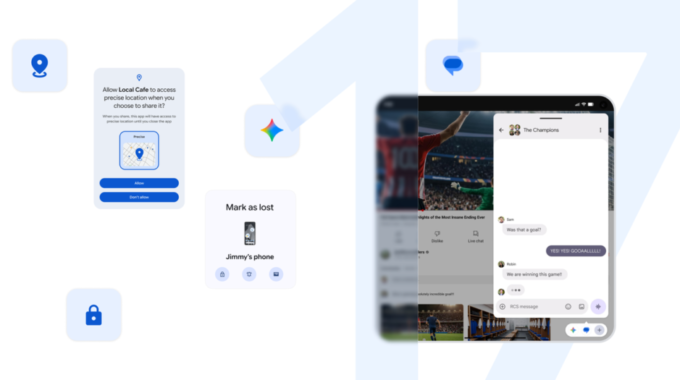
One of the headline features is Bubbles, a floating window system that lets you keep an app visible while you use something else. To use it, long-press any app icon and convert it into a floating bubble that sits on top of whatever you’re doing.
On larger screens and foldables, bubbles are grouped into a dedicated bar at the bottom of the screen. From there, you can switch between them with a single tap, resize them, or expand them to full screen. It’s a practical tool for anyone who regularly needs to, say, follow a recipe while messaging, or check a map without leaving another app.
Screen Reactions lets you share your take in real time
Google has updated its screen recording tool with a cleaner toolbar and a new feature called Screen Reactions. With a few taps, you can record your phone screen and your face at the same time using the front camera, no green screen or video editing needed.
It’s aimed at creators, reviewers, and anyone who wants to quickly comment on an app, a video, or a trending topic. The idea is to reduce the steps between having a reaction and sharing it.
Foldable phones get a proper gaming mode
Foldable device owners get a dedicated gaming layout in Android 17. The new mode splits the screen into a 50/50 arrangement, putting the game view on the top half and a virtual gamepad on the bottom. The goal is to make better use of the extra screen space that foldables offer without forcing you to hold the phone awkwardly.
Google has also worked on reducing frame drops and stutters by making memory cleanup more efficient during high-definition gaming sessions. For players who use external controllers, native button remapping is now supported too.
Security and privacy controls get more specific
Android 17 gives users more granular control over what apps can access. Key changes include:
- Temporary precise location access, so apps only get your location when you allow it for a specific session
- Contact sharing limited to specific people rather than your entire address book
- An upgraded “Mark as lost” feature in Find Hub that locks a missing phone with biometrics, preventing a thief from accessing data even if they know your PIN
On the threat protection side, Live Threat Detection has been updated to catch more suspicious apps and scams. Advanced Protection mode, which is aimed at high-risk users like journalists and activists, has also been strengthened against more complex attacks.
Google has also reduced the number of PIN guesses allowed before a lockout kicks in and increased the wait time between failed attempts. It’s a small change that makes brute-force access significantly harder.
A handful of other improvements worth knowing about
Beyond the main features, Android 17 includes several smaller but useful additions:
- A setting to hide app names on the home screen for a cleaner look
- Parental Controls expanding to all Android devices, not just some
- A dedicated volume control for your voice assistant
- More options for customizing the dark theme
- App memory limits introduced at the system level to stop individual apps from consuming too much RAM, which should help with battery life and overall performance
Pixel devices are getting additional exclusive updates on top of all of the above. The full list of Android 17 features is available at android.com/17.