Holiday Gift Guide »

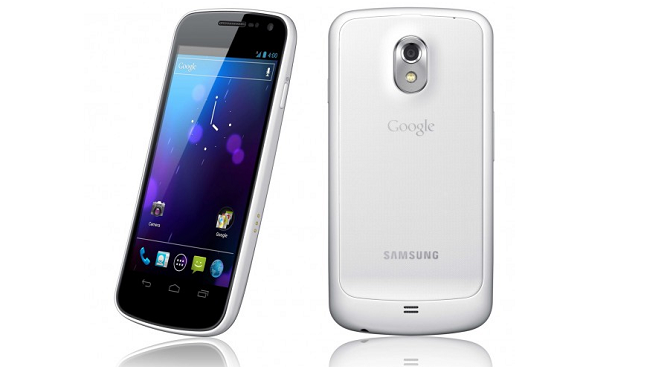
Wish you went for the white Galaxy Nexus? Replace the back yourself!

Categories: Android, How-To, Samsung
By: , IntoMobile
Tuesday, April 10th, 2012 at 3:41 PM

If you’re holding onto a Galaxy Nexus and wish that you would have opted for the white version, then you’re in luck. The procedure is rather simple and you only need a few items to get things rolling.

Like the Nexus S, the white version of the Galaxy Nexus is only white on the back side, leaving the face of the device black around the screen. Some may like the contrast between the back and the front but it seems a bit stark and tacky to me. Still, with a screwdriver, some guitar picks, and the replacement backing, you can easily switch up the look of your Galaxy Nexus without the need of a case.

While it may seem a bit tricky to get the housing off of the back of the device, a little patience will do the trick.

For an even more detailed how-to, head over to Droid-Life in the link below!

[Via: Droid-Life]

About The Author

Blake Stimac

Blake was born in Beaumont, Texas, about 100 miles away from Houston. Even as a youngster, technology came to him very naturally, tinkering with anything he could. His passion of technology grew with mobile phones when he dreamed that the capabilities of phones would eventually make one's life much easier. Since then it's been his mission to advocate the push of mobile technology to anyone who will listen.

  • Gilbert Aispuro

    Wow! Awesome video.  I will be purchasing the Nexus when it arrives at Sprint and this will be the first modification I do to the phone..   I CANT WAIT!!!!!!!!!!!!!!!!!!