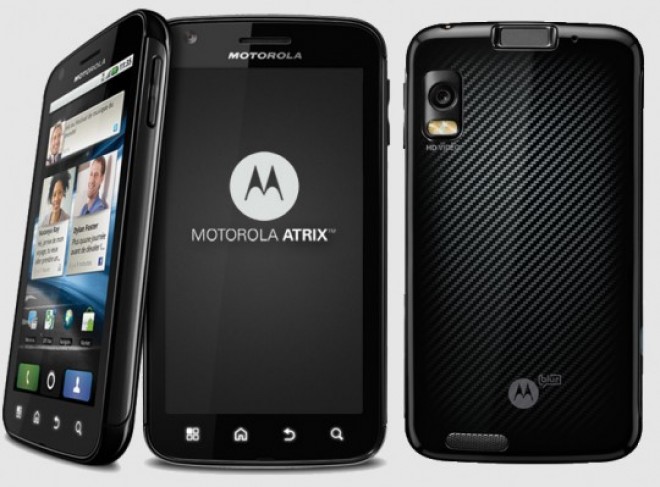

AT&T has been blocking the ability to download applications outside of the Android Market since day one. Since then, there have been a few ways to get around the blockade, for those Android users who want to install apps that they downloaded on their own. Today, we’re seeing a new sideloading workaround for the Motorola Atrix 4G.
First off, you should be fairly comfortable with ADB (Android Debugging bridge) before you get started. You should also be prepared to turn your shiny, new Atrix 4G into an expensive, dual-core paperweight. Seriously, don’t blame us if you brick your Atrix doing this.
That said, Linux and Mac users should be good to go before running the commands, but Windows users will have to download the sqlite3 executable file, which can be found in the Android SDK.
Assuming you have ADB set up, connect your device, and do the following:
[user ~]$ adb shell
$ su
# busybox cp /data/data/com.android.providers.settings/databases/settings.db /data/data/com.android.providers.settings/databases/settings.db.bak
# chown system.system /data/data/com.android.providers.settings/databases/settings.db
# ls -l /data/data/com.android.providers.settings/databases/settings.db*
# busybox cp /data/data/com.android.providers.settings/databases/settings.db /sdcard
# exit
$ exit[user ~]$ adb pull /sdcard/settings.db
sqlite3 settings.db
sqlite> SELECT * FROM secure WHERE name=”install_non_market_apps”;
3|install_non_market_apps|0sqlite> UPDATE secure SET value=1 WHERE name=”install_non_market_apps”;
sqlite> SELECT * FROM secure WHERE name=”install_non_market_apps”;
3|install_non_market_apps|1sqlite> .quit
[user ~]$ adb push settings.db /sdcard/
[user ~]$ adb shell$ su
# busybox cp /sdcard/settings.db /data/data/com.android.providers.settings/databases/settings.db
# chown system.system /data/data/com.android.providers.settings/databases/settings.db
# ls -l /data/data/com.android.providers.settings/databases/settings.db*
# exit
$ exit[user ~]$ adb reboot
Too much for you? You can wait until the devs out there figure out how to unlock that pesky bootloader, and then you’ll be able to flash a custom ROM to your Atrix 4G with the sideloading feature enabled by default. That could take some time, but it may be the best for those who aren’t familiar with ADB, or just don’t want to go through the trouble of dealing with command line stuff.
We haven’t tested this method out ourselves, but do be warned that if you don’t know what you’re doing, don’t blame us. Either way, if you had success with this method, sound off in the comments, and be sure to thank the dev who has posted this for all the Atrix users out there. Enjoy!
[Via: XDA-Developers]