IntoMobile

Breaking news, information, and analysis on the latest mobile phones and mobile technology

Open NavigationOpen Search
  • Home
  • Platforms
    • iOS / iPhone OS
    • Android
    • Windows Phone
    • BlackBerry OS
  • Hardware
    • New Hardware
    • Tablets
    • Reviews
    • Rumors
  • Carriers
    • AT&T
    • Sprint
    • T-Mobile
    • Verizon
  • Manufacturers
    • Apple
    • Samsung
    • HTC
    • LG
    • Motorola
  • Best VPNs
  • Best AI Tools

Video: Here’s how the Windows Phone 8.1 camera app looks like

March 14, 2014 by Dusan Belic - Leave a Comment

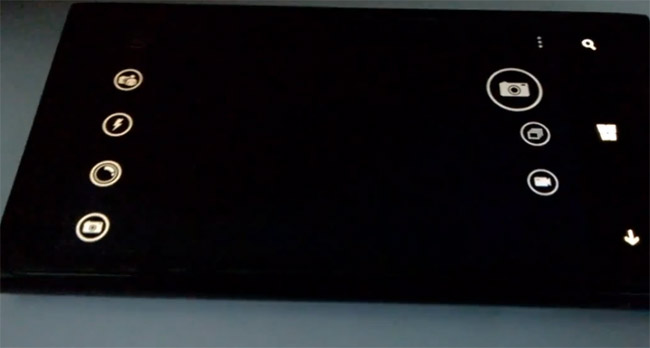
Windows Phone 8.1 camera app
Share on Twitter Share on Facebook ( 0 shares )

The soon to be launched Windows Phone 8.1 will bring along a number of changes and improvements. One of them will be in the camera department with the new app rocking few additional features that allow users to take that much better photos.

What you’re about to see is how the updated camera app looks like. On one side of the viewfinder, we have options for single photo, burst photo and video; and on the other – there are 5 different camera settings such as Flash, Scene modes, and so on. In addition, Microsoft also added an option in Settings for enabling photos layout based on grouping by date & time.

Powerful stuff, though we would suggest Lumia users to stick with Nokia’s camera software that packs many other bells and whistles. Here’s the mentioned demo video…

[Via: UnleashThePhones, WMpoweruser]

Share on Twitter Share on Facebook ( 0 shares )

Back to top ▴

Back to top ▴

Follow IntoMobile

38k
36k
4k
13k
12k

Most Recent Posts

  • iQOO Neo 11 Ultra is coming, and the specs are already turning heads
  • iQOO Buds first look: a new TWS is coming on August 20th
  • Pova AI Buds Pro launched in India with meeting summaries and 48dB ANC
  • Honor Magic 9 is ditching glass for full metal, and that’s a bold move
  • Huawei’s wide non-foldable phone could arrive sooner than anyone expected

Get Updates Via E-Mail

  • This field is for validation purposes and should be left unchanged.

About IntoMobile

  • About IntoMobile
  • Contact IntoMobile
  • Send us News Tips
  • Privacy Policy

Social Links

  • IntoMobile on Facebook
  • IntoMobile on Twitter
  • IntoMobile on Google+
  • IntoMobile on YouTube

Copyright © 2006-2021 IntoMobile. All rights reserved.