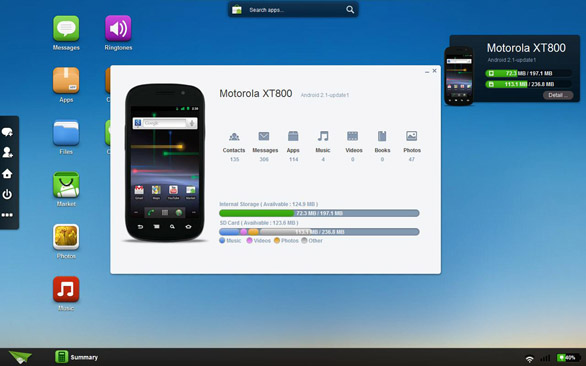
We’ve seen a number of apps that allow you to control your PC from a smartphone or tablet, how about the other way round? That’s possible with an Android app called AirDroid, which enables the functionality – so you can control many smartphone apps from a connected computer.
Developed by Sand Studio, the application communicates with a smartphone via Wi-Fi. You can use it to manage contacts on your smartphone, uninstall and backup apps (AirDroid will download them as .apk files), browse files on your phone, manage music and ringtones, and see various phone information like CPU status, battery level and so on. Arguably the most useful feature is the ability to access, manage and send text messages — it’s always easier to use the full-blown keyboard of your PC than to touch type on an all-touchscreen device.
The best part is the price – AirDroid is available as a free download! You can get it from a link below.
AirDroid (FREE) [Android Market link]
[Via: AndroidPolice]