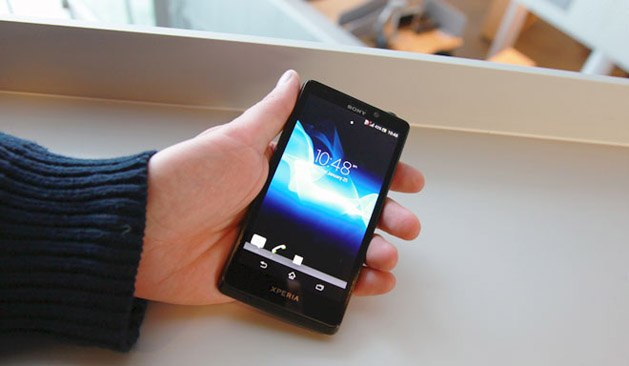
I got the Sony Xperia T at Mobile World Congress as part of an NFC pilot program. I never managed to participate as I had problems with the software that refused to log me on and on. There was an NFC help desk at one of the halls, but I never found time to go there for a tech support — it was a busy week, as you can imagine.
Then when I got home, I decided this will be my next phone until HTC One, Sony Xperia Z and Samsung Galaxy S IV start selling in my country. So installed all the apps I’ve been using on my now-dated Galaxy S II and was looking forward to test it out.
After using the “Bond phone” for a week, I have just one thing to say – this is probably the worst phone I’ve ever seen. In fact, I’m sure 007 wouldn’t get through the day if that was his only phone. There are two main reasons:
- The Xperia T constantly reboots. And I’m talking about 30 reboots PER day!
- It can’t connect to all Wi-Fi hotspots, my home network included.
Now, you may say I’m using some weird (not regular) apps. That’s not the case – all of the apps running on my Xperia T are downloaded from the Google Play store. In fact, ALL of them were running on the Galaxy S II. I also haven’t rooted the phone or did something of that sort.
As for the second point, I’ve read at XDA forums that I need to tweak my router, change few things in the settings, to make it “compatible” (or something) with the Xperia T. What? That same router is used for connecting all other devices in my apartment, including the Samsung Galaxy S II, my wife’s LG Prada 3.0, Nexus 10 and two laptops. It’s good for them, but not for Sony? And in case you wonder, I did disconnect few devices to see whether the router has too many connections. That didn’t help.
But wait, there’s more. As I tried to deal with the two problems, I searched the web to find the solution. Guess what I’ve found – it’s not just Xperia T users that have these problems; other Xperia phone owners are reporting similar issues. What gives?
In case you wonder, the phone runs Android 4.0.4 Ice Cream Sandwich out of box, as I’m still waiting for the Jelly Bean update (some markets already got it).
UPDATE: I flashed Jelly Bean on it (Sony’s official ROM) but I’m sad to say that didn’t help. My Wi-Fi network is still not visible and the phone keeps rebooting throughout the day.
Let me get one thing straight – I love the new Xperia Z (and ZL for that matter), but if it acts like the Xperia T, it’s doomed for failure. We used to bash LG for not updating their devices in a timely fashion, but they worked perfectly out of box (and with apps installed). With Sony, that’s different – as soon as you install few apps, it keeps crashing. They need to *seriously* get their act together to stay relevant in the mobile game.
If you happen to own the Sony Xperia T, please don’t hesitate to share your experiences, and perhaps give me some advice how to fix some of the issues I’m having. Thanks. 😉