IntoMobile

Breaking news, information, and analysis on the latest mobile phones and mobile technology

Open NavigationOpen Search
  • Home
  • Platforms
    • iOS / iPhone OS
    • Android
    • Windows Phone
    • BlackBerry OS
  • Hardware
    • New Hardware
    • Tablets
    • Reviews
    • Rumors
  • Carriers
    • AT&T
    • Sprint
    • T-Mobile
    • Verizon
  • Manufacturers
    • Apple
    • Samsung
    • HTC
    • LG
    • Motorola
  • Best VPNs
  • Best AI Tools

iPhone 5S Review

November 12, 2013 by Charles West - Leave a Comment

Every year around this time Apple delivers to us its best flagship phone it’s ever produced; the iPhone 5S doesn’t disappoint. After six years of launches we’ve all become accustomed to the typical refresh of the same industrial design in the current product cycle. We all know the routine: a hardware tweak here and there,…

Read more
The Good
  • Excellent build quality
  • Touch ID Fingerprint Sensor
  • Ecosystem
  • Best in class camera
The Bad
  • iOS still needs work
  • M7 coprocessor, 64-bit support not fully adopted by devs

Hardware

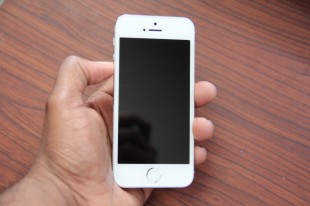
Unlike some pundits and consumers, I have no real issues with the size of the iPhone 5S’s screen. Could it be bigger? Sure. Does it need to be? No. Apple choosing to stick with this basic form factor makes all the sense in the world because of how it optimizes its mobile OS. I also love the fact that I can still put this phone in the small pocket of my skinny jeans (yeah, I’m that guy). This year’s model went basically unchanged from last year’s iPhone, as it brings the same aluminum back to metal frame with chamfered edges. Stuck with same frame, it’s 7.6mm thick and just over 4 oz in weight.

Back to the display for a second. Apple’s decision to stay with its usual practical approach with a smaller screen size has yet to hurt the company in sales. The fact is, the iPhone’s 4-inch 1136 x 640 Retina display still looks great even as its resolution has been overtaken by 1080p screens on the LG G2, Galaxy S4 and HTC One, just to name a few. Having fondled most of the devices I've named, the iPhone 5S Retina display is still one of the best in class because of its on-point color accuracy and viewing angles. It’s just great.

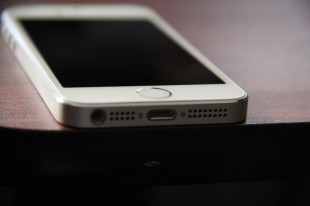
This year’s flagship feels the same as last years, albeit, with some minor color changes. My device is the silver version, which is the same as it's always been, aside from the cool Touch ID ring around the home button (also added to the Space Grey and Gold models).

Touch ID
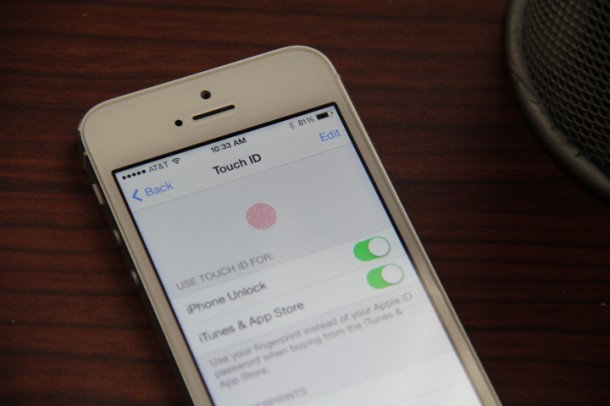
Touch ID, Apple's new fingerprint scanner, is implemented into its new iPhone 5S very well. Sense of touch remains the same, as it feels exactly like every other iPhone home button. The difference, of course, is the removal of the box in the center, and the addition of the ring around the home button. Although Touch ID isn't all the way there as far as flawless usability is concerned; it still offers simple, affective functions like using your print instead of your Apple ID to make purchases -- I find this crazy useful.

I admit, in the beginning I looked at this feature as being a bit gimmicky, but now I look at Touch ID in a whole different light thanks to its added security. For starters, Touch ID takes security to whole new level by making it almost entirely NSA-proof. Apple says Touch ID only stores your fingerprints in special encrypted memory on the phone itself; it’s stored on the A7 processor to be exact. This keeps folks print data off Apple’s servers and away from the NSA.

In a way Touch ID is a big FU to the government -- something I’m 100 percent behind when it comes to my privacy.

However, there are some drawbacks. Not having the ability to use this awesome feature with third-party apps is hugely disappointing. Just think how much better Touch ID could be if you had the ability to authenticate money transfers from finance apps? Just think, verifying transfers from apps such as Venmo, PayPal, Google Wallet or your banking app all with a fingerprint. Yeah, that would be nice.

I have no doubt with more time Touch ID could be more than good -- it could be spectacular.

Build Quality

Aside from the HTC One, no other phone on the market can compete with this kind of machine wizardry when it comes to the sturdy build quality on the iPhone 5S. Build quality is something that kind of gets overlooked in today’s market. Many consumers seem more enamored with a phone that’s affordable, has a giant screen, and speed. They don’t necessarily care about what materials are holding their handset together.

This point proves to be true when you consider all the success Samsung has had with its plasticky Galaxy phones, compared to a company like HTC who’s struggling to stay afloat despite superior build quality.

So it’s good to see Apple to stay true to cutting-edge industrial design, while choosing top-notch materials to build its products. Because of its attentiveness, no one can hold a claim that Apple’s products are cheap, unlike some of its competitors.
Guts And Glory

Don’t look for benchmarks or nerdtastic charts with quadrant scores, because I’m not going to give them. These tidbits mean squat when you’re using the iPhone 5S out in the real world, however, you can trust me when I say the speed on this phone mops the floor with last year’s model.

So what do you get different in the inside? You get a kick-ass A7 processor that, at the moment, is among the best in its class. However the real secret weapon is the M7 “motion coprocessor,” which is designed to collect data from the accelerometer, gyroscope, compass, and others. Once collected, that data is then used to determine the state of your phone without sucking battery life.

The M7 allows for the iPhone to know when your walking, driving, etc. We’re already seeing developers take advantage of this unique power, with the latest being RunKeeper and its Pocket Track feature.

Throw in 64-bit support for improvements in performance and battery life, and you have real winner.

Software
What more can be said about iOS 7? It’s been dissected, picked at and spoken about at nauseum since it debut back in June (read our reactions here). There is no doubt that Apple desperately needed to revamp its mobile operating system, as it became dull compared to the rapid changes Google was doing with its Android OS. Sure, we techie-types may love iOS 7 but it’s been a mixed bag for average consumers.
When CEO Tim Cook ousted Scott Forstall, Sir Jony Ive was put in charge. Ive almost immediately chose to move away from the traditional skeuomorphic interface in favor of one that's flatter and more colorful. What iOS 7 brings now is new fonts, icons, colors, graphics and gestures.

Besides the drastic paint job, iOS 7 still remains the same from a usability standpoint. Albeit, there are small tweaks, including a change in how folks access Spotlight, as it is now hidden; users can grab it from any screen with a simple small downward pull. In addition, folders can hold more apps, new layers were added to the UI and you can even get dynamic wallpapers with parallax. Oh, and Siri dumped the beta tag and brought a male voice with a few new abilities (like Bing Search -- yikes).

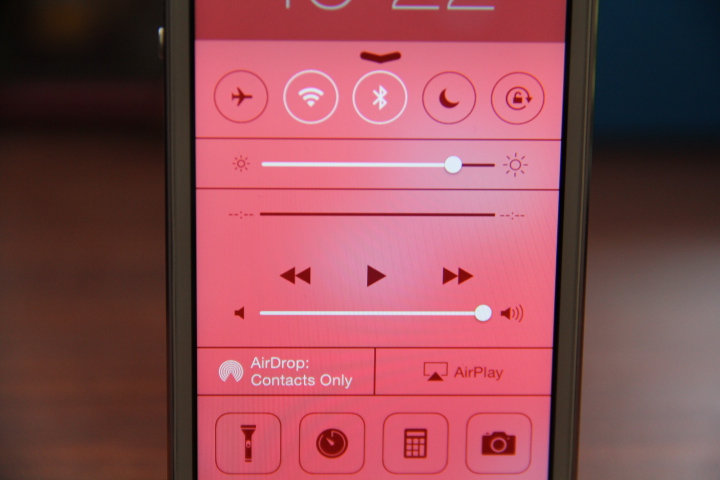
The best improvements within the new software has to be Control Center and multitasking. Control Center allows iPhone users an easier way to access options like brightness, flashlight, alarms, calculator, camera, airplane mode, and a music player widget by simply flicking their finger up from the bottom of the screen, where the Control Center panel appears. This feature was so needed to avoid the time consuming effort of fishing through the long list of things in the Settings; a process that had been all too cumbersome.

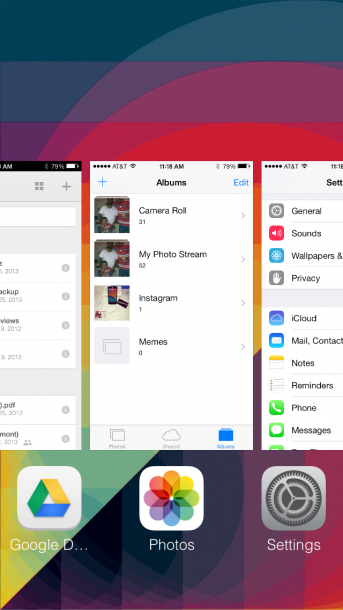
Multitasking is more improved as well. Instead of double tapping the home button and seeing a small bar at the bottom of the screen that shows apps running in the background; now you get a completely new card-based display that allows you to rid applications by swiping your finger up. I think an option to clear all applications running in the background would be a good addition.

Other than that, Music, Mail, Pages, Numbers, Keynote, and many more of Apple’s native apps got an overhaul. Oh, yeah, there’s also AirDrop, but it’s lame; it’s just a fancy name for file sharing with folks who also have an iPhone.

Moving on.

Web Browser, Multimedia And Camera

Web Browser
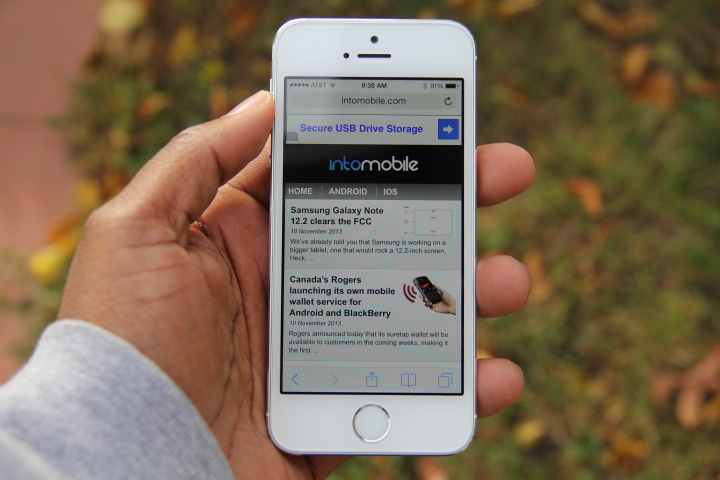
Mobile Safari has been changed for the better. Much like the other native apps on the new platform, Safari carries the same flat and colorful look. I've heard many people complain about the design of the app icon, but it doesn't bother me. When you hit the tab button to the lower right it shows all your tabs as if they’re in a file cabinet. You also get the option of browsing the internet in private.

Safari is more enjoyable to use as the faster GPU speeds meshes well with the buttery smooth scrolling and zooming. It’s weird, I always used Google’s Chrome browser on my last two iPhones, but now I am very comfortable using Safari now.

Multimedia

Apple is arguably the top dog in all things media with its insanely large collection of music, movies, and TV shows in the iTunes Store plus hundreds of thousands of quality apps in the App Store. My one complaint is Apple’s terrible handling of iCloud. It’s just not implemented well within its OS. More apps should have access to the storage, but don’t because of Apple’s unwillingness to open up its API.

Camera
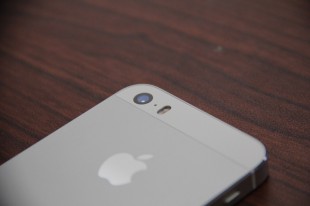
Here's a news flash: the camera on the iPhone 5S is really good. This shouldn't surprise anyone, as Apple improves the camera specs on its flagship phone every year. It’s stunning how every year Apple seemingly puts more distance between itself and its competitors with its camera quality. It’s almost remarkable how many manufacturers fail at delivering a quality shooter on the back of their handsets. And with its rivals shortcomings, Apple continues to take advantage with a feature most should have top of their list.

The iPhone 5S offers a maximum resolution of eight megapixels. The sensor on the back has a larger pixel size (1.5µm vs. 1.4µm) and larger aperture (f/2.2 vs. f/2.4), which gives it a distinct advantage when shooting low-light photos. It’s far better than the HTC One’s Ultrapixel sensor and the Moto X’s camera (although it isn't so bad).

There were times when I took shots and they came out looking as if they came from a point and shoot camera. The 5S delivers crisp shots in all areas. Although last year’s 5 model was great, the iPhone 5S tops it. Capturing images in the night is where this phone separates itself from the rest of the handsets on the market. I remember taking shots with my 5 in the night being hit or miss, but the 5S puts many of those images I used to miss in play. This is due to the 5S’ 33 percent increase in light sensitivity.

Other neat improvements include a new burst mode, which I rarely use. It shoots 10 frames per second, and then either automatically selects the best of your photos or lets you choose your favorite (I usually pick my own photos, though). Once you pick your favorite shot, you can delete the rest, because god knows you don’t want all that clutter in your Photo Stream.

Slow-motion video is awesome! It let’s you capture 720p at 120 frames per second and then play it back at a quarter speed. I took this bad boy for test drive when I brought my son to the playground.

Additionally Apple’s added live filters in the camera app, zooming is now possible while you’re recording video, and there’s automatic digital image stabilization. These aren't features that jump off the spec sheet, however, they bring a simple and effective usability most average consumers will enjoy.

The FaceTime HD front-facing camera also received an upgrade this year. Similar to last year, it's a 1.2-megapixel shooter capable of 720p video. The only real difference lies with the 5S’ new BSI sensor with larger 1.9mm; this helps do a better job of capturing light.


Call Quality And Battery Life

I’m going to be honest when I say I can’t tell the difference in the call quality on the iPhone 5 compared to the 5S. The iPhone 5S houses the same old three microphones and high quality speakers. Taking in phone calls is still decent, but most phones have stepped up their game in this department. At this point, call quality is no longer a smartphone issue, it’s all about the carriers now as most of us wait for HD voice to roll out on calls.

Battery life was increased a tiny bit. On paper, Apple says the 5S brings 3G talk time of 10 hours, 10 Hours LTE browsing, with up to 250 hours of standby. In my time with the phone, I’d say these numbers are pretty accurate. I've been consistently getting a days use (8-10 hours on LTE; 20-plus on WiFi/LTE).

As I mentioned earlier, the 64-bit support helps with not only performance but battery life. So when more apps adopt the processing power, battery life should get even better.

The Final Take
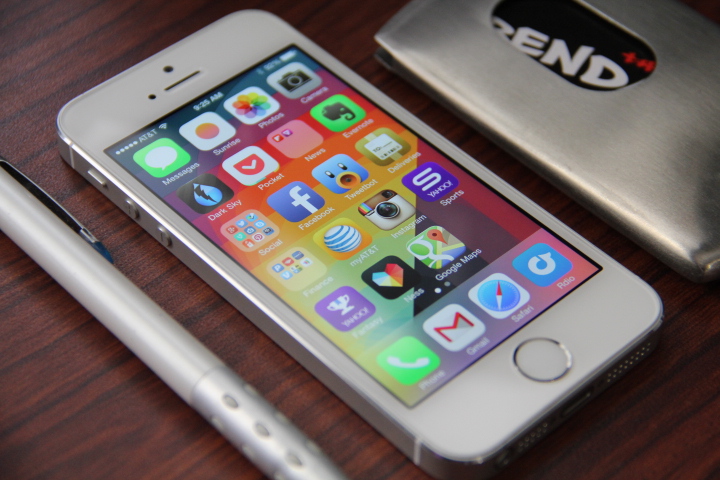
So is the iPhone 5S “the most forward-thinking iPhone yet” and “the best smartphone in the world?” I’m not sure if it’s the best smartphone in the world, but the former definitely holds true. Apple did what it always does, and that’s make the iPhone 5S the new hotness, by doing things better than its predecessor.

The reality is, Apple laid the groundwork down for the future with the addition of 64-bit support, an M7 coprocessor, and Touch ID. But these are mainly features that appeal to the geeks out there who truly understand and care about these intricate things.

Apple needs to continue to innovate, and Touch ID could be that one defining feature that can separate its products further from the rest -- however, much refining still needs to be done.

Apple doesn't have to follow the herd of manufacturers making stupidly huge phone displays, instead they need to continue going with what works. Some of you might not want to hear this, but most people happen to enjoy the size of the iPhone as is. The majority of folks like “small phones,” or what I like to call them: normal sized phones.

That being said, I could totally see Apple shrinking the bezel on the side and stretching the display further up. A 4.2-inch display like the BlackBerry Z10 is a perfect size.

It’s hard for me to justify telling folks to buy this phone if they happen have last year’s model. However, for those of you still rockin a 4 or 4S, I’d say it’s about time for you to pull the trigger already.
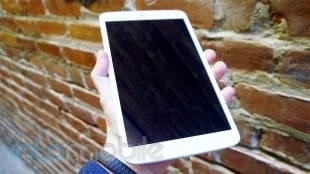
LG G Pad 8.3 Review

October 14, 2013 by Blake Stimac - 6 Comments

LG took quite a while to follow up with its second Android tablet offering. Even though 2011’s G-Slate could stand on its own two feet against the competition, it was ultimately a dud. LG went back to the drawing board and stayed there for a couple of years. Now the company is back with a new tablet, the…

Read more
The Good
  • Great display
  • Impressive build quality and design
The Bad
  • No NFC
  • On the pricier side

Hardware

As far as hardware goes, the G Pad fits the bill in just about every area.

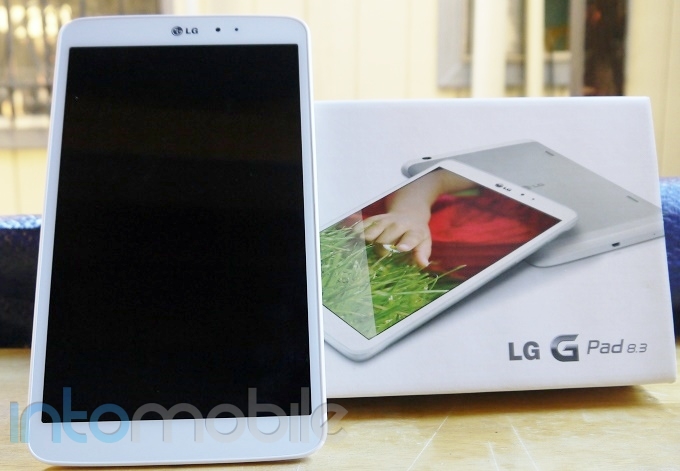
The G Pad ships with a 8.3 inch 1920 x 1200 HD IPS display, offering up 272 pixels per inch. Under the hood, you'll get a 1.7Ghz Qualcomm Snapdragon 600 CPU, 2GB RAM, 16GB internal storage, microSD card slot, 5 megapixel rear-facing camera, and 1.2 megapixel front facing camera.

With a width of 126.5mm, the G Pad fits nicely in one hand, and allows for a near perfect experience when typing in portrait mode. It's also very light as well. At 338 grams, the G Pad is easy enough to hold in one hand for long periods of time without getting too heavy.

The face of the tablet is simple and to the point. The 8.3 inch display dominates the front of the device, with little else to speak of. The bezels around the sides are relatively small -- small enough for you to easily grip the tablet with one hand. LG left about an inch of space at the top and bottom of the tablet, which we're guessing is for an easier experience when using the tablet in landscape. Above the display, you'll find LG's logo, ambient light sensor, and 1.2 megapixel front-facing camera.

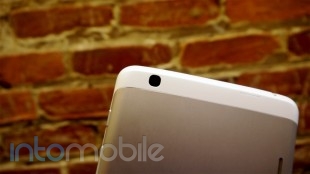
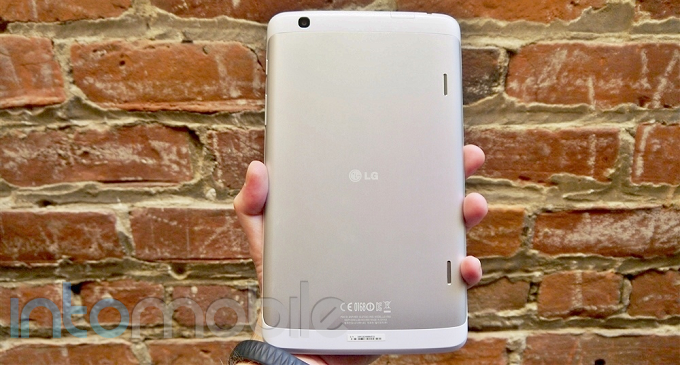
The sides of the G Pad offer up a the expected set of buttons and ports. The left side of the tablet is left bare, with the microUSB port and microphone on the bottom, power and volume rocker on the right side and the 3.5mm headphone jack, microSD card slot, and IR blaster on the top. The rear of the G Pad is clean and simple. Here is where the 5 megapixel shooter finds a home, as well as the stereo speakers and LG logo in the middle.

LG chose to leave out NFC on the G Pad, which is no bother to us, but some users may feel that this feature is a must. Given the price of the tablet, we'd expect LG to throw in the kitchen sink, but that's sadly not the case. Either way, NFC on a tablet doesn't make a lot of sense. Sure, it may have some use cases, but it's not going to keep us from using the tablet any less.

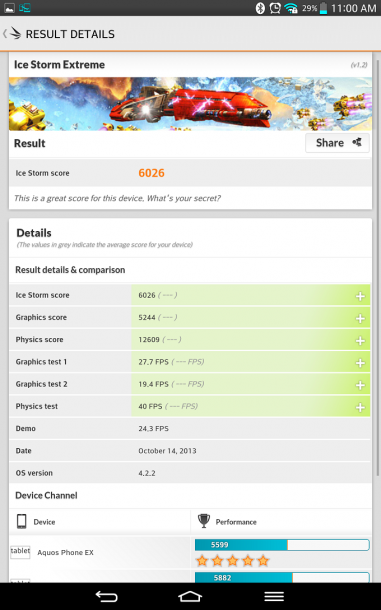
Although we were expecting to see the G Pad share the same CPU as the G2, the Snapdragon 600 is no slouch. The tablet went through a handful of benchmarks without breaking a sweat. The G Pad fell in line with the likes of the HTC One and Galaxy S 4, which also ship with the Snapdragon 600.


Design

Both the top and bottom portions of the tablet are done up in a matte plastic that gives off a slight iridescence, but the backside largely consists of aluminum. The cold touch of the metal when holding the G Pad gives off a very premium feel, and we like it a lot.

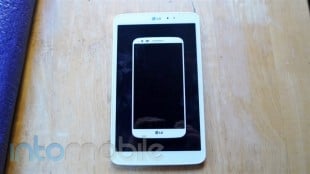
If you have the LG G2 as your smartphone, you'll see that the two devices are definitely cut from the same digital cloth.

Overall, the design of the G Pad 8.3 is rather beautiful and consists of build materials that will make you want to have it in your hands all the time. It begs to be held.

Software

The G Pad shares the same software found on the LG G2, which comes as no surprise. LG's custom user interface offers a unique experience that's not overdone, but hardly stock Android.

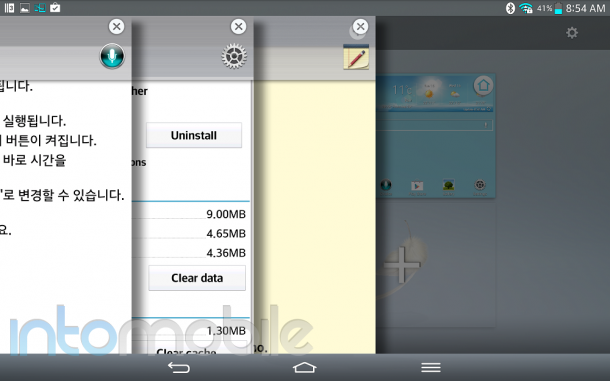
Some of the G2's best software features will be found on the G Pad. Knock On, Slide Aside, Quick Memo, Q Slide and Q Remote can all be found on the tablet.

Slide Aside

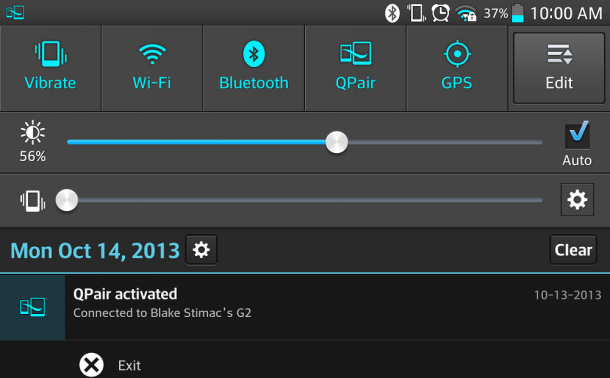
Possibly one of the best features found on the G Pad is QPair. The application allows you to pair your smartphone with the tablet, allowing you to send and receive texts, and receive call notifications from the tablet, allowing you to dismiss them. The feature worked seamlessly when paired to the G2, but QPair luckily works with other smartphones running Android Jelly Bean and up. We also tested QPair with the Nexus 4 with no issues at all.

For a more in-depth look at some of the software features you'll find on the G Pad 8.3, be sure to check out our LG G2 review right here!

Web Browser, Multimedia And Camera

Camera

Adding cameras to tablets is essentially just a courtesy to the customer and are largely an afterthought. Not only is it awkward to hold a tablet up to take a photo, but you'll also look pretty silly in the process. Still, we're glad to see that LG didn't leave cameras out of the G Pad.

The five megapixel camera on the G Pad is pretty much what you'd expect. In good lighting conditions, it can produce a decent shot, but ultimately suffers from grainy-looking shots and some photos turn out a bit washed out in less than perfect conditions. Nonetheless, the camera on the G Pad performs just like a majority of cameras on tablets.

The camera software offers a wealth of options to make your photos look the best. You can tweak the white balance, color tone, ISO, focus mode, and more within the settings and there's a nice helping of preset shooting modes to choose from.


Call Quality And Battery Life

Battery life on the G Pad was pretty exceptional, and with a 4600 mAh battery inside, we'd expect it to be. You should easily be able to get almost a couple of days out of a single charge with the tablet, even with some pretty heavy usage.  In our testing, we got an average of about 40 hours on a single charge with moderate to heavy usage.

The Final Take

The LG G Pad has a lot going for it. It's ultra sleek, feels great in the hands, and has a great spec list to top it off. It's pretty easy to see that LG had thought long and hard about what it was going to put into its tablet before jumping back in, and that decision has paid off nicely.

LG nailed all of the most important aspects of what makes a tablet great. It ships with a snappy processor, stunning display, and great build quality and design. It may lack features like NFC, but we still can't see this being a dealbreaker.

The LG G Pad 8.3 will easily one of the best Android tablets around when it's made available (it launches today in Korea). Whether or not it will sway you from grabbing something you already had your mind set on is up for question, but this is a tablet that shouldn't be dismissed. LG is on a roll with it's latest product lineup. The G2 is one of the most solid phones that money can buy right now and the G Pad is its perfect companion.

If I was in the market for a tablet, I'd have my sights on the G Pad 8.3.

HTC One Mini Review (AT&T)

October 11, 2013 by Blake Stimac - 1 Comment

Earlier this year, HTC launched its best phone to date, the One. Shipping with powerful internal hardware, great camera, and stunning design and build quality, the HTC One is still one of our favorite smartphones on the market today. But HTC had no intention on relying on one smartphone for the year. HTC later announced…

Read more
The Good
  • The Super LCD 3 display on the One Mini is still one of our favorites
  • Ultrapixel camera takes some great photos
  • Feels great in the hand
The Bad
  • Lack of IR blaster and NFC are a bummer
  • Battery life can be hit and miss

Hardware

The HTC One mini has a lot in common with its bigger brother. The design is essentially the same, with the exception of a few tweaks here and there, but it's undeniably a part of the same family.

The One Mini ships with a 4.3 inch Super LCD 3 display with a resolution of 1280 x 720. This is a step down from the original HTC One, but we have our doubts that you'd need full HD on a 4.3 inch display. The One Mini also features a 1.4GHz Qualcomm Snapdragon 400 CPU, 1GB RAM, 16GB internal storage, Ultrapixel Camera, Boomsound speakers, and more.

Sadly, there are a few features that you won't find on the One Mini that were on the original. For starters, NFC was stripped from the device, as well as the IR blaster for controlling your television. Still, these features likely won't be used on a daily basis and we can see why they were omitted. You'll also find a smaller battery in this handset, but again, we're not surprised. It's a 'mini' phone.

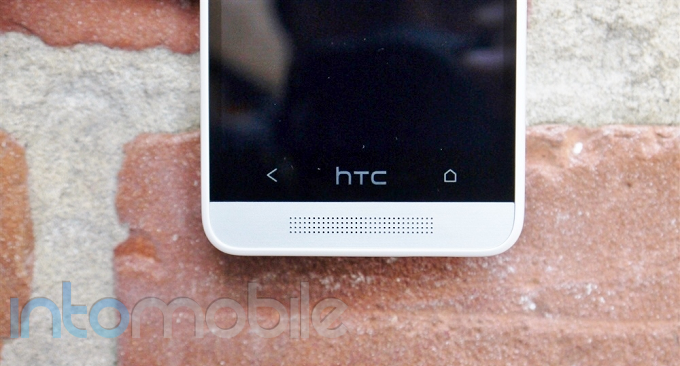
The face of the device is very minimal, sharing the same setup as the original. Above the 4.3 inch display, you'll find the earpiece built into one of the two Boomsound speakers, as well as the notification LED. Here is where you'll also find the proximity and ambient light sensors and 1.6 megapixel front-facing camera. Below the display sits the two capacitive buttons for back and home, with the HTC logo in between.

The keys on the sides of the One Mini are kept to a minimum. The left side houses the microSIM card slot, volume rocker is found on the right side, and the 3.5mm headphone jack and power/lock button are on the top, leaving the micro USB port at the bottom. The rear side of the device is exactly what you'd expect it to be. Here is where the Ultrapixel camera and LED flash find a home, along with the HTC, AT&T and Beats Audio logos.

Design

Given that this is just a smaller version of the HTC One, the Mini shares an equally beautiful design. That said, some of the 'fancier' design elements were lost in the process.

The sides of the device are no longer metal, so you can kiss those chamfered edges goodbye. We're sad to see them absent for the One Mini, but from a cost perspective, we can see why HTC did this. It was definitely a nice addition on the original, but the One Mini is still a beautifully designed handset.

The 4.3 inch screen allows for a much better grip on the phone, and feels fantastic in the hands. The aluminum body just sends the design of the One Mini over the top. It's really great.

Software

The One Mini ships with HTC Sense 5 running on top of Android 4.2.2. The AT&T HTC One just recently received the Android 4.3 update, and we can expect the same for the Mini in the near future.

Sense 5 is a great update. Previously, Sense was needed on Android devices to cover up the rather drab look of the stock OS. However, as time progressed, Android looked better and Sense became an overcustomized mess. HTC began scaling back the heavy customizations in Sense 4, but it wasn't quite there yet. Sense 5, on the other hand, nailed it. Sense 5 combines the beauty of HTC's custom user interface with the newfound beauty that can be found in the stock Android OS now. There's still a lot of HTC to be found on Sense, but it lets the Android experience peek through just enough.

Possibly the biggest change in Sense 5 ... Or introduction, we should say, is Blinkfeed. Blinkfeed unifies your social streams, be it Facebook, Twitter, and more into one endless stream of content. Out of the box, the feature is your main homescreen but this can be changed easily. Blinkfeed is presented in a slick 3d-esque UI that is easy on the eyes and pretty cool to use for keeping up with your social networks and news outlets.

The Blinkfeed UI can also be found in the photo gallery. If you've linked you Facebook account to Blinkfeed, your Facebook friend's photos will appear in a stream in the photo gallery. This is a great way of keeping up with your friends' photos without having to sift through the mess that can be Facebook at times.

Web Browser, Multimedia And Camera

Camera

One of the HTC One's biggest selling points is the Ultrapixel camera. While only a 4 megapixel shooter, it utilizes larger pixels that allow much more light to be absorbed, resulting in insanely good low-light photos. Thankfully, you'll find a majority of the HTC One's camera guts inside the One Mini.

One of the biggest and best features on the HTC One Mini's camera is Zoe. Zoe allows the user to take small snippets of video that will automatically be compiled into a Highlight Video with its own soundtrack behind it. Visual effects are also implemented to give the Zoes a nice look and feel and can be tweaked a bit to make it just the way you like. In its current form, you can't choose your own music for the soundtrack, but we could imagine that this feature is on the way. Check out the Zoe Highlight Video below from our HTC One Review.

The One Mini lacks the same Optical Image Stabilization found on the original One. There are a few software enhancements for OIS to be found on the One Mini, but it's not going to be the same experience. This doesn't make the camera on the HTC One Mini bad in any sense, though. Just check out some of the samples below!

Call Quality And Battery Life

Call quality on AT&T's network performed very well here in San Francisco. Calls came through loud and clear, with no noticable distortion at all.

For a 1800 mAh battery, we were pretty impressed to see just how long the One Mini lasted. With moderate use, you'll be able to get through a full day with the One Mini, but the battery isn't very forgiving if you're playing a lot of games and streaming videos constantly. Luckily, the battery saver mode found within the settings can help you prolong the life of your One Mini if you're a power user. It can be a bit hit or miss, but it's most definitely not the worst we've ever seen.

Overall, the battery performs serviceably and will offer decent battery life for the average user.

The Final Take

Well, what can we say about the HTC One Mini? It's a pint-sized version of HTC's best phone available at a more affordable price, but is that enough to make you want to choose it over its 4.7 inch brother?

The HTC One Mini provides most of the same features that we loved about the HTC One in a much more pocketable form-factor. And believe us, this phone is small, but packs a punch. The Snapdragon 400 is a snappy CPU and the Ultrapixel camera can take some amazing photos.

If you've been longing to find a snappy smartphone that doesn't ship with a display that's nearing the five inch mark, then the One Mini is going to be one of your best options out there. The in-hand feel is definitely impressive, and what the HTC One Mini does do, it does great.

At $99 on a new two-year agreement at AT&T, the HTC One Mini is a solid handset that provides a real bang for your buck.

Nokia Lumia 925 Review (AT&T)

October 8, 2013 by Blake Stimac - 1 Comment

Nokia’s Lumia line has never lacked a beautiful design, but that clearly isn’t enough to make someone opt for a Windows Phone handset today. Luckily, the Lumia line has another great power that you don’t see all too often for phones running the OS. Stunning cameras. Nokia’s PureView cameras bring one hell of a fight…

Read more
The Good
  • Solid design that feels great in the hands
  • Pureview Camera experience is stellar
  • Good battery life
The Bad
  • Subpar internal hardware compared to similarly price Android handsets
  • Wireless charging requires an external accessory
  • Windows Phone still trails the competition in application selection

Hardware

The hardware on the Nokia Lumia 925 is pretty impressive for a handset in its price range, but it can't catch up to the likes of other Android handsets that run for the same price. Still, at the end of the day, the Lumia 925 is a solid performer.

The 925 ships with a 4.5 inch (1280 x 768) ClearBlack, AMOLED display, 1.5GHz dual-core Snapdragon S4, 1GB RAM, 8.7 megapixel PureView camera, dual LED flash, 16GB internal storage, and more.

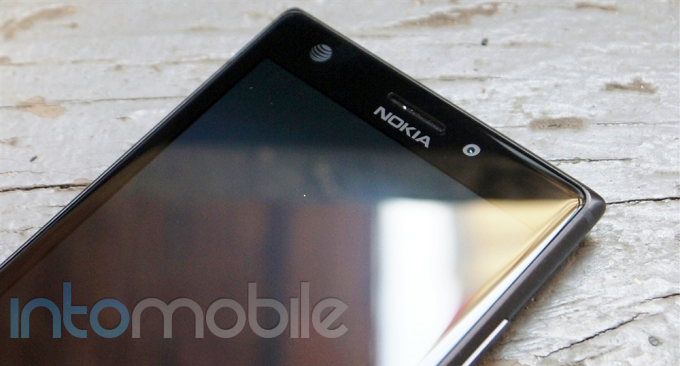
The face of the 925 is swallowed by its 4.5 inch display, with the essentials left at the top and the bottom. Below the display, you'll find the expected Windows Phone capacitive navigation buttons for back, Home, and search. Above the display, you'll find the Nokia and AT&T logos, earpiece, proximity and ambient light sensors, and 1.3 megapixel front-facing camera. On the back side of the device, you'll find the 8.7 megapixel PureView camera, dual LED flash, Nokia logo, contacts for the wireless charging cover, and loud speaker.

The sides of the handset are rather clean, and you'll find the volume rocker, power/lock button and dedicated camera button on the right side of the device. This leaves the left side clean, and the 3.5mm headphone jack, microSIM card slot and micro USB port on the top of the handset.

The 925 comes in at 8.5mm thin, 70.6mm wide, and 129mm tall, making for a solid feel without being to large in the hand.


Design

The design of the Lumia 925 is rather stunning. With the sides of handset composed of aluminum, the in-hand feel of the 925 is great.

The best way to describe the design of the Lumia 925 is clean. The handset's rounded edges with the sharper looking corners look elegant and modern without being in your face.

Software

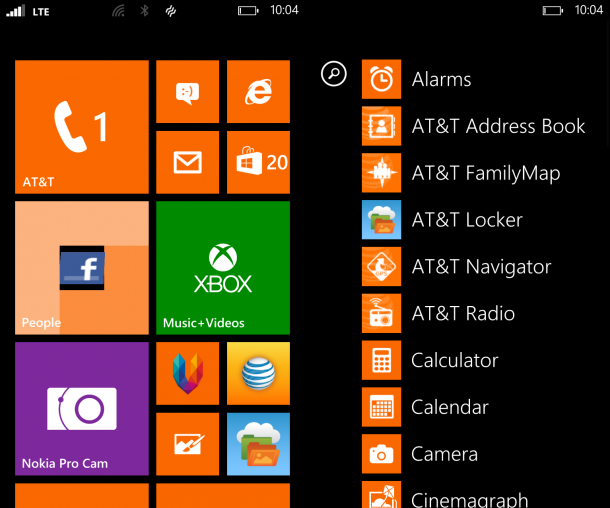
As with any Windows Phone handset, the user interface is simple and to the point. That said, there are a handful of pre-installed Nokia applications that make the experience unlike any other. Given that this is the AT&T version of the handset, you'll also find a nice helping of bloatware along for the ride as well.

By now, most people know the look and feel of Microsoft's Windows Phone OS. Live tiles replace the standard icons most are accustomed to on Android or iOS, providing a slick UI that's easy to use. That said, this ease of use can hold the OS back a bit but it's nonetheless solidified it's place in the market and growing steadily stronger.

With the Windows Phone user interface identical on all handsets, there are only so many ways for handset makers to differentiate themselves. The most obvious method is hardware, but custom applications are another, and Nokia has a few that are pretty nifty.

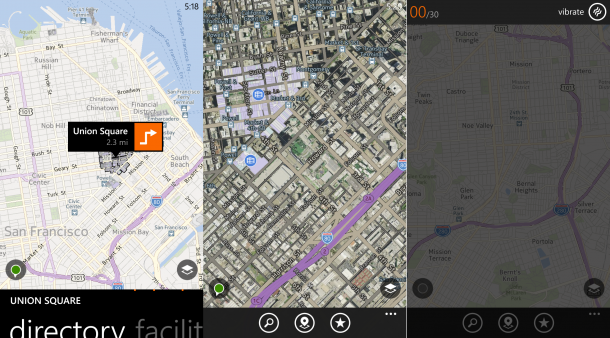
HERE Maps - Nokia's homemade maps application may lack the features and polish of Google Maps, but it'll get you where you need to go.

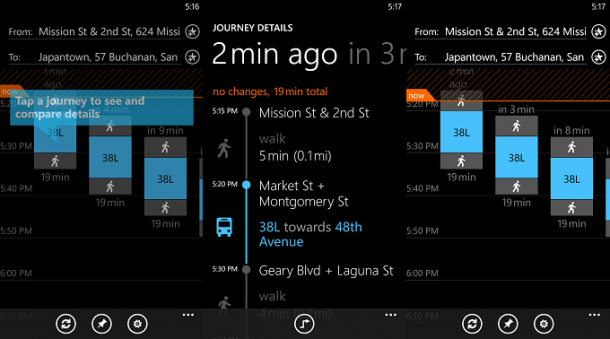
HERE Transit  offers up a quick and easy way to find public transit locations around you and departure times.

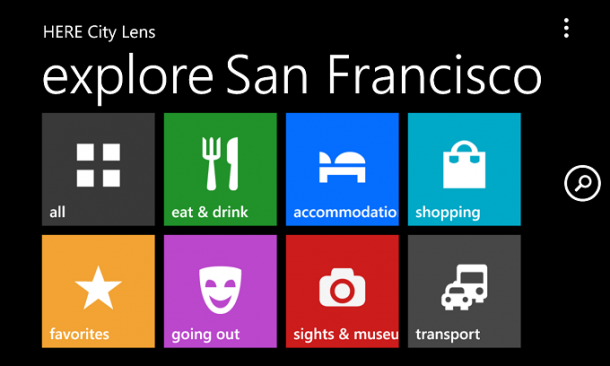
HERE City Lens  is an augmented reality application that lets you find a multitude of different places just by using your camera.

Like we said before, there's also a good helping of AT&T bloatware found on the 925. Address Book, FamilyMap, Locker, and Navigator are all present, but are easy enough to uninstall if you so choose.

Web Browser, Multimedia And Camera

Camera

Likely, the number one reason to grab a Nokia-made Windows Phone handset is the camera. Plain and simple. The OIS camera on the Lumia 925 is ridiculously good, meeting and exceeding a good amount of other smartphone cameras available today.

The 8.7 megapixel Pureview camera performs great in just about any lighting situation, ensuring that your photo will be as crisp as can be. The flash performs exceptionally well, even if it's not the Xenon flash found on the Lumia 928 or 1020.

Not only is the camera itself great on the 925, but so are the camera applications. Nokia Smart Cam offers up features like motion focus, action shot, remove moving object, and changing faces. While there's a good chunk of the competition that also have these features in the camera software, the Nokia Smart Cam offers up a very simple UI that's easy to use.

For those looking to go a little further into photography, the Nokia Pro Cam application is where it's at. Whether you want jump into manual focus, adjust the ISO or white balance settings, Nokia Pro Cam gives you these options front and center, on the screen. The 'Pro' in Nokia Pro Cam is there for a reason, and while photography buffs will likely love the customization options within the application, average users will be happy without any tweaks at all.

In the future Nokia will be combining both Smart Cam and Pro Cam applications into one. Both applications serve their purposes, but it doesn't really make sense to keep the two separated and merging them may lessen the potential confusion a new owner may experience with the handset.

Call Quality And Battery Life

Call quality was pretty exceptional with the Lumia 925. Calls came through clear on both ends, with no interference.

The battery life on the handset is equally impressive. I was easily squeezing out a day's worth of battery life with the 925, and even when I was given the critically low battery warning, it still lasted for quite a few hours after that. The Battery Saver option within the phone's settings was not enabled for the duration of the testing. The 2000 mAh battery on the handset will easily get you where you need to go without having to search for a charging cable in the middle of the day.

An optional accessory for the Lumia 925 is the wireless charging cover that comes in black, white, yellow and red. The cover itself snaps onto the back and fastens around the corners of the handset, providing a sleek look. Depending on the color that you choose, the wireless charging cover can also provide a nice pop of color and contrast to the handset. It does add a bit of bulk to the phone, but it's easy enough to remove when it's not needed. The 925 had no issues charging with the Nexus 4 wireless charging orb I have on my desk, but Nokia offers up its own wireless charging pads in an assortment of colors as well.

The Final Take

The Nokia Lumia 925 offers up a great display, snappy performance, superb camera and more in a tight aluminum body design. The handset is sure to impress those who aren't even interested in Windows Phone, as the in-hand feel alone is really something to admire.

The device itself may not be up to snuff in the spec arena with new Android handsets in the same price range, but if you're looking for an affordable Windows Phone handset that offers up a solid camera experience and beautiful design, the Lumia 925 is a great option to look into.

With that said, there are other Lumia handsets available today that offer up even better cameras and/or a Xenon flash. The Lumia 1020 is currently the star of the lineup, and we know it's only a matter of time before it's superseded. Still, for its price point, the Lumia 925 is hard to beat right now if you're looking into a Windows Phone handset.

While I'm an Android user at the end of the day, this is the first Windows Phone handset I've loved. Good going, Nokia.

LG G2 Review

September 19, 2013 by Blake Stimac - 4 Comments

Last year, the LG Optimus G launched to much fanfare, offering a solid spec list and great software features packaged in a sleek design. From there, we saw the Nexus 4 and Optimus G Pro from the company, and now its latest device, the LG G2 is up to bat with a unique design, great…

Read more
The Good
  • Gorgeous 1080p HD IPS+ display
  • 13 megapixel OIS Camera can take some great shots
  • Software is simple and not over customized
The Bad
  • Certain new software features are impossible to do with one hand
  • No way to expand storage

Hardware

The face of the handset is very clean and to the point. The 5.2 inch 1080p HD IPS+ display is one of our favorites and produces ultra rich colors without oversaturation. The display also swallows the majority of the face. The bezels surrounding the display are ultra narrow at 2.65mm, making the viewing experience very nice.

Above the display, you'll find the expected bunch of sensors (proximity and ambient light), ear piece, customizable notification LED (through settings or third-party app), and 2.1 megapixel front-facing camera. The only thing you'll find below the display is a LG logo, as the G2 now uses on-screen navigation buttons instead of capacitive buttons that we saw on the Optimus G.

The rear side of the device is where you'll find the volume rocker, power button, and 13 megapixel OIS camera and LG logo. Placing the buttons on rear side of the device is definitely a unique implementation, and they have been placed here for easy access when on a phone call. When holding the device in either hand, the power and volume buttons are easily accessible and it's more functional than some may think. Taking screenshots from the back is very easy, given that you simply hold down the button two buttons and the volume down key allows you to take photos with the front-facing camera without fiddling with the on-screen shutter key. Surrounding the power button is a notification LED that illuminates when on a call and when you unlock the device, just to add a bit of flair.

Given the volume rocker and power buttons are found on the rear of the device, there's little to speak of when it comes to the sides. Both right and left sides of the G2 are left bare, with the IR blaster found on the top, and 3.5mm headphone jack, dual speakers, and micro USB port found on the bottom.

Inside the G2 is a powerhouse of hardware that can go toe to toe with just about every handset on the market right now. Not only does it ship with a blazing fast 2.26GHz Qualcomm Snapdragon 800, but you'll also get 2GB RAM, 32GB internal storage, NFC and everything you'd want in a smartphone right now.

Hi-Fi Audio

Audio buffs out there are sure to be excited for the LG G2's Hi-Fi Audio playback capabilities. With the new LG Quadbeat 2 headphones, G2 owners will be able to enjoy 24bit, 192kHz Hi-Fi sound playback, giving you an insanely crisp and clear audio experience.

We currently have the international unit, and both AT&T and Verizon versions of the LG G2, and like the Optimus G, you'll find a few differences in hardware.

While the AT&T LG G2 retains the exact look and feel of the international version, the Verzion unit has been tweaked a bit. The rear buttons on Verizon's unit are a smaller and done up in a brushed metal finish. This subtle tweak looks nice, but we do wish the buttons retained the same size as the international and AT&T units. The Verizon version of the G2 also has a different pattern found on the backside, which gives off a honeycomb look.

The differences between the Verizon LG G2 and the international and AT&T units are minimal, but the tweaks on the Verizon variant will require users to buy accessories specifically for that model. On the other hand, AT&T users will be able to grab any LG G2 accessory that was made for the original design, giving them more options to choose from.

Design

The design of the LG G2 falls in line with the companies' previous handset designs, in that it's a very subtle and understated device. While the buttons on the rear side of the device can be eye-catching, it's nothing dramatic enough to notice with a simple glance.

Unlike it's predecessor, the G2 is full of curves that make it feel great in the hand, and when your dealing with a 5+ inch display on a smartphone, in-hand feel is very important.

The rear side of the G2 is done up in a plastic shell, which might seem like a step down from the Optimus G, but this makes the G2 very light. Also found on the back is a subtle reflective pattern that's reminiscent of the Optimus G's Crystal Reflection Method, but a bit more toned down. In either case, the subtle pattern is a nice touch.

Software

LG's custom user interface has long been one of our favorites, as it retains a very familiar Android look and feel, while adding its own software without disrupting the overall Android experience. The G2 ships with a handful of interesting software tweaks that we think users will enjoy.

Knock Knock

With the power and volume buttons on the back side of the G2, it was a necessity to have a way to unlock the device when it's laying down, which is where Knock-Knock comes in. This simple but pretty awesome implementation allows the user to unlock the device by double tapping the display. Going a little further, the G2 will also lock itself when the user double taps on 'dead space' on the home screen.

Slide Aside

LG's Slide Aside may not be a one-handed operation, but the feature is pretty nifty for switching applications. To save an application, you swipe the screen to the left using three fingers. The application slides away and it'll be waiting for you whenever you need it. Three applications can be saved at one time, and to retrieve the saved apps, the user swipes to the right with three fingers to have the apps slide into view. Best of all, if you don't have your other hand free to use Slide Aside, you can simple hold down on the home button to show your most recent applications as well.

Audio Zooming

LG went big when it came to audio enhancements with the G2, and Audio Zooming is a great feature to have when recording or playing back video. The feature is simple and straight forward. When recording a video, you can zoom into the area that you'd like to focus on, and it the sound will be amplified in that particular area, with surrounding areas' audio toned down. You might not get the impact of this feature when recording a video, but you certainly will when playing the video back.

Audio Zooming for video playback is about as easy as it gets. While the video is playing, you can choose from the left, center, or right sides of the video to zoom in on and the selected area will be amplified.

Plug and Pop

Whenever you plug in your headphones or micro USB cable to charge the G2, you'll immediately see a new animation, showing what you plugged in on the bottom of the screen. When plugging in headphones, a list of suggested applications will appear on the bottom of the display. The suggested applications will be "audio-centric" selections, but you can edit this list with your choice of pre-installed or third-party applications.

Quick Remote 

Quick Remote for the G2 is now better than ever. Not only can you control your TV with the handset, but you can now control almost any of your appliances that uses an IR remote, like air conditioners, fans, and much more.

Guest Mode

While Google introduced multiple user support in Android 4.2, LG has its own Guest Mode that's just as easy to use. The owner of the handset can set a unique unlock pattern for guests and choose what applications guests have access to. From there, the guest simply uses the unlock pattern assigned to the Guest Mode account.

There are a ton of new features on the G2, like Text Link, and other great features we saw in previous handsets, like QSlide and QMemo. LG offers up a large amount of features that may seem a bit overwhelming in the beginning, but as with anything, you'll find and use what works best for you.

Web Browser, Multimedia And Camera

Camera

The Camera on the LG G2 is easily one of its best selling points. The 13 megapixel shooter ships with Optical Image Stabilization, which dramatically improves the quality of photos, especially when dealing with moving objects.

The default settings on the G2 camera likely won't need to be changed for a good chunk of users. The shooter focuses and snaps photos very fast, and a majority come out crisp and clear. The low light performance of the camera is also equally impressive.

For those who like to tinker with camera settings, the G2 offers quite a few options that will definitely satisfy. Of course, outside of the auto and manual settings, users will find a handful of camera modes that cover a vast majority of scenery and lighting situations as well.

Call Quality And Battery Life

The international (T-Mobile SIM), Verizon, and AT&T units tested all perfomed exceptionally well when testing call quality. Calls came through loud and clear with little to no interference whatsoever.

What's a powerhouse of a smartphone without a decent battery to back it up? The G2 ships with a whopping 3,000 mAh 'stepped' battery that will easily get you through the day and well into the night. With so much power under the hood of the G2, we're definitely glad to see that LG didn't skimp on what's essentially the most important part of a smartphone.

The Final Take

The G2 is exactly what we wanted to see LG produce as a follow-up to last year's Optimus G. The handset hits all high marks in our book. From its gorgeous display to its great camera and battery life, LG didn't leave anything out with this handset.

The rear side button configuration may seem a bit odd to some, but it's definitely easy enough to adjust to. With features like Knock Knock allowing you to unlock the device by tapping the screen, the button placement becomes less important in the grand scheme of things.

Features like Hi-Fi audio support and the much improved Quick Remote on the G2 are going to impress users, even if it takes a while to get around to them. The handset offers so many features, users will likely continue to discover new things they never knew about.

There's so much to like about the G2 that it should definitely be at the top of your list if you're shopping for a new smartphone. Also, given that the G2 will be available on all four major carriers in the US, it's definitely LG's time to shine.

Moto X Review – Worth All The Fuss?

August 28, 2013 by Blake Stimac - Leave a Comment

There’s no denying the allure of the Moto X. It’s a sleek device that has a decent spec list, and if you’re on AT&T, you’ll get a chance to design the handset yourself. The Moto X is the first handset that has Google written all over it from Motorola, and while the spec sheet doesn’t…

Read more
The Good
  • Sleek design
  • Great in-hand feel
  • Good battery life
The Bad
  • Same price as more powerful handsets
  • A few features are pretty gimmicky
  • Moto Maker exclusive to AT&T right now

Hardware

The Moto X is an ultra sleek handset that feels even better in the hand than it looks. When the Moto X is in your hand, it's almost surprising to believe that you're wielding a 4.7 inch display, as it provides a firm grip.

The Moto X ships with a 4.7 inch 720p HD AMOLED Display, showing that this handset is going for the value play. With a ton of Android handsets shipping with 1080p HD panels, the spec junkies out there may not be terribly impressed with the screen on the Moto X, but we'd say the majority of people will be just fine with it. Make no mistake, the panel on the Moto X isn't going to be as crisp as the likes of the HTC One's Super LCD 3 display or the G2's IPS+ display, but it will certainly get you where you need to go with little fuss.

The face of the Moto X is essentially all screen, as most smartphones today, but you won't find a logo or anything that's non-essential on the front. Above the display is where you'll find the ear piece (Notification LED is built right into the ear piece), front-facing camera and standard assortment of sensors (proximity and ambient light). Below the display houses only the microphone for calls. The result is a very clean front side of the device.

The Moto X's sides are just as clean as the face. The left side houses only the nano SIM card tray, the bottom gives home to the micro USB charging port, and the top houses the 3.5mm headphone jack. The right side of the Moto X has the volume rocker and power/lock button right on top of one another. It's not our favorite implementation, as this set up makes taking screenshots  (volume down and power) less of a breeze, as it's not much of a one-handed operation any longer.

The rear side of the Moto X is the most busy, but it's all streamlined. Here you'll find the 10 megapixel Clearpixel camera, LED flash, Motorola Logo, and carrier (AT&T) logo all right down the middle. You'll also find the loudspeaker and another microphone for video recording here.

Moto Maker was used to design this custom Moto X, which is currently an AT&T exclusive. You can choose the color of the front (black or white), the color of the back, accent colors, and even throw on a custom engraving. The model we designed shipped with a black front, crimson rear, and metallic orange accents, with no engraving. The color representation on Moto Maker was a bit off, and that may likely be due to the display it was designed on. Computerworld's Barbara Krasnoff highlights just  this in detail here. The crimson backing of the Moto X was quite a bit brighter than anticipated, making the metallic orange accent pieces surrounding the camera's lens, volume rocker and power/lock button pop much less than expected. Still, it's hard to complain about something like this, as people haven't ever really gotten a chance to choose the colors of their phones in this fashion before.

Design

The design of the Moto X is clean and simple, all while being sleek and sexy. The design of the handset is very subtle, with rounded edges throughout, which makes the Moto X very easy on the eyes. If you get the chance to customize your Moto X's color scheme (again, AT&T only right now), the sides have a nice two-tone look. The front and the back panels meet on the sides of the device and give the impression that the Moto X is actually curved - a nice trick for the eyes.

Overall, the design of the Moto X, like we mentioned before, is simple and to the point. It's certainly not going to beat out devices like the HTC One or Xperia Z in terms of sexiness, but it's still a design that will likely be appealing to many people.

Guts And Glory

The Moto X, along with the latest Droid lineup, ship with the new Motorola X8 Mobile Computing system, which consists of a 1.7GHz dual-core Qualcomm Snapdragon S4 Pro, quad-core Adreno 320 GPU, natural language processor, and contextual computing processor. This gives the Moto X a boost in performance, depending on the tasks, and the addition of 2GB of RAM doesn't hurt, either.

While the Qualcomm Snapdragon S4 Pro is hardly anything new, the overall performance of the Moto X is pretty stellar. Google has certainly set out to kill the spec myth that more is better, and it looks to have done just that with the Moto X.


Software

The Moto X ships with a fairly stock Android experience, but customers can expect to find carrier bloatware throughout. Moreover, the handset ships with a few nifty tricks that we haven't really seen anywhere else before, and certainly not on a Nexus device.

From flicking your wrist to launch the camera application to the new Touchless Control features, the Moto X's tricks are actually pretty helpful, but could come off as gimmicky to some.

Touchless Control

The new Touchless Control feature allows the owner of the device to simply say "OK, Google Now" to launch a voice search. The feature also allows the user to set an alarm, and every other feature you could imagine with Google's Voice Search. Unlike the existing Google Voice Search/Google Now application, the Moto X has a setup process that learns your voice when you first launch it, and it's pretty darn good, too. This always-on voice recognition feature may seem gimmicky, but there will likely be quite a few times that it will come in handy.

Though the voice control functions are cut from the same digital cloth of Google Now/Voice Search, we did run into trouble when asking the Moto X simple questions that the Voice Search application on a Galaxy S 4 was able to get right. In our testing, asking Google Now on the Galaxy S4 "find the closest coffee shops around me" gave me a long list of coffee shops within a few blocks of my location. Asking the Moto X the same question, I received locations much farther away. Going a little further into the testing, both the Nexus 4 and HTC One Google Edition produced the same (correct) results that the Galaxy S 4 produced.

I also asked for the closest book stores around me, with the GS4, HTC One, Nexus 4 all producing the same, localized results, and the Moto X giving me results for all of San Francisco, yet again.

Voice Search On Galaxy S 4

Voice Search On Moto X

Active Notifications

Active Notifications is a feature that allows the users to get information on their phone without having to touch it at all. A small portion of the display is activated when the phone is locked, allowing you to view missed calls, texts, and more. From there, you can dive into the notifications with a simple swipe, saving you time and allowing you to get back to what you were doing.

Quick Capture

Quick Capture may be the most gimmicky feature for the Moto X, but it can certainly be handy in some situations. The feature allows the user to launch the camera by a wrist gesture, even if the phone is locked. It takes some getting used to in the beginning, and we're still not sure if this will become the primary method of accessing the Moto X's camera, but it's a welcomed and pretty cool feature to have around.


Web Browser, Multimedia And Camera

Camera

The Moto X ships with a 10 megapixel ClearPixel camera that's capable of taking some great shots. The camera is able to absorb much more light that your standard smartphone camera thanks to the ClearPixel tech inside.

The camera software is quite different than what many Android users are probably used to. There's no on-screen shutter button to snap a photo, nor is there a dedicated hardware button on the device. No, to take a photo, all the user needs to do it tap the screen. The Moto X does the rest for you. While the feature itself is nifty in its own right, not all of the photos are going to showcase what this camera can do. Taking quick photos likely won't yield the desired results, but allowing the camera to focus a second time will. Holding down on the screen when in the camera application will take multiple photos until you lift your finger (burst mode).

HDR mode is enabled by default, and as you can see below, the camera produces some great photos.

Accessing the settings and the gallery is now easier than ever. Settings can be accessed from a swipe to the right and the gallery can be accessed by swiping to the left. The Moto X takes much of the legwork out of the traditional smartphone camera experience, but users can easily get into the settings they want with a quick swipe.


Call Quality And Battery Life

We had no issues whatsoever when on a call with the Moto X. Running on AT&T's network, calls came through loud and clear on both ends, with no interference.


Battery life was most impressive on the Moto X. The handset can and will get you through a full day and have quite a bit of juice left in it for the evening and possibly into the next day. We'll definitely admit that the Moto X was mostly on standby when this screenshot was taken, but we've seen plenty of handsets that can demolish battery life in standby mode.

The Final Take

There's no doubt that the Moto X is a solid handset that offers great performance, great battery life, and great new features all wrapped up in a sleek packaged. It gets even better with Moto Maker, allowing you to customize the handset's colors. However, there are some important factors to consider if you're looking into the value of the Moto X compared to its competition.

The Moto X ships at the same price as many other, more powerful Android handsets around. The HTC One, Galaxy S4 and Xperia Z all out-spec the Moto X  in some areas with either the same or similar price points. All three of the aforementioned handsets feature faster processors and 1080p displays, making the Moto X look a bit less drool-worthy. While this doesn't mean that the Moto X isn't right for you, as it might have everything you're looking for, there are other handsets that could potentionally provide more bang for your buck.

Of course, this was Google's plan. Do you need a 1080p display on your smartphone? Probably not. The jump from 720p to 1080p is hardly as noticeable than something like WVGA or qHD to 720p, so the Moto X doesn't really falter in this respect. Still, for the same price you can grab a faster phone that may give you a little more life in the long run.

One more thing. Moto Maker needs to be available to all carriers at launch, and that isn't going to happen. Leaving out three of the four carriers with only two color options is pretty lame if you ask me. With Verizon's version of the Moto X landing at the end of this week, in only black and white, I'd say a big opportunity was missed here. The Moto X is an awesome device, but if you want to be able to customize it, you're going to have to wait if you're not on AT&T.

Despite my gripes with the Moto X, it's going to make a lot of people happy and shouldn't be ignored if you're looking to grab a new smartphone in the near future.

NVIDIA Shield Review

July 30, 2013 by Blake Stimac - 1 Comment

We’ve been patiently awaiting the arrival of the NVIDIA Shield and now we finally have our hands on the portable gaming device. The NVIDIA Shield features the latest Tegra 4 SoC, offering up insane performance across the board, but that’s not all. The Shield is full of tricks, and this just might be the go-to…

Read more
The Good
  • Incredible build quality
  • Tegra 4 is insanely powerful
  • PC Game streaming capabilities are impressive.
The Bad
  • Kepler GPU required on PC to stream games, so no out of the box PC streaming for everyone
  • Some older titles don't support PC streaming.

Hardware

NVIDIA's Shield is the creation of what the company knows best: Gaming. This shouldn't come as a surprise to anyone, as NVIDIA has been inside gaming computers for a long time, and has long proven it's ability to push graphics to the next level.

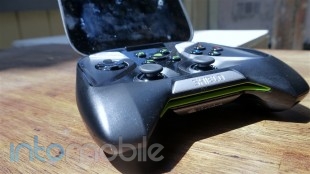
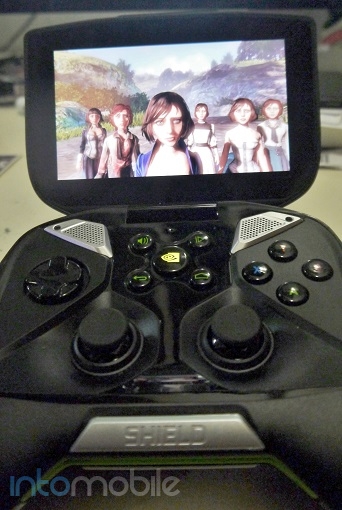
The Shield ships with a full-sized gaming controller attached to a foldable, 5-inch 720P Retinal multitouch display. You can use the joysticks and D-Pad to navigate through the stock Android build, or just tap your way through on the display. From our experience, it seems that the touchscreen is best used for simple and quick operations rather than hold it as you would any other touchscreen device. Plus, it looks a little awkward.

On the back of the display is where you'll find the "Shield" of the device - a metal accent piece that's held in place by magnets. NVIDIA will be offering up customized plates for this particular piece to make the device a little more personal.

The controller itself is going to make a lot of people happy. It's essentially a Xbox controller that features any and every button that you'd want, including triggers on the shoulders of the device. You'll also have 5 buttons in the center of the controller for volume control, back and home Android buttons, start/pause button for games, and a larger button with the NVIDIA logo on it. This button is the power button, but also launches the customized game library for supported Shield games. The button is also illuminated to give off a nice green glow that pulses when the Shield is on standby.

Above the buttons on the controller are a set of stereo speakers that are wonderfully loud and crisp. These speakers easily make the gaming experience on the Shield much more immersive.

On the back of the Shield, you'll find a healthy assortment of ports. 3.5mm headphone jack, microSD card slot, mini-HDMI, and Micro USB ports can all be found here, allowing you to expand the 16GB of built-in memory and connect your Shield to your HDTV for playing games on the big screen.

While it's not a deal breaker, we do wish that the Shield shipped with a camera of some sort, even if was just a VGA shooter above the display.

Inside the Shield is where the party's at. The Shield is one of the first products to ship with the NVIDIA Tegra 4, making it one of the most powerful mobile devices around.

While many Android games have controller support, it's a different experience to have the screen attached to the controller -- in a very good way. I found myself playing games I liked but usually avoided due to the odd touchscreen controls. Games like Dead Trigger are insanely fun on the Shield.

Design

The design of the Shield is an interesting one. It's not necessary a sleek looking device, but we have our doubts that aesthetics were as much of a priority than function was. Still, the Shield isn't a bad looking device, as its it's green on black accents on the front of the device scream NVIDIA.

To be honest, we have our doubts that those who purchase the Shield will really care how the device looks. The capabilities of what the handheld can do alone are likely enough to be sold on it if you're a hardcore gamer, and we'd say the design is fitting for such a device. It looks like a machine, and to the gamers out there, that's exactly what it is.

Build Quality

If there's one word to describe the build quality of the Shield, it would be solid. The device feels absolutely solid in your hands, which is pretty great given that you'll be squeezing the hell out of the thing when dispatching zombies or racing your jet ski on games like Riptide GP2. The buttons, triggers, joysticks and D-Pad all have a great, high quality feel to them. The joysticks on the controller are incredibly precise, making it much easier to go a long distance (or what have you, depending on the game) without moving the joystick too much.

The Shield also has a great weighty feel to it. At almost 1.8 pounds, the Shield feels pretty heavy, but I personally think it just helps the overall quality feel.

Guts And Glory

While we like the NVIDIA Shield a lot, what makes it even better is the presence of the Tegra 4 -- the company's latest SoC that shows a significant performance boost over the Tegra 3.

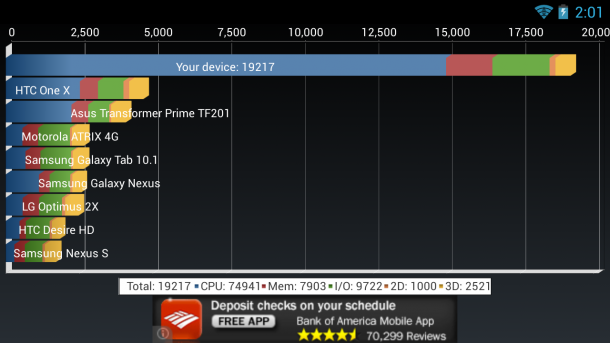
The Tegra 4 features a 1.9GHz quad-core processor, with its own battery saving core that handles a good chunk of lightweight tasks, along with a whopping 72 core GPU. The Tegra 4 is a beast of a SoC that can tear through the meanest of tasks with ease. The Shield tore through every benchmark we through at it. Take a look below to see how the Tegra 4 fared against the Galaxy S4's Exynos CPU and the HTC One's Snapdragon 600. The results are impressive.

Software

With the exception of the NVIDIA-made Shield game launcher and some pre-installed applications, the software on the Shield is your stock Android affair. Running on Android 4.2.1, the Shield offers up the same experience you'd find on a Nexus 7.

The NVIDIA Shield comes with two games pre-installed - Sonic 4 Episode II THD and Expendable: Rearmed. Of course, there are a ton of games that are compatible with the Shield already and optimized for the Tegra 4, so your selection of playable games is rather large right out of the gate. If you need help finding some of the best games for your new handheld, then Tegra Zone is pre-installed, which showcases the best games for NVIDIA's Tegra SoC.

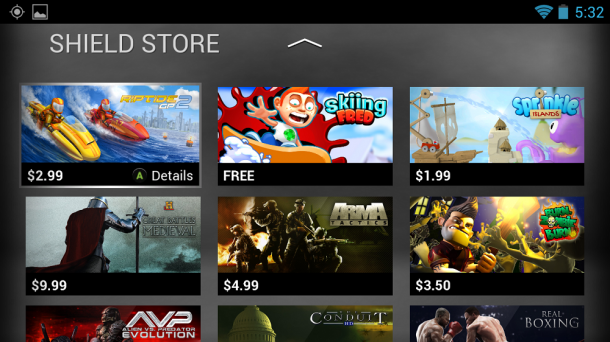
The Shield button in the center of the controller will open up your library of Shield games in a simple and slick UI. You can also access the Shield Store from here, which will kick you out to the Google Play Store to finalize your purchases.

The latest software, which will the same version that ships on retail units adds a handful of new tweaks to make the experience better. For instance, the latest OTA enables "full screen mode" for standard Android apps. This mode also allows applications like Netflix to be viewed in full screen mode without having the notification window viewable. Other tweaks, like applications that only allow portrait mode are viewable in the Google Play Store. While the Shield was clearly made with the landscape view in mind, the addition or portrait applications can't hurt.

Netflix in Full Screen Mode

There are already over 100 games that can take advantage of the NVIDIA Shield's controllers, along with some great applications. One such application is the AR FreeFlight app for the AR Drone 2.0. You can easily navigate the drone with the Shield's joysticks, which is a rather significant step up from the normal touchscreen controls.


Of course, the number one reason that makes the Shield so very unique is its ability to stream Steam games, and you'll also find this option in the Shield menu.

PC Streaming

The PC streaming feature on the NVIDIA Shield is seriously a game changing one. While many might want to play their intensive games on a PC, the idea that you don't have to is certainly an interesting one. If your PC is equipped with a NVIDIA GTX 650 or higher, the Shield is going to be your new best friend. Of course, one should keep in mind that this is a beta feature, and you'll want to stick with supported games only in the beginning. Some older games just don't work properly, if at all.

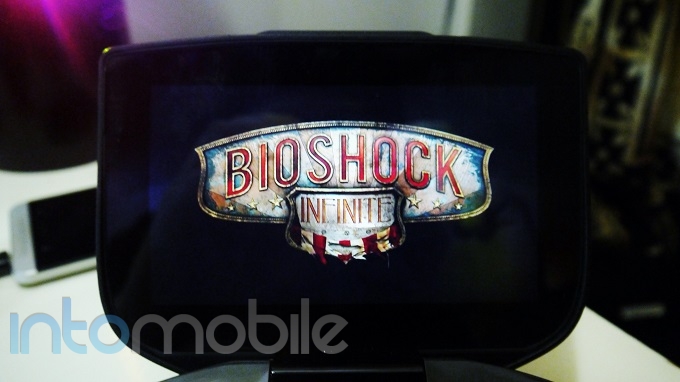
I fired up BioShock Infinite, and it was an awesome experience. The graphics are fluid and I experienced no issues whatsoever getting rid of baddies in the game. The only issue I had run into during testing was that sound sometimes cut out from the Shield during gameplay for a short time, but this only happened once.

Streaming PC games is pretty awesome and is really the defining feature of the Shield.


Call Quality And Battery Life

Battery life on the Shield is pretty great, and given how intensive some of the games you'll be playing on the Shield are, it's a necessity. Powered by a 28.8 Watt Hour battery, the Shield promises hours of gaming and video streaming. In our testing, the  Shield performed pretty darn good and kept kicking over two solid days with a 15 minute charge here and there. And thanks to the standard micro USB port, you won't have to deal with proprietary adapters to get your charge on.

The Final Take

The Shield is quite an interesting device. It's easily one of the most unique Android devices we've seen before, offering up a great gaming and media experience in a play-ready form factor. The benefits of the device only get better with the GTX PC graphics card for streaming Steam games, and the Tegra 4 is one hell of a beast. Users have access to many of games that are already compatible with the Shield, along with tons of applications in the Google Play Store.

That said, it's clear that the NVIDIA Shield is a niche device, directly aimed towards gamers. We have our doubts that someone just looking for a tablet would opt for the Shield, even at its lower price point than the likes of the Galaxy Note 10.1 and Xperia Tablet Z. But then again, NVIDIA doesn't look to be chasing the tablet market with the Shield at all. It's a device that makes some of the best touchscreen games even better with its built-in controller. I personally found myself playing a lot of games that I normally wouldn't because of the controller, and I don't think the experience could be much better.

The NVIDIA Shield is a great device for gamers and has a lot going for it. Other handheld consoles like the Vita lack a decent application ecosystem and such quality controls. The Shield gives you both.

If you're looking for a handheld gaming device that not only allows you to download Android games, but stream your own PC games, then look into the Shield. There's nothing else like it.

HTC One Google Edition Review

July 29, 2013 by Blake Stimac - 1 Comment

When HTC unveiled its latest flagship smartphone this year, the One, it easily became a favorite of many. Not only is it one of the most beautiful phones to grace this techy world, but it’s a joy to hold, and has some exceptional features. To make things even sweeter, some time after the One had…

Read more
The Good
  • Same great hardware as the original HTC One
  • The Google Play Edition of the HTC One will receive more timely OS updates
  • The Ultrapixel camera is still one of our favorites.
The Bad
  • There are many software tradeoffs between Sense and Stock -- The camera experience is most notable.
  • Only available at its unsubsidized price point.
  • Limited HSPA+ Support for T-Mobile customers.

Hardware

No surprises here. The HTC One Google Play Edition is the exact handset that we saw launch earlier this year in terms of hardware, which is a very good thing.

Boasting a 4.7 inch 1080p HD Super LCD 3 display, the handset's screen is one of the best we've seen. Couple that with the Qualcomm Snapdragon 600, 2GB RAM, 32GB internal storage, BoomSound front-facing speakers, Ultrapixel camera, and more all wrapped up in a sexy unibody aluminum shell, and the HTC One is a phone that begs to be held and played with. The ports, 3.5mm headphone jack, and IR blaster/power button all remain in the same place to no surprise.

Be sure to find all the nitty gritty about the HTC One's hardware in our original review here!

A feature that I used a lot with the original HTC One was it's TV remote application, utilizing the device's IR Blaster built into the power button. Given that the application isn't available on this particular handset, the IR blaster is essentially useless until a decent alternative becomes available in the Google Play Store.

Something that does work as expected are the BoomSound speakers on the device. I've never once considered myself an audiophile but the first time I heard the clarity of the speakers on the HTC One, I was immediately spoiled. Not only are the speakers on the handset extremely loud, but the clarity is great.

T-Mobile customers won't like to hear that the Play Edition of the HTC One lacks the necessary bands to support HSPA+ out side of the 1900Mhz band, which could be a deal breaker for some.

Design

The design of this handset is one of its best selling points. The HTC One is a beautiful handset and the design is still unrivaled today. This is because HTC has constructed the handset out of a solid piece of aluminum, making it a joy to hold. Another design element that we appreciate on the One is that it's screen is taller, rather than more wide. This makes the in-hand feel of the device much better, allowing for a more solid grip on the phone.

Build Quality

If you're looking into the HTC One Google Play Edition, there's a good chance that you're in it for the beautiful unibody aluminum casing. Simply put, there just isn't another Android handset on the market that can rival the HTC One's build quality. The solid piece of aluminum screams quality and the feel of the cold metal when picking it up is something we like a lot. Other handset makers really need to take notice of what HTC is doing here.


Software

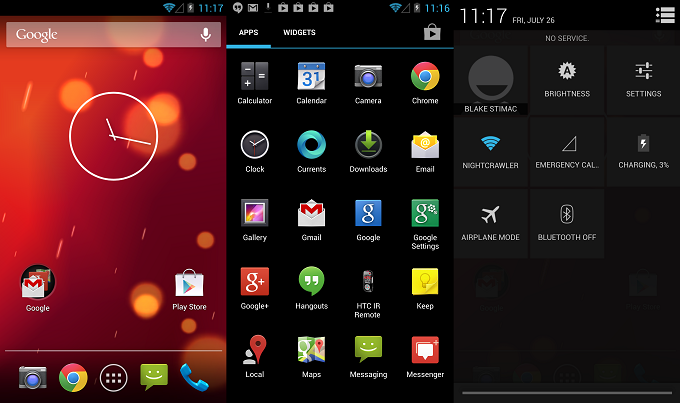
Well, what can we say here? The HTC One Google Play Edition's software is essentially the same experience you'll find on the Nexus 4. There are few differences between the two, but then again, that's the appeal of the device, right?

Small things, like the preset Live Wallpaper is different, as well as the camera UI. Other small tweaks between the software on the Nexus 4 and the HTC One Google Play Edition are the amount of applications show on one panel of the Apps Tray (5x5 grid vs 4x5 grid).

There's not much to say about the software on the HTC One Google Edition. We've seen it before, and it's the experience many people have been pining for. With minimal tweaks between it and the software found on the Nexus 4, those seeking the Google Play Edition handsets will be very happy.

Web Browser, Multimedia And Camera

Camera

The camera experience on the Sense HTC One compared to the Google Play Edition of the handset are starkly different, and this may be the number one complaint for users who have used both devices.

Simply put, the camera UI on the original HTC One is just better. HTC put a lot into making a friendly user interface while allowing the user to add many filters, among other things to set it apart.  With the Google Play Edition, don't expect any of these nice tweaks to be retained. Zoe? Forget about that as well.

What you do get with the Google Play Edition of the HTC  One is the slightly tweaked user interface from the Nexus 4, but the overall experience remains largely intact.

All that said, the camera on the HTC One Google Play Edition is still damn good. The camera is still the same Ultrapixel camera that we loved in the original, utilizing much larger pixels than many other smartphones today, allowing for great low-light performance.

Call Quality And Battery Life

Call quality on the handset was top notch, with not noticeable distortion on either side.

Battery life is on par with a majority of handsets today, and you should easily be able to get a full day without having to recharge. I was able to squeeze out 15 hours in one day of testing, but it usually gave out around 13 on average.

As per usual, results in battery life are going to vary. If you're streaming video constantly with the screen cranked up 100%, and have all the bells and whistles switched on, expect to see a dramatic difference in battery life with this (and any) handset.

The Final Take

The HTC One Google Play Edition is definitely and interesting handset to say the least. Not only do you get the great hardware found on the original HTC One, but you also get the stock Android experience that many have been clamoring for. Still, there are a ton of tradeoffs in the software department that should be taken into account.

While the homescreen UI is starkly different to that of the original HTC One, it's the applications that really make the difference. Stock Android's offerings are just fine, but there are some delightful tweaks that you'll find on the Sense HTC One that we found ourselves missing a lot. The camera software is really a sore spot, along with a handful of other apps. If you want to retain these applications, you could always grab the Sense HTC One and install a home screen replacement app like Nova Launcher to suit your needs. Then again, you could also install the custom ROM MoDaCo.SWITCH and choose what software experience you want at any time. Still, we have our doubts that many people will do this.

Nonetheless, if you're craving a stock Android experience with best in class hardware, there's really nothing better than the HTC One Google Play Edition.

Sprint LG Optimus F3 Review

July 18, 2013 by Ian Kersey - Leave a Comment

When it comes to making a new smartphone purchase, many people flock to the most shiny and high-performing handsets, such as the HTC One or the Samsung Galaxy S4. While these flagship devices provide amazing performance and style, many of us can’t afford to drop $200+ to upgrade our devices. That’s where Sprint’s LG Optimus…

Read more
The Good
  • The 2,460mAh battery provides amazing battery life
  • Multiple LED colors light up the home button
  • Speedy GPS location detection
The Bad
  • The 4.0-inch screen may not be enough screen for some
  • The 5MP camera leaves much to be desired
  • Extremely small amount of built in memory

Hardware

The Optimus F3 is packed with a 1.2GHz dual-core Qualcomm Snapdragon 400 processor, a 4.0-inch IPS 800 x 480p display, 1.24GB of internal memory and a gargantuan 2,460mAh battery.  Wi-Fi 802.11 b/g/n support is included, allowing the device to take advantage of fast and robust Wi-Fi protocols. The Android 4.1.2 powered handset comes with a few features which are usually lacking in mid-range handsets, namely  face recognition for face unlock, and eye-blink detection, which keeps the device's screen from going dark while a user is focused on the screen. The Qualcomm Enhanced Location Service speeds up the GPS location process, and delivered location results at a much faster clip than other smartphones I've encountered. While 1.24GB is a small amount of internal memory, the device does have a microSD card which allows memory expansion of up to 32GB. After putting a 32GB microSD card into the Optimus F3, the small amount of internal storage quickly became a non-issue.

With dimensions of 4.57 by 2.44 by .4 inches and a weight of four ounces, this stubby little guy won't be slipping out of your hands anytime soon. The F3 has some heft to it when compared to handsets with a slimmer design, but feels comfortable and not overbearing.

The Optimus F3 resembles other Optimus devices, with a brick like shape and an ovular physical home button wedged between the capacitive back and menu buttons. The thick plastic back panel sports a pinstripe design, which not only gives the F3 some swagger but provides surety against slippage. A thin chrome bezel adorns the top edges of the device, with a small speaker slot located just above the LG logo on the front. LG's design elements are striking, and make the build of the F3 surprisingly robust considering the low price point.


Software

Overall, the user interface doesn't deviate too much from other Android devices running on Android 4.1.2 but does have a few nice surprises. LG has added some of its own software in as well, such as QSlide, which places an app bar in the notification panel, enabling easy access to apps such as the web browser, memo pad, calendar calculator and the Videos folder. QSlide allows the aforementioned apps to be opened in their own windows which float over the homescreen, allowing for multitasking. The transparency of the QSlide window can be quickly changed via a slider bar for easy access to other apps.

There's also a file manager and a language translation app, and an app called Sprint ID that allows users to customize ringtones and wallpapers.

LG's Optimus skin runs on top of Android 4.1.2 Jelly Bean, providing a user experience that is surprisingly fast. Usually I'm not a huge fan of skins as they usually big down the processor, but LG's offering provides snappy scrolling and app drawer access with no problems.

Web Browser, Multimedia And Camera

The Optimus F3 comes with a 5MP rear-facing camera and a 0.3MP VGA camera on the front. While both of the cameras are nothing to write home about, the front-facing camera does provide clear pictures when snapping photos in illuminated situations. Most pictures come out a little dark, and tend to blur when light is limited. For a budget smartphone, a camera of this quality is pretty standard, and is still good enough to keep snapping those Instagram pictures.

Video is fine when shooting in 720p, but suffers from the same perils as taking still photos does, namely washed out colors and blurred images. The camera seems to take a while to adjust when moving from a light area to dark and vice-versa, creating a strange dimming effect that lasts a few seconds long.

As for multimedia apps, the F3 comes pre-loaded with all of the Google favorites, such as Google Music, Google Play Movies and TV, Play Magazines and Google Play Books. The stock music player app is nothing new, looking and functioning in the same manner as most Android devices. Google Play Music functions well, looking clean and vibrant and streaming music to the F3 with no lags. Audio comes out clear and crisp, although at maximum volume some of the high notes carry a bit of a screeching sound, and the bass could be a little deeper. That was at crazy ear-blowing volume, however; after I turned it down a notch, music quality was perfect.

Call Quality And Battery Life

Calls on the Optimus F3 were clear and crisp, with the noise-cancelling microphone making short work of urban sounds while engaged in a call. The speakerphone functioned quite nicely, coming through clear unlike some speakerphones which make voices sound cloudy and muddy.

The battery life is where the F3 really shines, though. Normally, I turn off the GPS and Wi-Fi on my devices when it is not needed to conserve battery life, but on the F3 that was not necessary. With the 2460mAh battery I was able to leave those features on in the morning, and still have some juice left at the end of the day. The F3 delivered around 6 hours of video streaming, using the Netflix app via Wi-Fi. Even with all of the extraneous features turned on, I was able to get an awesome 15 hours of moderately heavy usage with the device.

The Final Take

With much attention put on smartphones with higher-end spec sheets and flashy bells and whistles, it's great to see that LG is not forgetting about the normal smartphone user. For most of us, features such as battery life, GPS accuracy and ease of use are most important. With a dual-core processor and running Android 4.1.2, the F3 may not whiz through more complicated apps, but the unit does deliver fast and accurate performance with minimal lag.

Out of Sprint's budget phone offerings, the F3 offers the best value for the price. Sprint is offering the F3 for $0.00 when customers port their old number to Sprint and sign a new two-year contract, or outright for $249.99.

If you're looking to upgrade your smartphone or just jump on the Sprint bandwagon, check out the Optimus F3 and enjoy a surprisingly powerful device at minimal cost.


Upcoming Xiaomi Tablet will sport MediaTek’s MT8125 quad-core processor, affordable price tag

July 10, 2013 by Dusan Belic - Leave a Comment

Upcoming Xiaomi Tablet will sport MediaTek's MT8125 quad-core processor, affordable price tag

Xiaomi may soon launch its first tablet and we caught few details worth sharing. It is said that the upcoming Xiaomi MiPad will get its power from MediaTek’s MT8125 quad-core processor clocked at 1.5GHz. Moreover, it may be available in two versions, one of which will have built-in 3G connectivity. As for the screen size,…

Read more
The Good
The Bad

Hardware

Add Content Here

Design

Add Content Here

Build Quality

Add Content Here

Guts And Glory

Add Content Here

Software

Add Content Here

Web Browser, Multimedia And Camera

Add Content Here

Web Browser

Add Content Here

Multimedia

Add Content Here

Camera

Add Content Here

Call Quality And Battery Life

Add Content Here

The Final Take

Add Content Here

« Previous Page
Next Page »

Back to top ▴

Follow IntoMobile

38k
36k
4k
13k
12k

Most Recent Posts

  • OnePlus 15 may support Quick Share and AirDrop file transfers
  • Galaxy Z Flip 8 clears FCC certification ahead of summer launch
  • Samsung Galaxy A27 gets price hike despite downgrades from previous model
  • iPhone Ultra foldable confirmed by iOS 27 beta code discoveries
  • Samsung Galaxy M15 and Xcover7 receive One UI 8.5 update

Get Updates Via E-Mail

  • This field is for validation purposes and should be left unchanged.

About IntoMobile

  • About IntoMobile
  • Contact IntoMobile
  • Send us News Tips
  • Privacy Policy

Social Links

  • IntoMobile on Facebook
  • IntoMobile on Twitter
  • IntoMobile on Google+
  • IntoMobile on YouTube

Copyright © 2006-2021 IntoMobile. All rights reserved.